Each action: organised, clarified, contextualised.
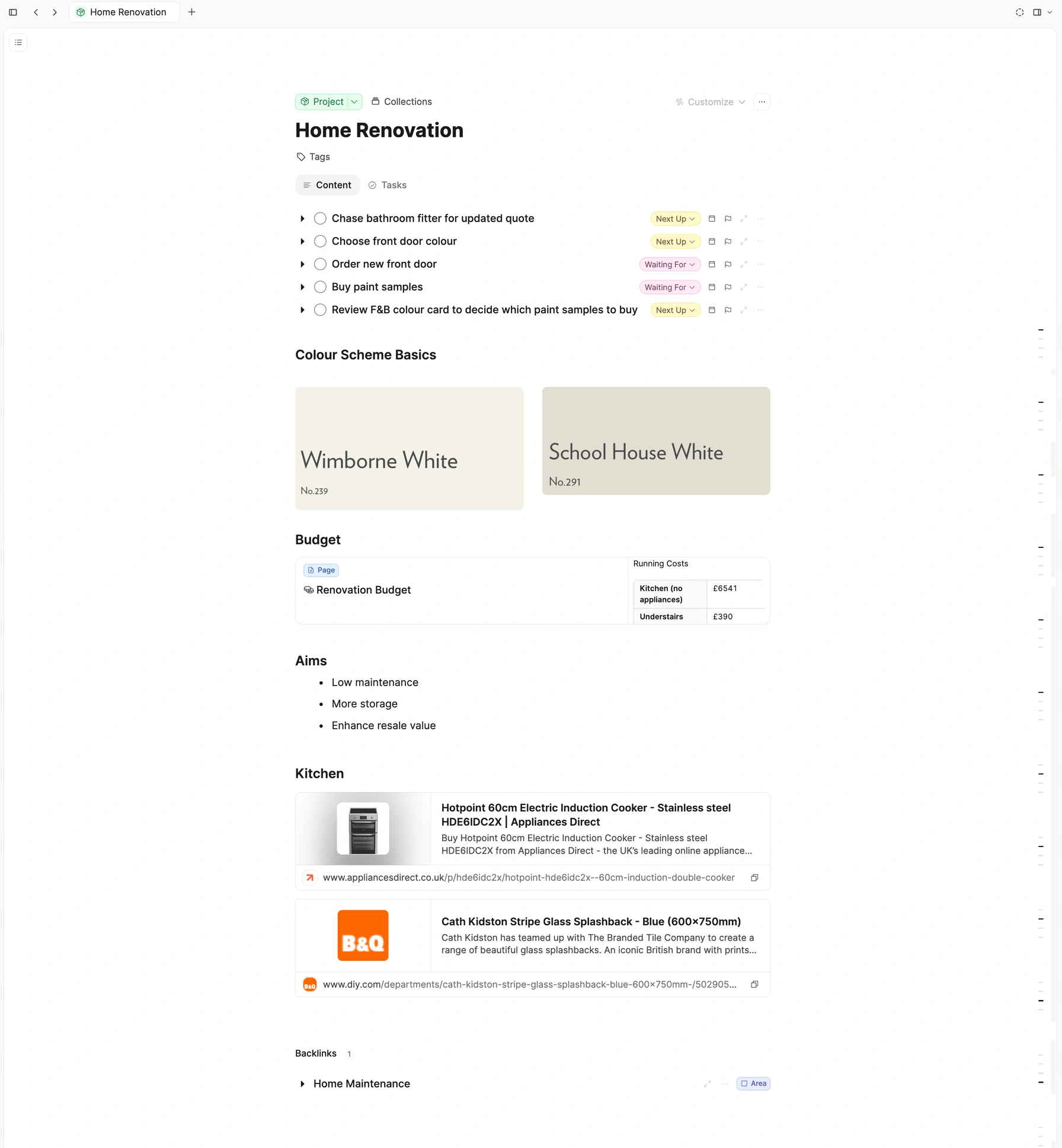
A task lives on its project note. The research, the decisions, the next step — right there. That's just where they go.
Capture · Next actions · Projects · Reference · Weekly review
Home Renovation
The fitter’s quote is a week out. Door colour waits on the F&B card.
Colour scheme
Wimborne White
No.239
School House White
No.291
Budget
Same actions. The colour card stays on the project note, one click away.
See it
The whole system, in one walkthrough
Inbox, next actions, projects, and the weekly review. The same flow, with the reference attached.
The reference stays with the next step
Paint cards, the budget, the cooker you are comparing. They live on the project note, beside the actions that came out of them.
Written where you are already reading
Add the next action on the project note. It stays there, next to the colour card or the quote that prompted it.
One page for the outcome
A project is the result that takes more than one step. The note holds that outcome. The tasks are the steps.
Open it later and it is still together
The tasks, the budget, the links. You come back to the project and the context is already on the page.
"A task lives on its project note. The research, the decisions, the next step. That's just where they go."
The list still knows what each action is about
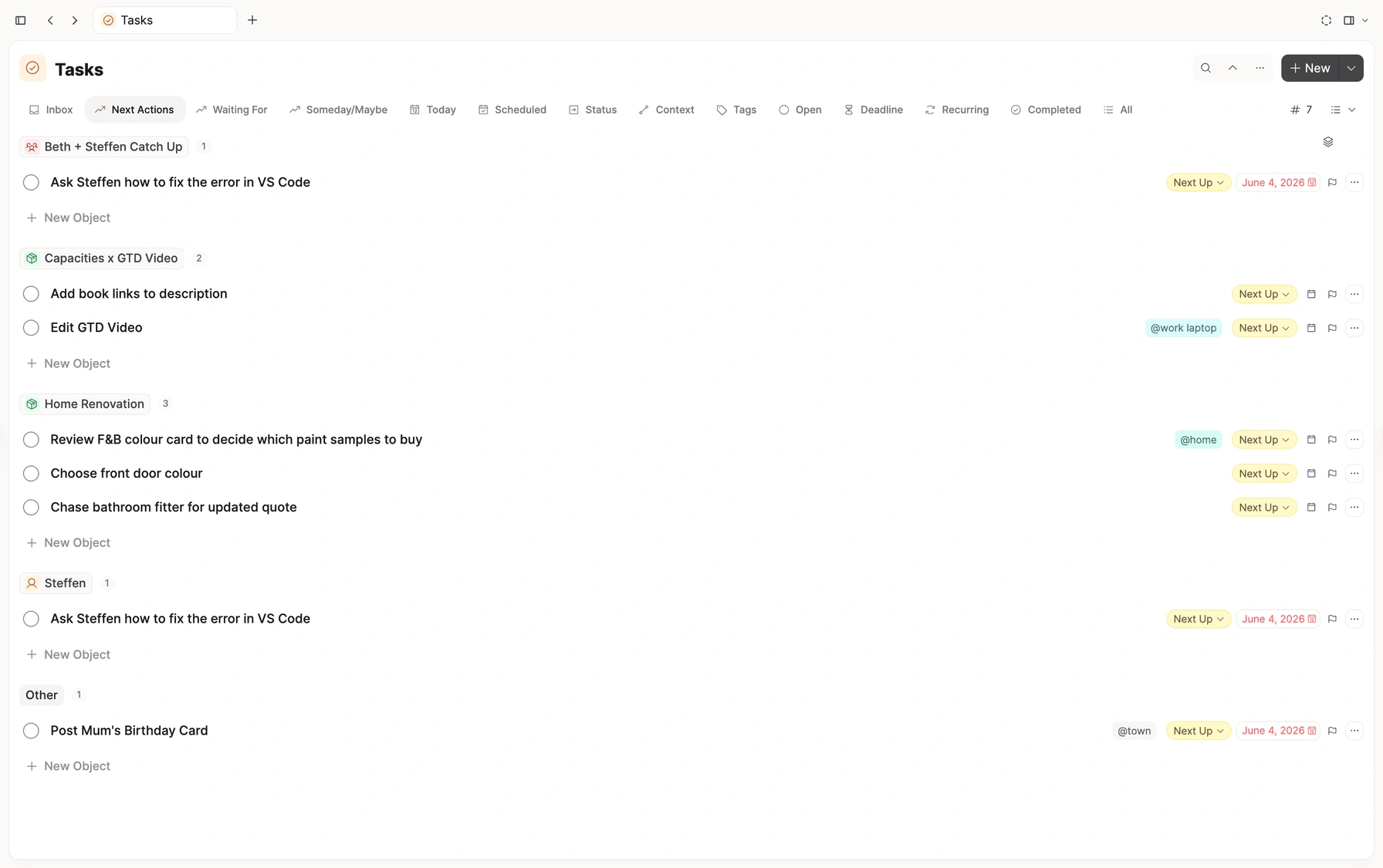
Next actions group under the project or person they link to. A tag such as #home says where you can do the work. Open the note when you need the rest.
Grouped by what they belong to
Next actions cluster under the project, the person, or the meeting. One click opens that note.
Contexts as tags
#home, #town, #work-laptop. Group by tag when the question is where you can do the work.
Waiting and someday have their own lists
Waiting For and Someday are processed. They stay off Today until you are ready to move them.
Nothing to unlearn
Every GTD habit you rely on is already here
Inbox, next actions, waiting for, someday, and today. Add a status or a date and the inbox clears.
GTD statuses, built in
Next Up, Waiting For, Someday — applied in one tap, filtered in one view.
Inbox, Today, Scheduled
Add a status or a date and it clears the inbox. Same as your current flow.
Contexts as tags
Tag #home or #work-laptop. Group by context for your weekly review.
Dates and a real calendar
Scheduled tasks appear on the in-app calendar. Sync your external one too.
Recurring tasks
Habits, weekly upkeep, regular check-ins — with streaks.
People as agendas
A person's note is your standing agenda. Tasks added there appear in your lists.
How it fits together
Actions that know what they’re about.
A project, a person, and the tasks that point at them. Point at a node to see what it connects to.
A graph view of Home Renovation and Steffen. Chase the bathroom fitter links to the project. Review the colour card links to the project and to Steffen. Ask Steffen for the quote is waiting for Steffen. Faded Someday tasks sit in the background. One task can belong to a project and a person at the same time.
Up and running in 10 minutes
Apply the GTD preset
Settings → Task Management → Getting Things Done. Your statuses are ready.
Pin your lists and types
Pin Next actions, Waiting for, Someday. Add Project, Area and Person types.
Move one project over
Add its reference note, set contexts on the tasks. See how it feels.
Questions
Your whole system, connected
Tasks and reference, right where they belong.
Getting Things Done®, GTD®, and "Your mind is for having ideas, not holding them"® are registered trademarks of the David Allen Company. This page is not affiliated with or endorsed by the David Allen Company.