My workflow to work with Kindle highlights
I've recently been playing with my Kindle highlights and exported them via email from my iPad.

One feature I'm really looking forward to in Capacities: an integration with Readwise to sync all my Kindle highlights automatically.
I've recently been playing with my Amazon Kindle highlights and exported them via email from my iPad. It is a great way to review all my highlights after finishing a book...
Learning new vocab
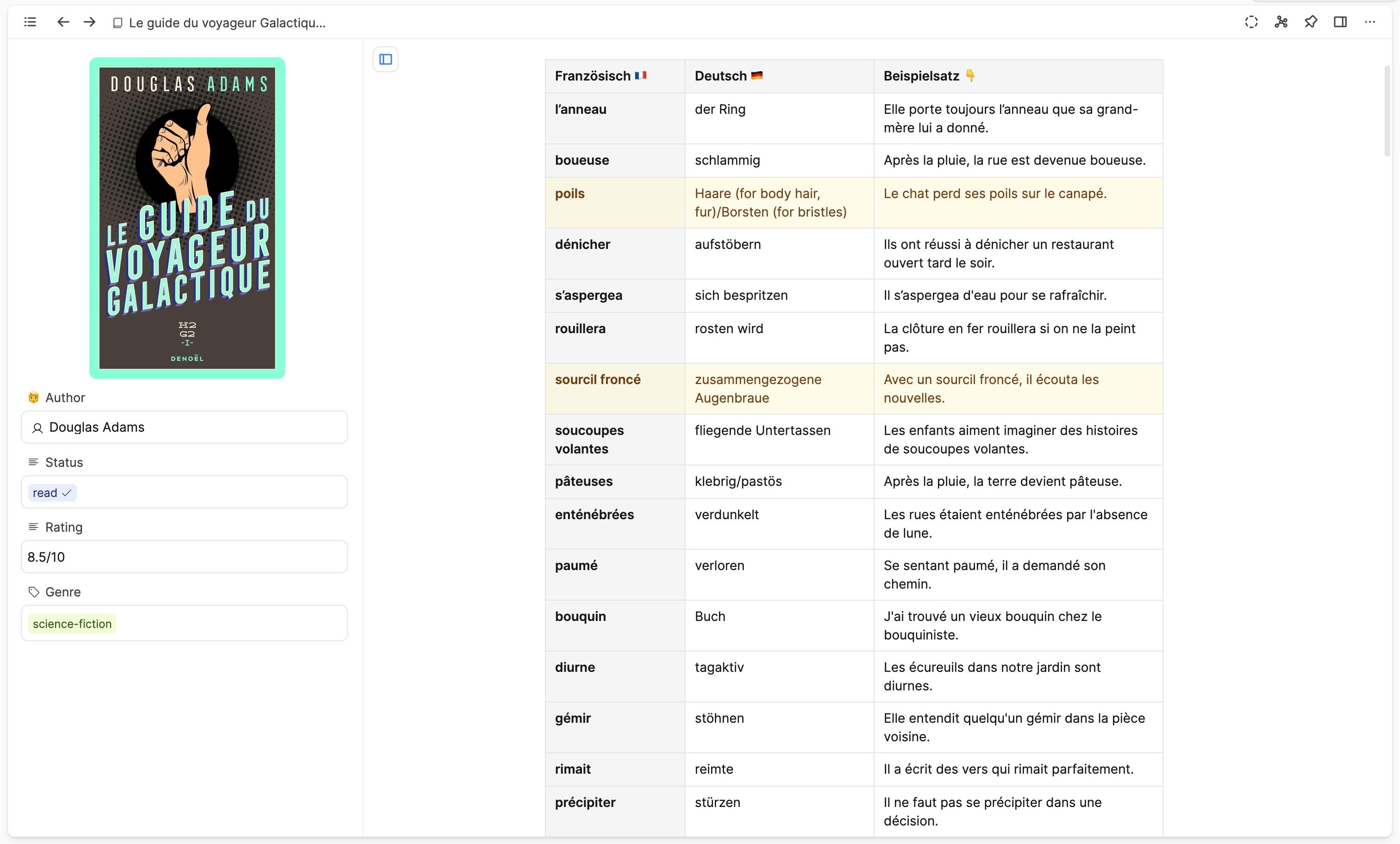
For my reading in French, this mostly involves unknown vocab, which I highlight in a certain color. Using our AI integration in Capacities, I was able to generate a neat markdown table with the German translation of each word and an example sentence in French. I was amazed at how well this worked and how suited the example sentences were.
Deepening my understanding
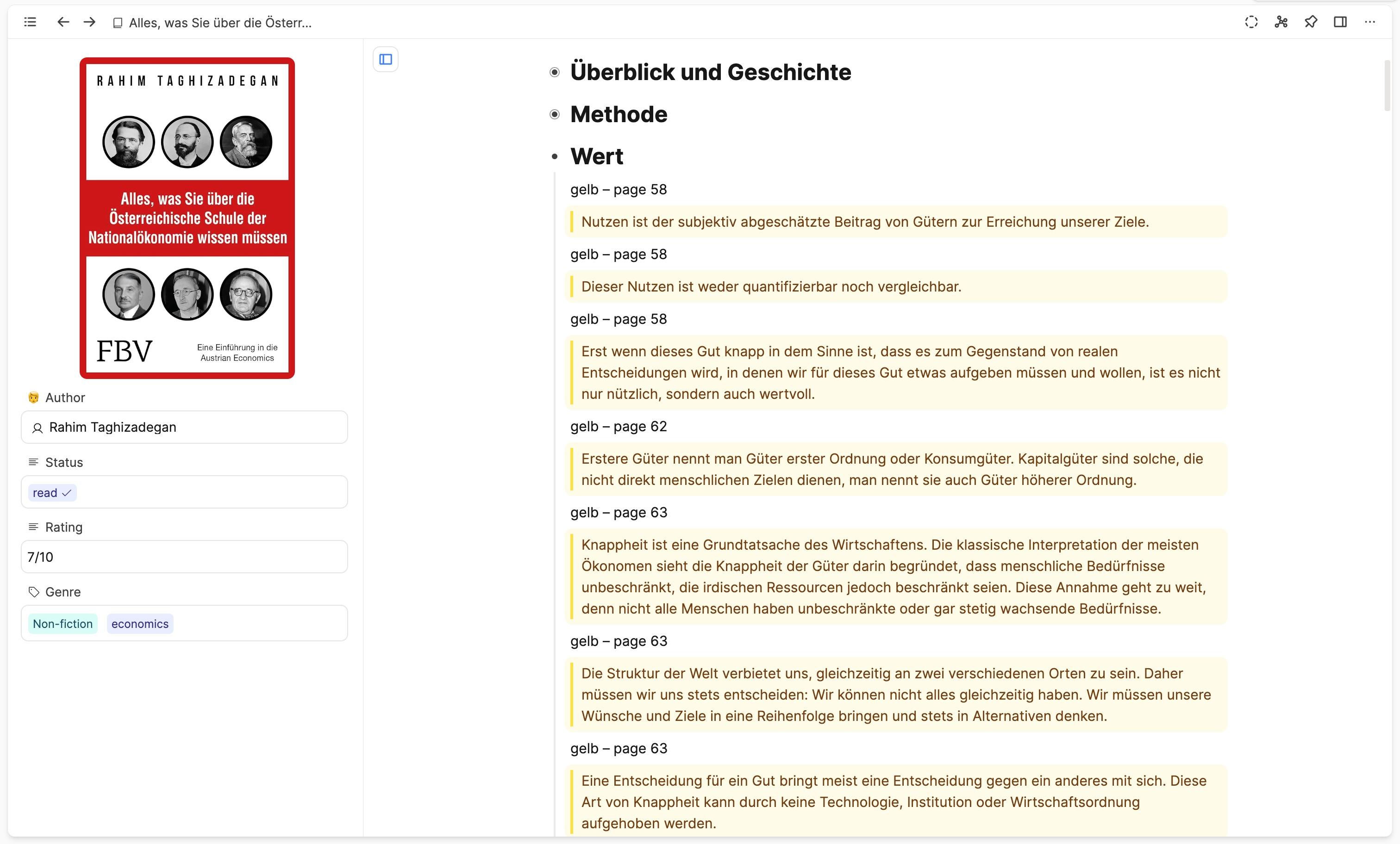
For another book, I was more interested in highlighted sections. I did some manual formatting to make them look nice and added toggles to the chapter headings. You can see the result in the screenshot. For me, this is a great way to work through the key sections of a book and deepen my understanding.
Keeping track of key personalities
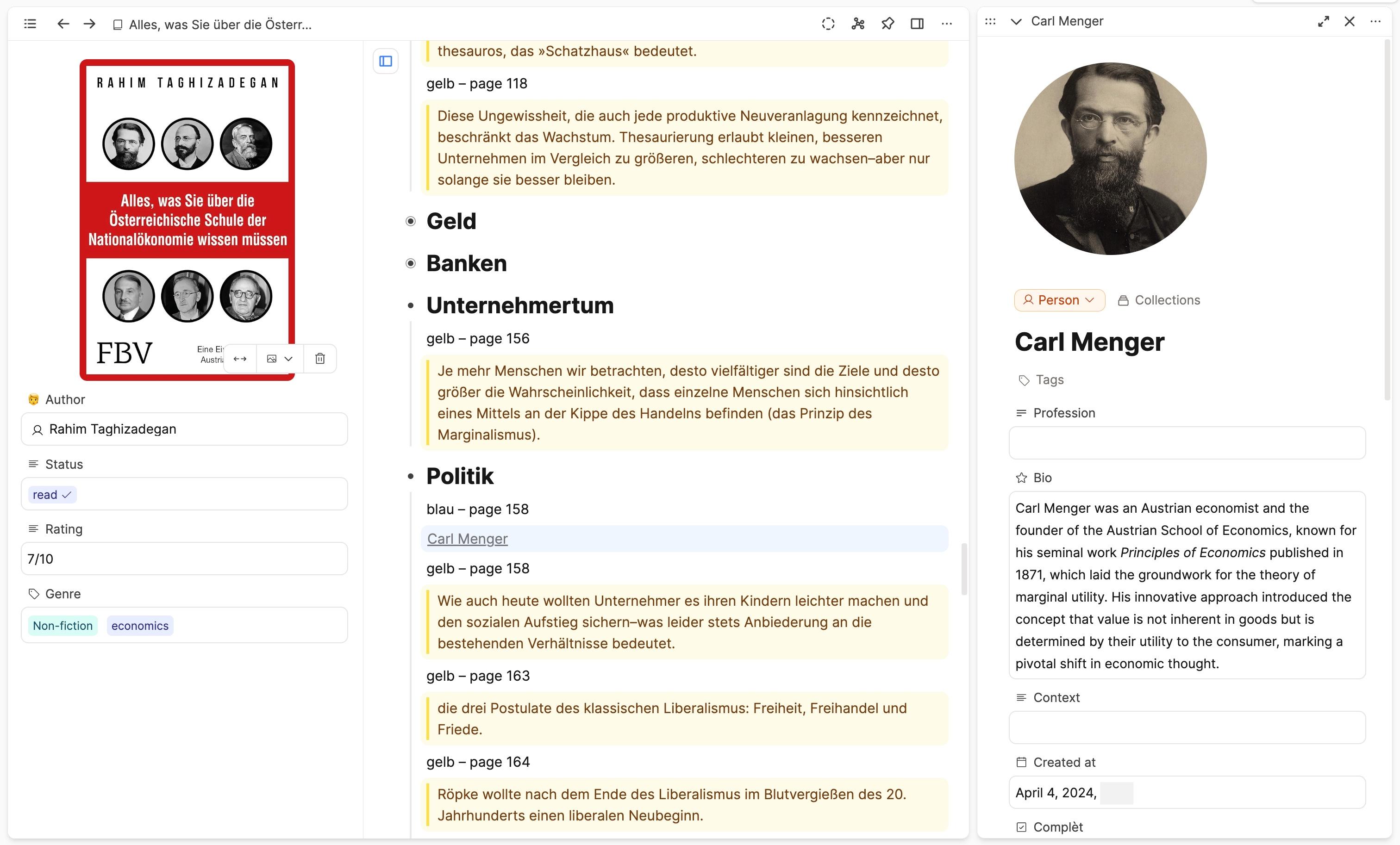
Whenever I highlight a person using the color blue, I go on to create a person object for my people database. This way, I remember the key personalities involved in a topic and can do further research on them.
Let the AI assistant explain concepts
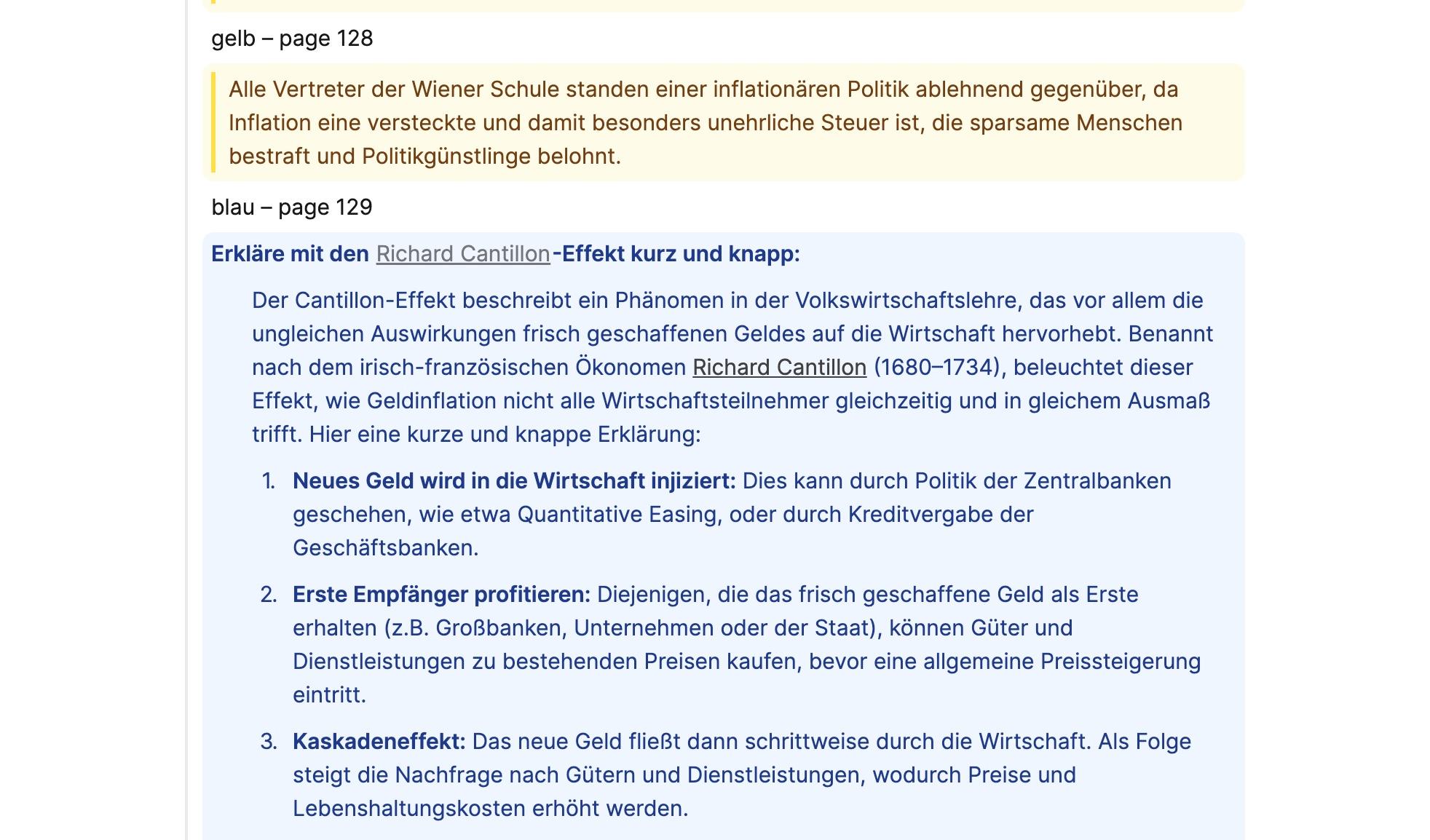
For example, when I was encountering the Cantillon effect, I asked the AI assistant to briefly explain the concept to me:
While this works already really well, it requires a certain amount of manual formatting. That's why I am looking forward to a Readwise integration to fully automate this process.
Let me know what you think!

Related articles
How we decide which new features to add
What's our decision making process? Here's the answer.
 Steffen
Why did we decide to build Capacities?
Knowledge work can be overwhelming. There must be a better way, so we decided to do it ourselves.
Steffen
How we developed tables in Capacities
Explaining our process and why we think it's one of the best table implementations in any note-taking app.
 Michael
Ready to organize your mind?
Join thousands of thinkers who use Capacities to capture and connect their ideas.