Check out the video release notes!
Recurring Tasks
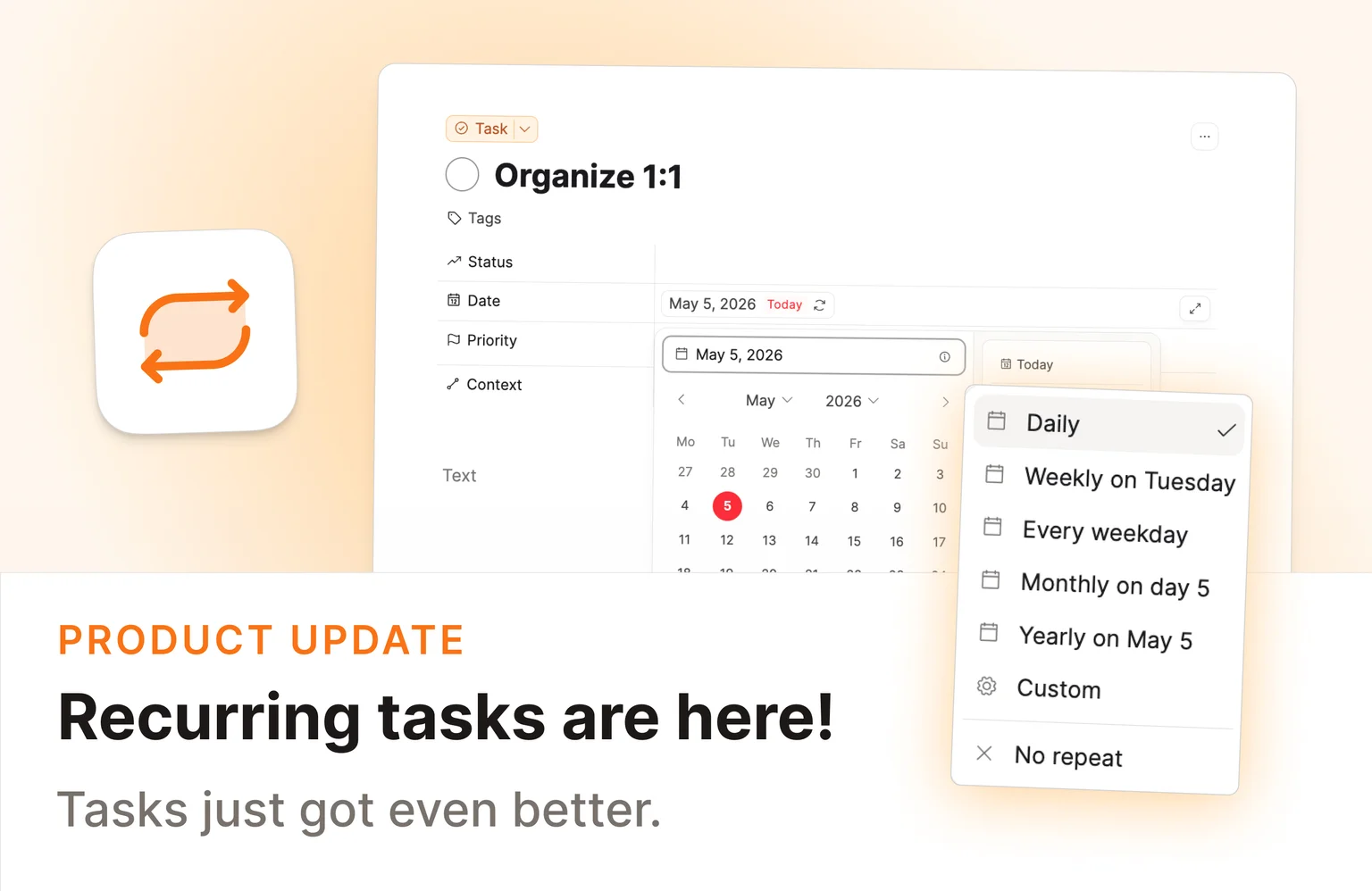
This is one of our most requested features: Capacities now has full support for recurring tasks out of the box! 🚀 ✅
You can now set a task to repeat and keep working from the same task object. When you complete it (or skip it), Capacities logs that occurrence and moves the date to the next one automatically.
Recurring tasks support both ways people actually plan:
- Scheduled Date for fixed rhythms like every Monday or every month on the 15th
- Completion Date for flexible intervals like every 3 days after you finish
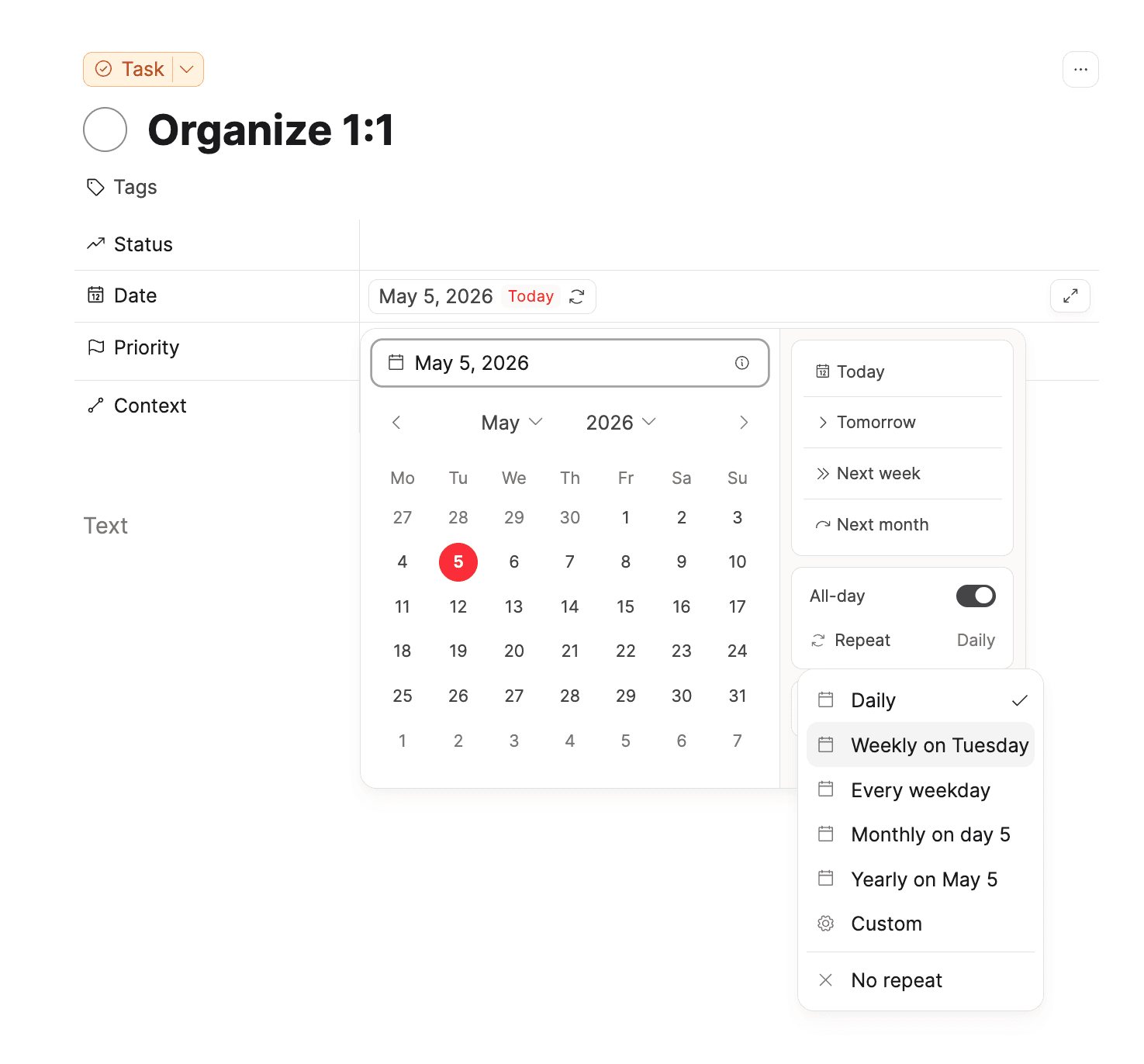
You can also customize the recurrence patterns in detail, add an end date, and much more. You can explore it in the dropdown in the date picker.
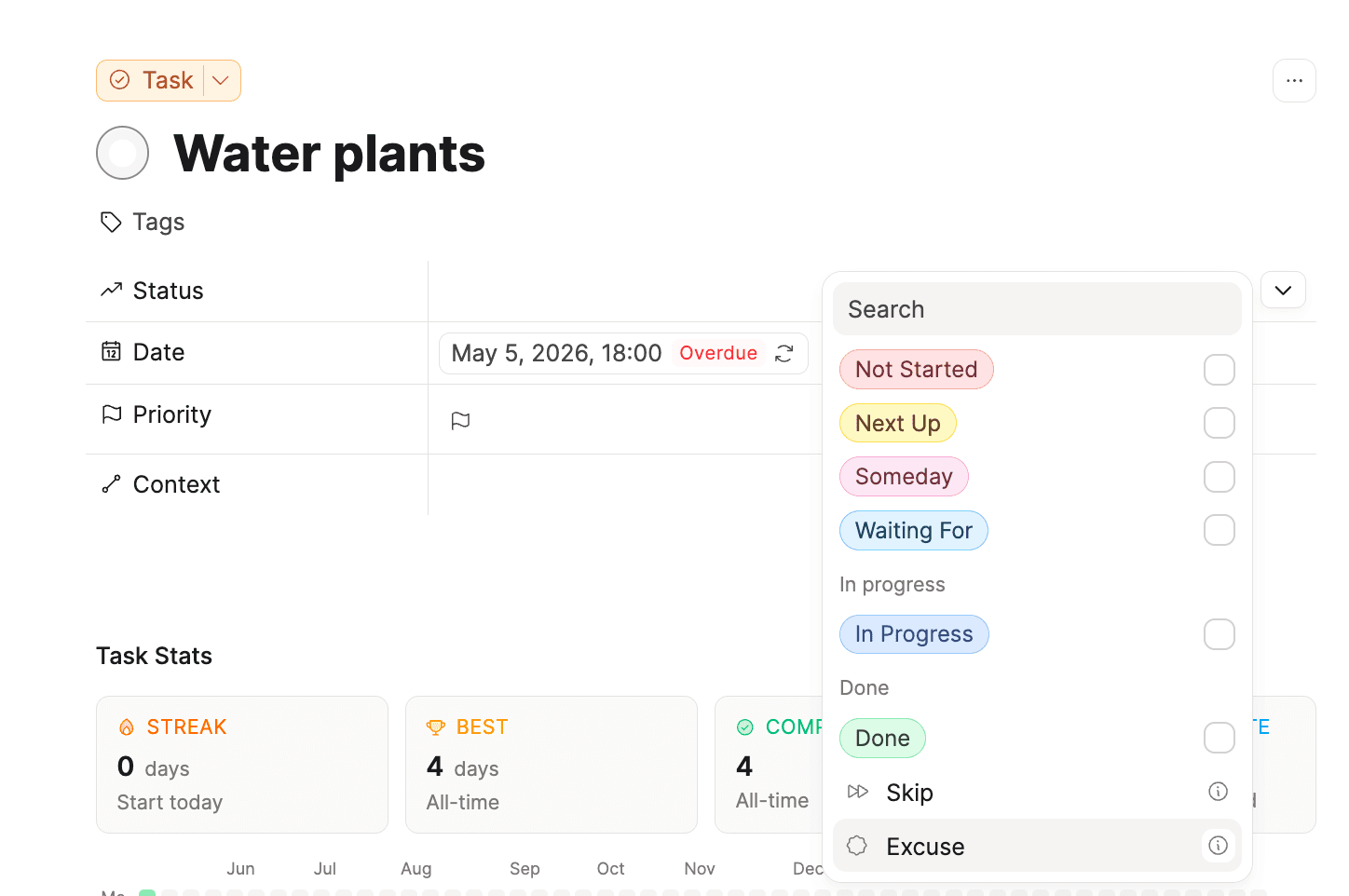
Capacities helps you when working with tasks. If you missed a recurring task you can simply skip it. Also if you know you can't do a task (perhaps you're on holiday), you can excuse the task and keep your streak.
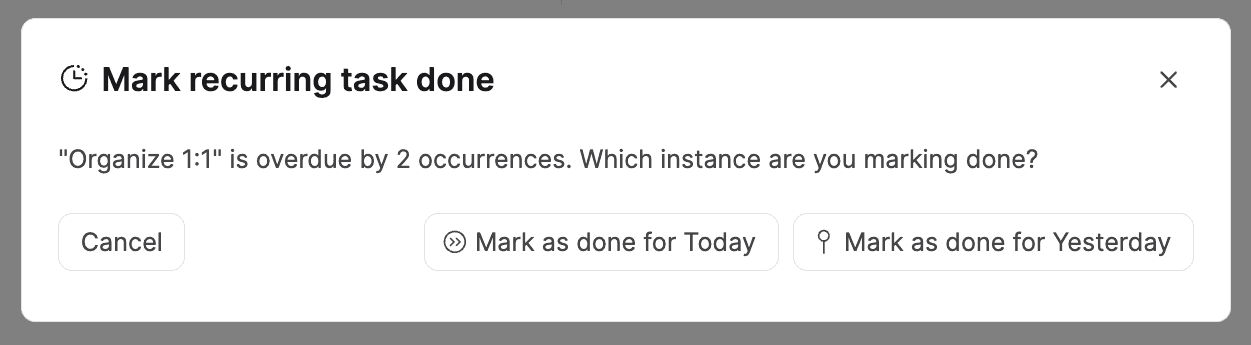
If a recurring task is overdue, you have the option to also move it to the current or next occurrence.
Task Stats (Experimental)
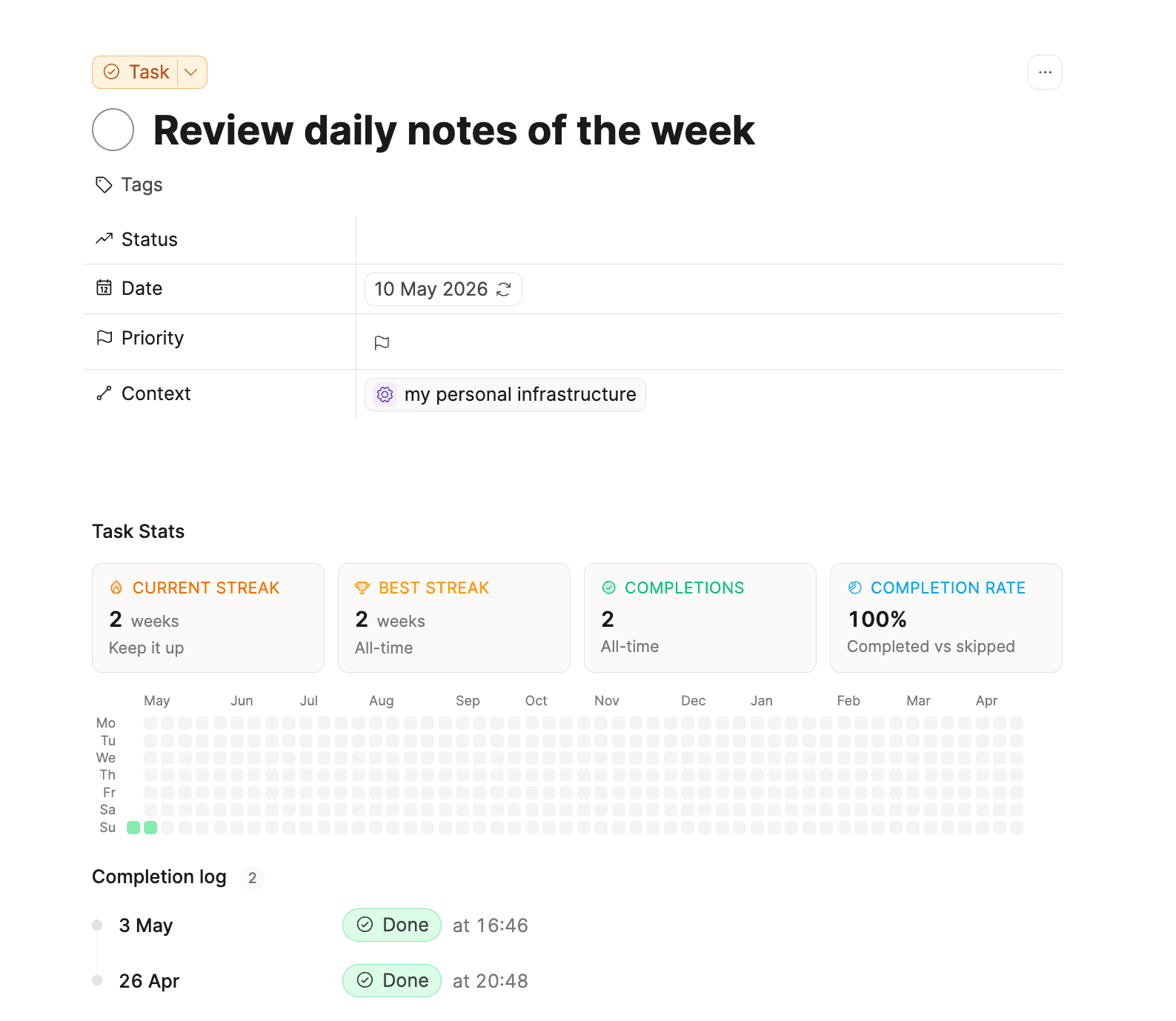
Each recurring task includes an occurrence log, streak stats, and a heatmap so you can see how things are going over time.
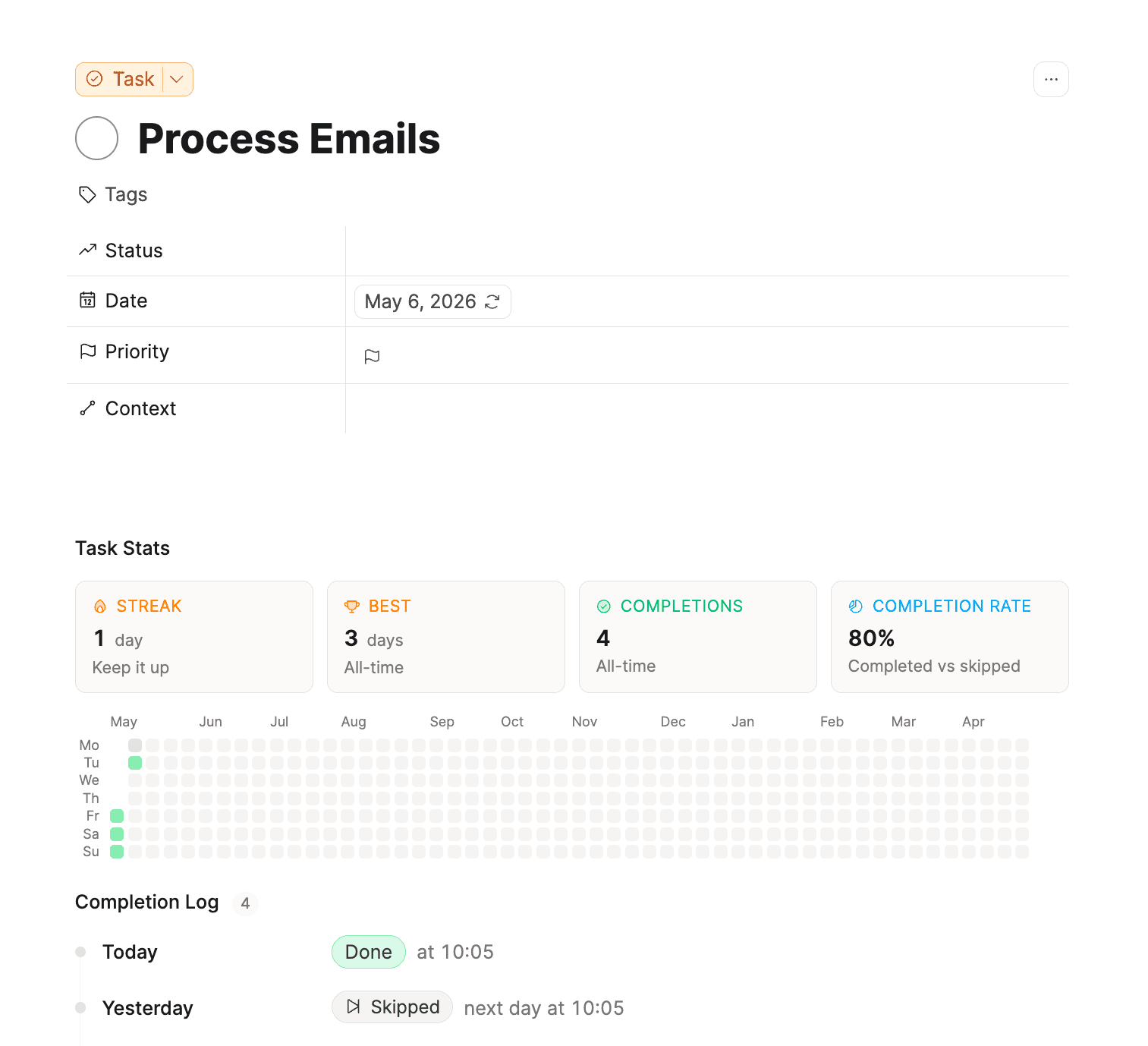
On top, you can see a Completion log of your recurring task below.
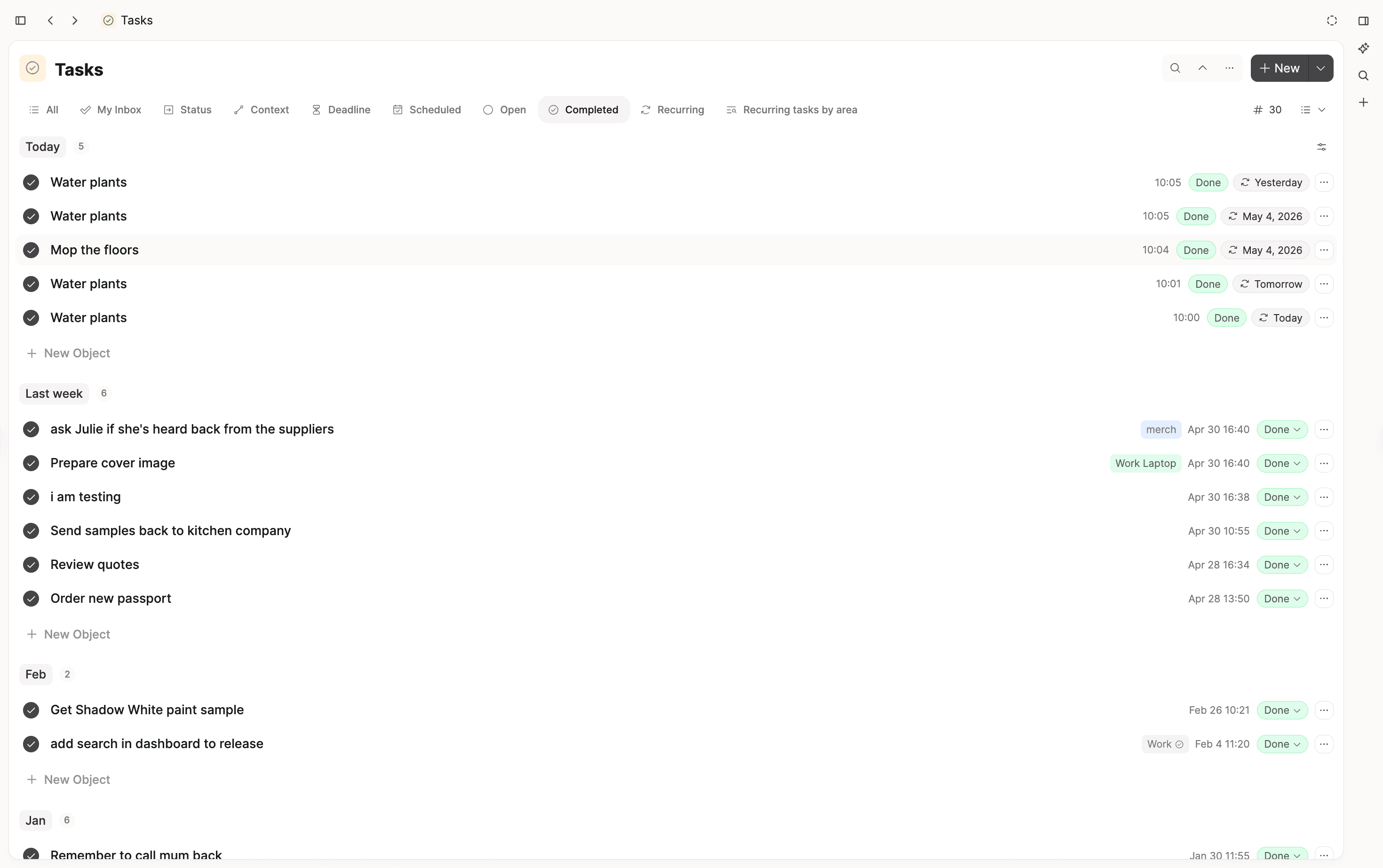
All completed recurring tasks show up in your "Completed" section of the tasks dashboard.
You can all get a bird's eye view of all recurring tasks in the new 'Recurring' section in the task dashboard.
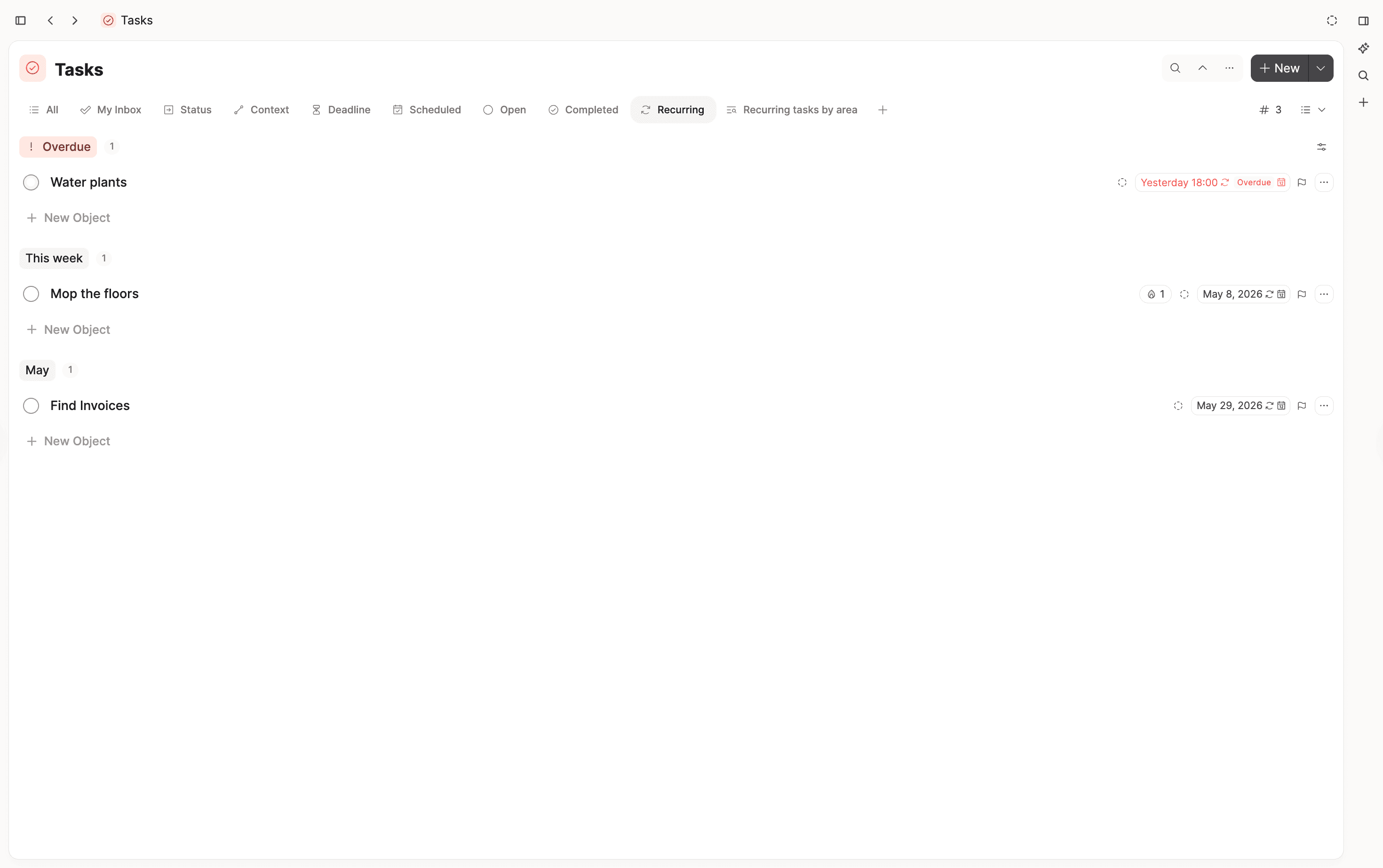
All future occurrences of a task are rendered with a dashed line around the check box in your calendar.
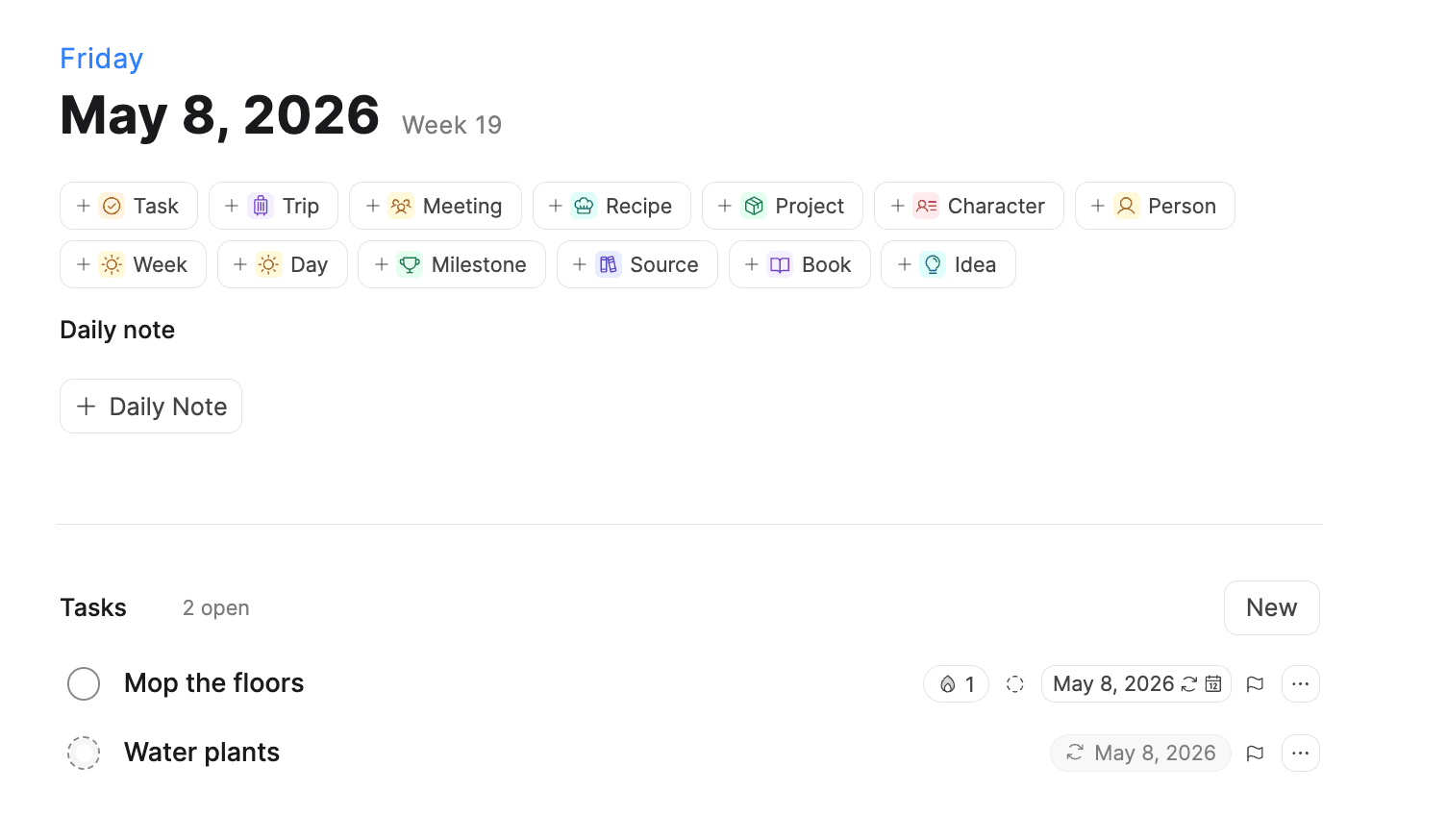
If you want to know all about recurring tasks, you can read the documentation.
Choose your model provider for Capacities AI
Capacities AI now supports multiple LLM providers (OpenAI, Gemini, Anthropic, Mistral and xAI). You can choose your preferred model in the AI chat every time you start a chat.
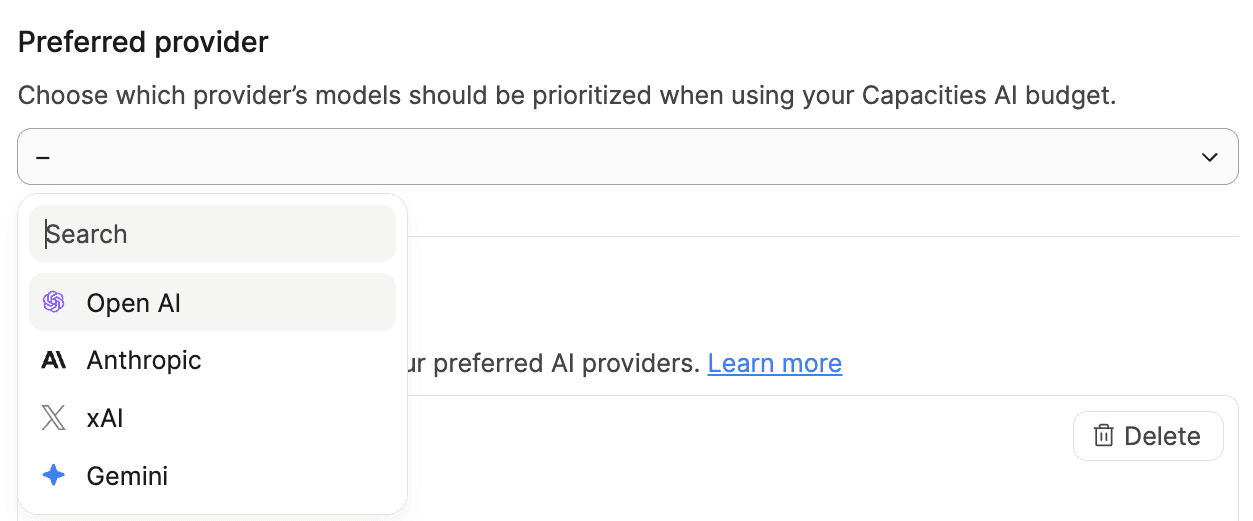
The model picker within the AI Assistant shows more information about the model.
- Capacities host as many models as possible in European data centers under strict data protection laws.. You can now see which models are hosted in the EU. Learn more.
- Usage cost. You can see how quickly the model uses your AI budget.
In the settings, you can also choose your preferred model provider. Capacities will use it as a default for all AI features that allow the selection of a model. Learn more.
Improvements & Fixes
✨ Improvements
- Restored the option to customize and hide details in query headers for better data views control. Ticket
- Added
/standardand/smallcommands to the create menu for quicker access to these block types. - Made the customize button show a highlight effect when hovering over it for easier discovery.
- Improved the visibility of progress rings of tasks so you can better see task progress.
🐛 Fixes
- Fixed page view to show all tags and collections as before for clearer object displays. Ticket
- Fixed the object menu on mobile so adding cover images works properly on Android devices. Ticket
- Increased the allowed number of objects during bulk import for smoother data handling.
- Improved the behavior of back buttons in mobile sheets to make navigation more reliable.
- Fixed app and site freezing issues in object type settings on mobile devices. Ticket
- Prevented the deletion of objects when pressing enter in an empty embed title.
- Made the general entity picker snap to fullscreen on mobile to ensure all options are visible.
- Restored the customize object submenu in the object menu on mobile.
- Enabled back navigation in popover submenus on mobile for easier menu navigation.
- Fixed wrong wording in Italian on the task page. Ticket
- Corrected backlink count showing as zero on tasks query. Ticket
- Fixed markdown export not downloading properly. Ticket
- Corrected the shortcut shown in the shortcuts window for inserting icons to match the subscription state. Ticket
- Fixed the replace button not working after AI text actions. Ticket
- Fixed a freeze issue when loading the AI panel model.
From Us
We're sharing deeper product thoughts, feature context, and building updates in a longer-form format there. First article already out!
📺 Wesley Anna's latest Capacities video
📱 Follow Capacities on social media to see our recent content on the team's favorite features:
That's everything for this release – we hope you like it! ✅ 🚀