Start your semester the right way
No more missed deadlines, no more wondering where it is you wrote that lecture note. With Capacities, you can get your school year started on the right foot. Whether you’re specialising in a subject, looking to start your PhD, or have a host of subjects on your plate, Capacities can meet you every step of the way.
Tasks · Calendar · Sources · Equations
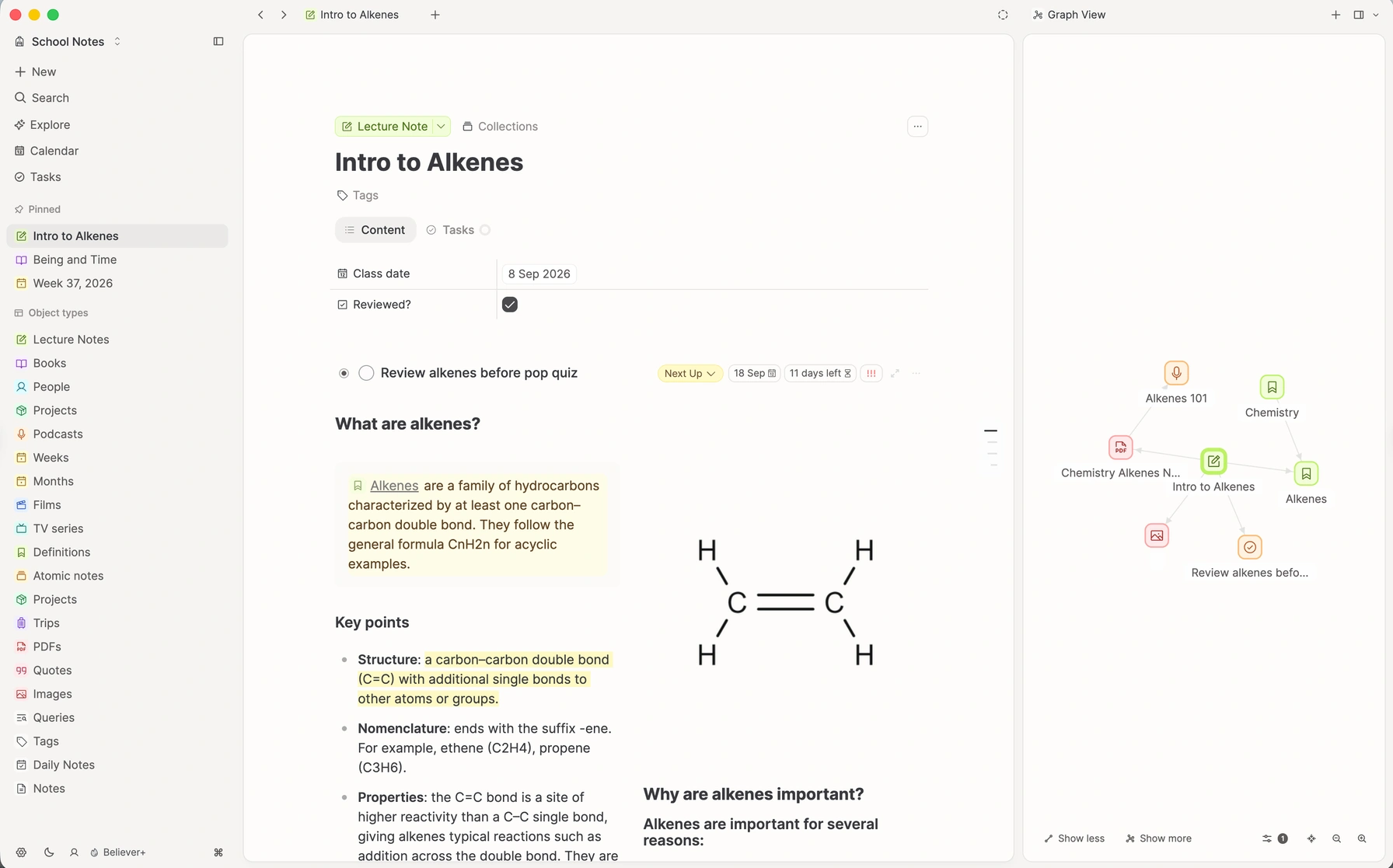
Capacities for Students
Features students love
Tasks
Your notes, projects, deadlines and tasks, all in one place.
Calendar integration
Your class timetable synchronises with Capacities, so you always know when your next lecture is.
Sources
Course readings, lectures, and articles, with your notes beside them.
Equations
Finally, equations that look like actual maths.
Your notes, projects, deadlines and tasks, all in one place.
Nothing slips through the cracks using our take on contextualized task management; you can see your task reminder to do your reading linked directly to the right PDF, or your task list linked to your lecture notes. Every task you need to see, right where you need to see them.
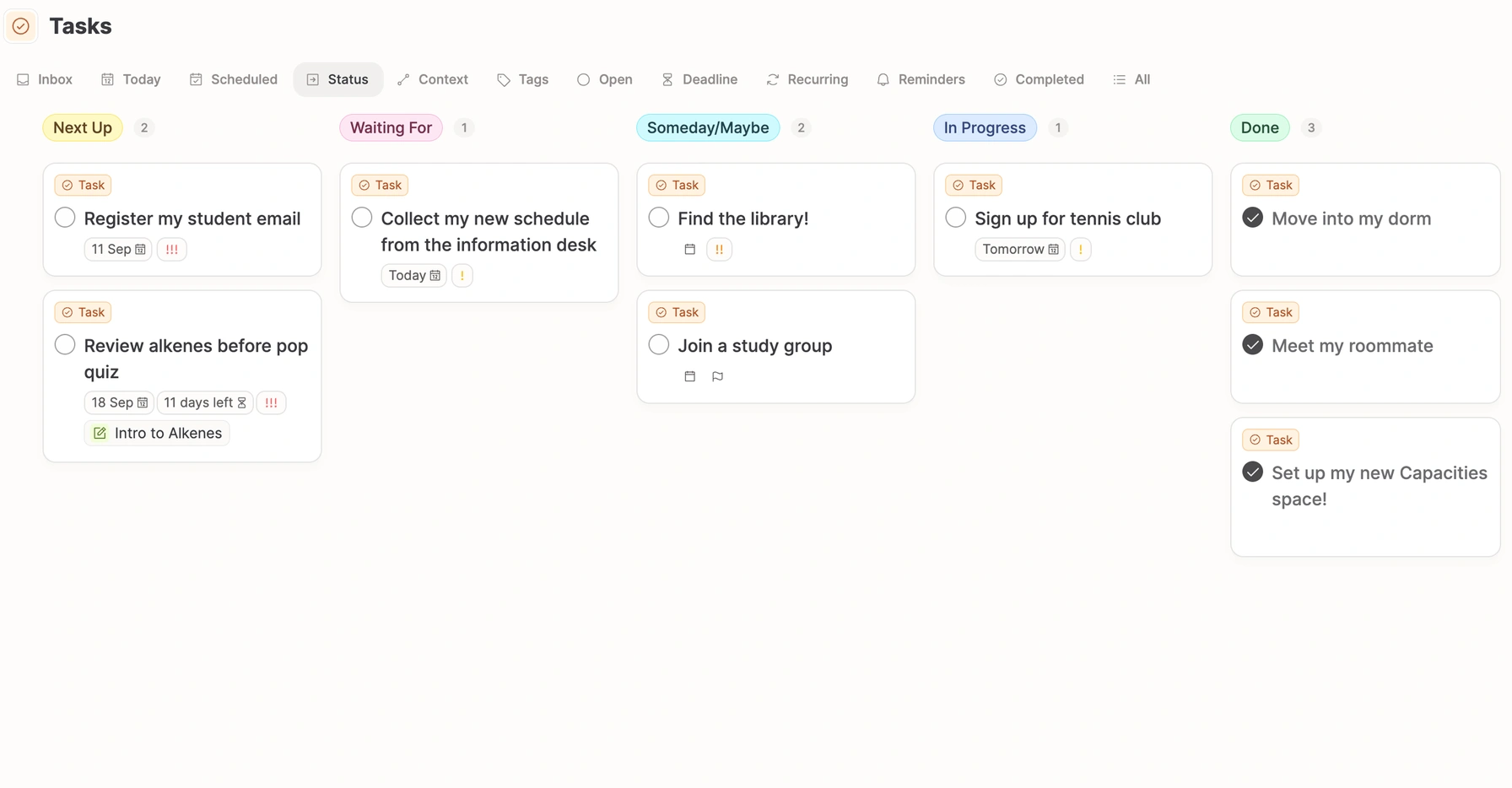
Your class timetable synchronises with Capacities, so you always know when your next lecture is.
Add your deadlines to your calendar and they’ll show up in Capacities. Turn calendar events into notes with one button, so your lecture notes always have a place to go.
Sources
Keep the reading. Keep what you thought about it.
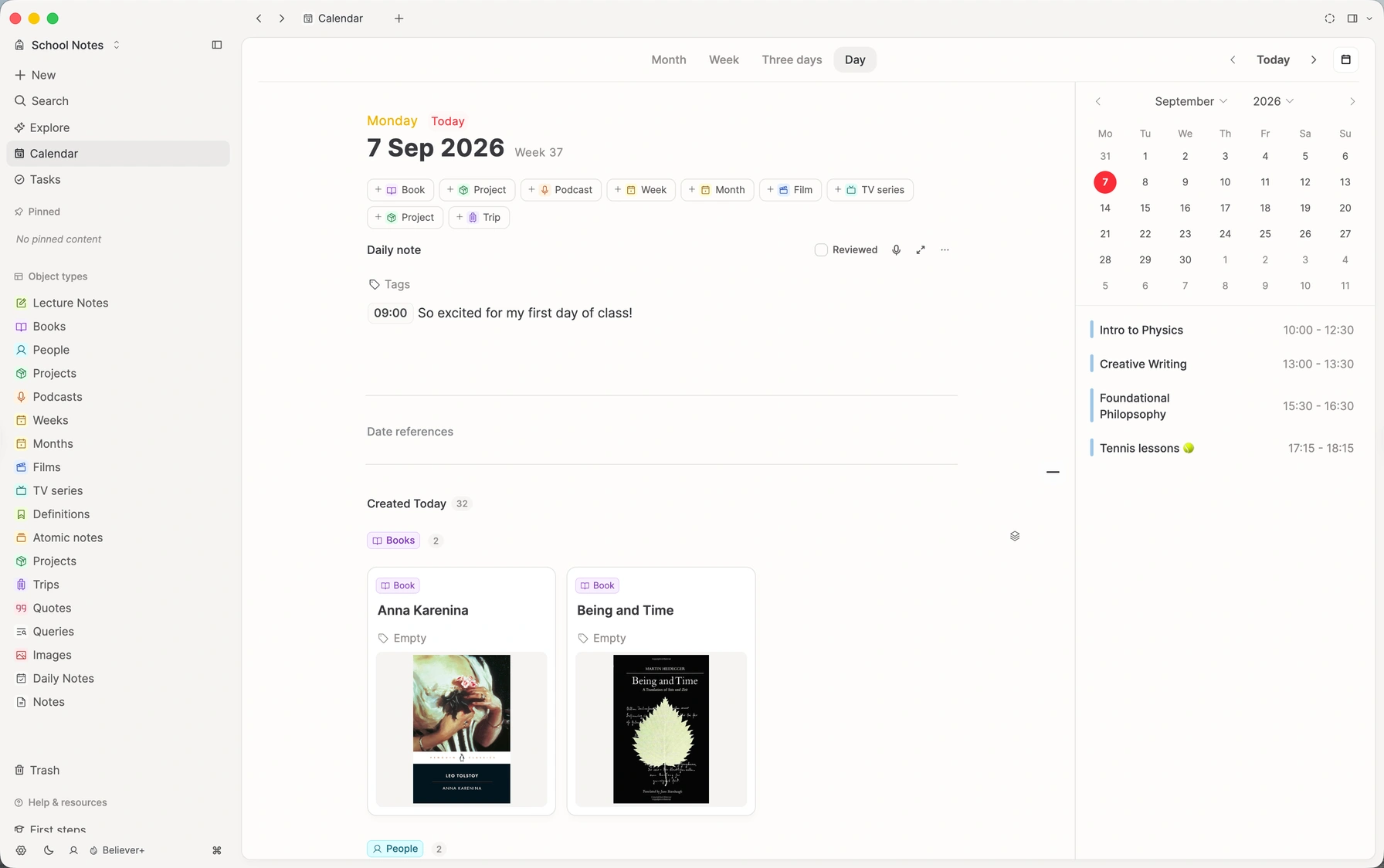
Course readings, articles, lectures, and handouts. Each source gets its own page in your space, with your notes beside it and links to the course it belongs to. With Pro, Capacities reads them too, so search finds the words inside.
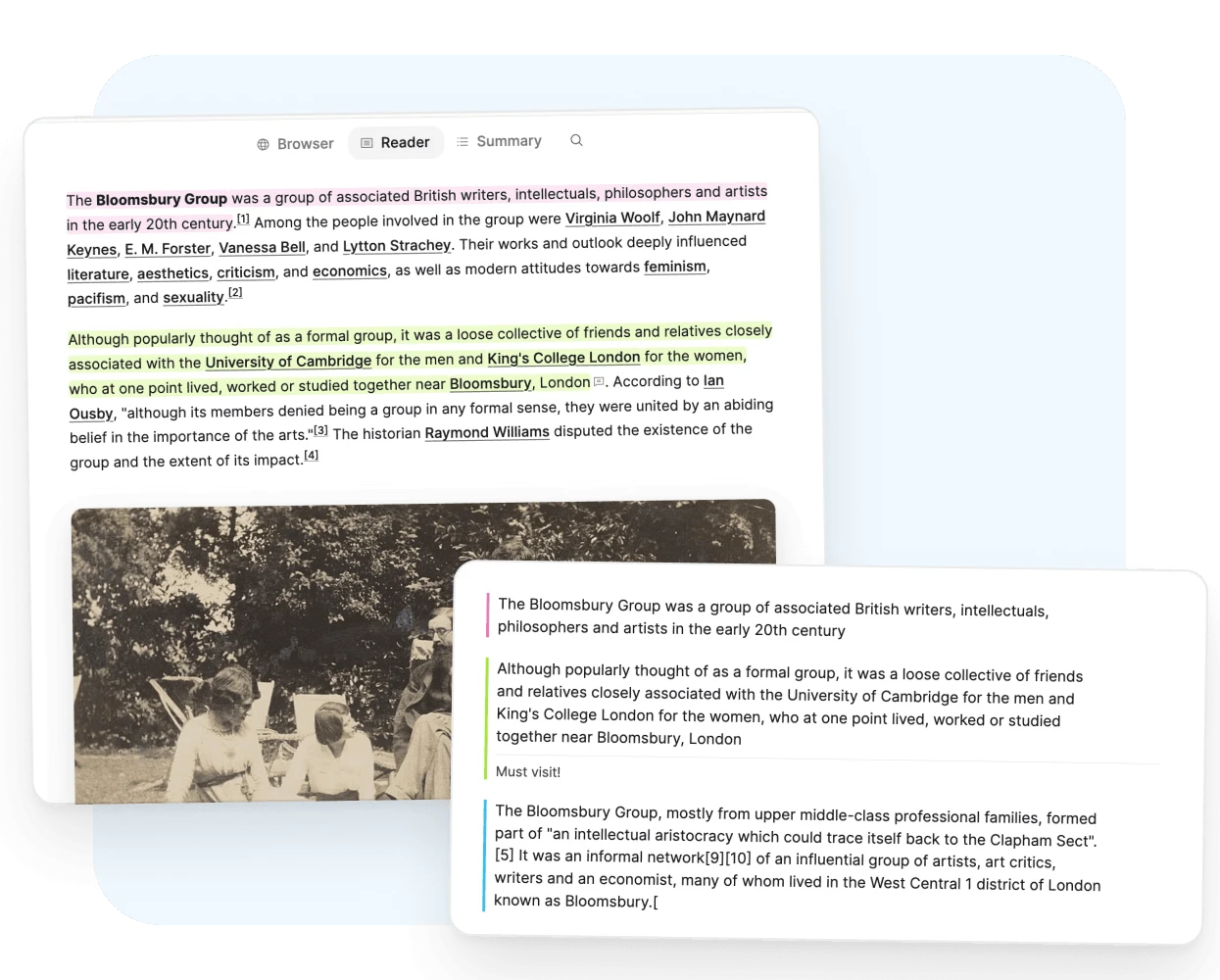
Read with a pen in hand.
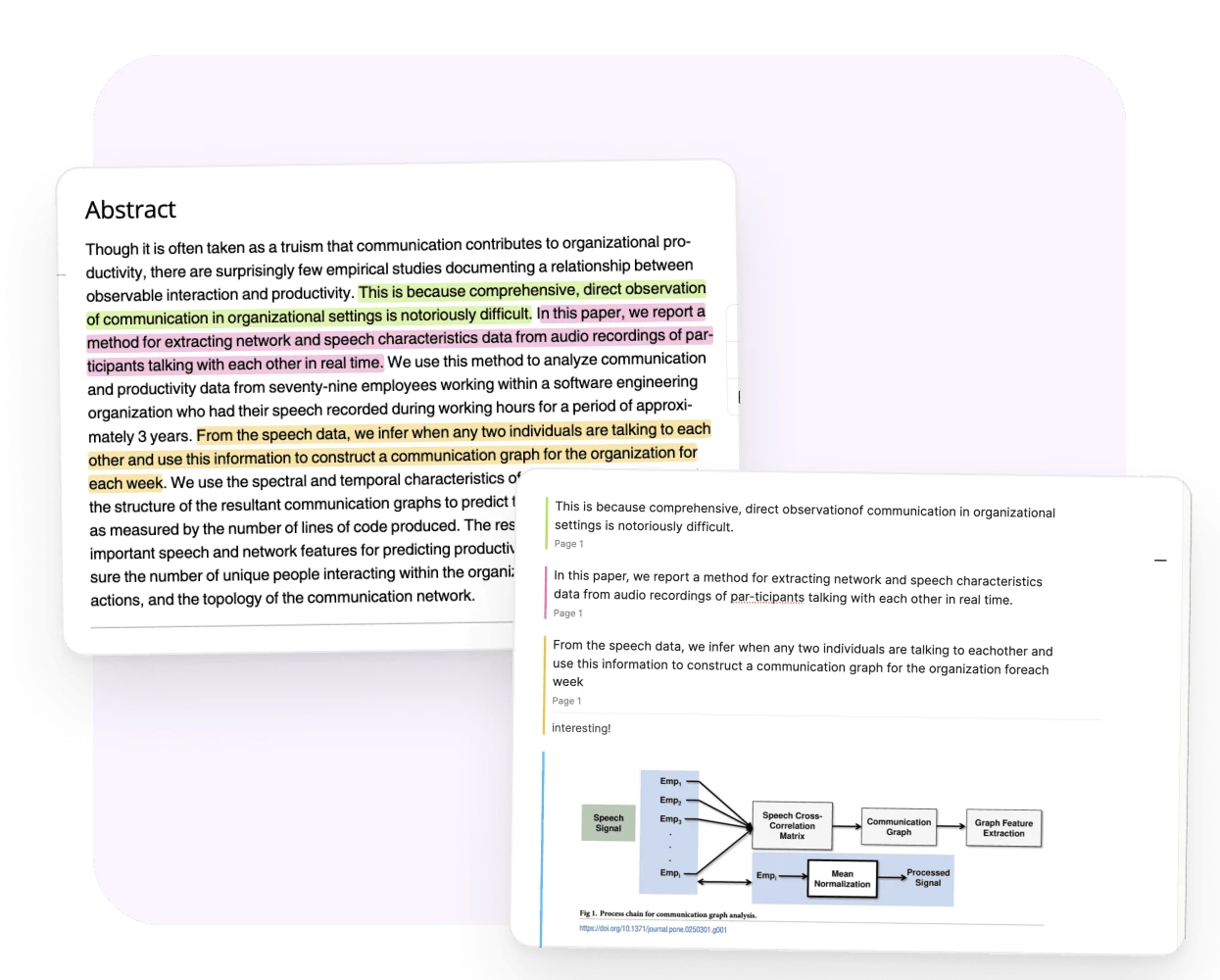
Highlight a passage and write what it means for class. Each note links back to its page.
- Snapshot a figure into your notes, on desktop.
- Search finds the reading by the words inside it.
Read it once. Keep the part for the essay.
Articles for class open in a clean reader on desktop. Your highlights stay on the link as notes.
- A short summary for when you revise weeks later.
- The article stays saved in your space.
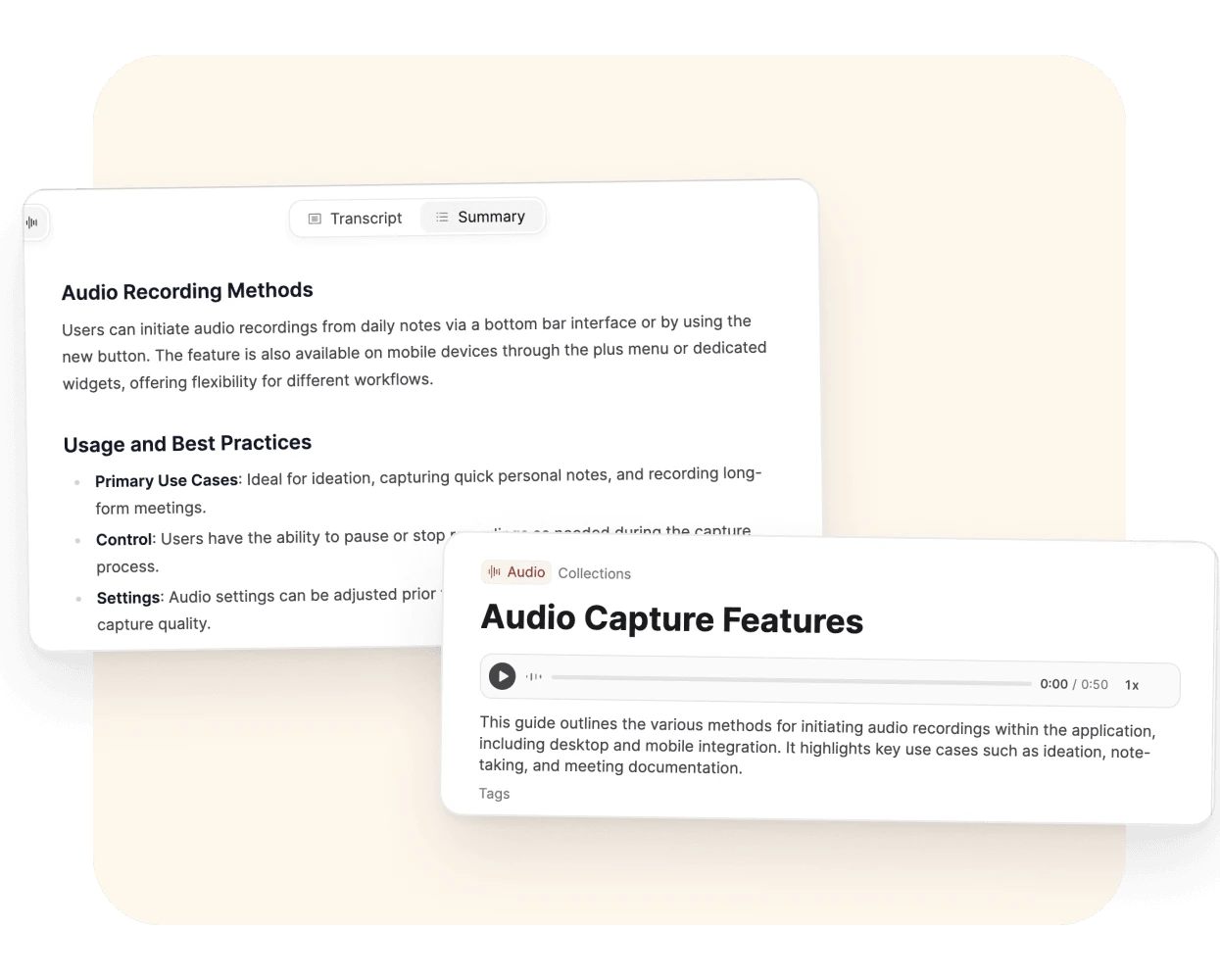
Record the lecture. Read it when you revise.
Each recording becomes an object you can link to the course and that day’s notes.
- A transcript and a summary from one click.
- Find the exact words when you need the quote.
Available to Believers in early access. Part of Pro once early access ends.
The words in a photo become words you can find.
Photograph a handout or the notes you took in class.
- Handwriting included.
- A title and a description, filled in for you.
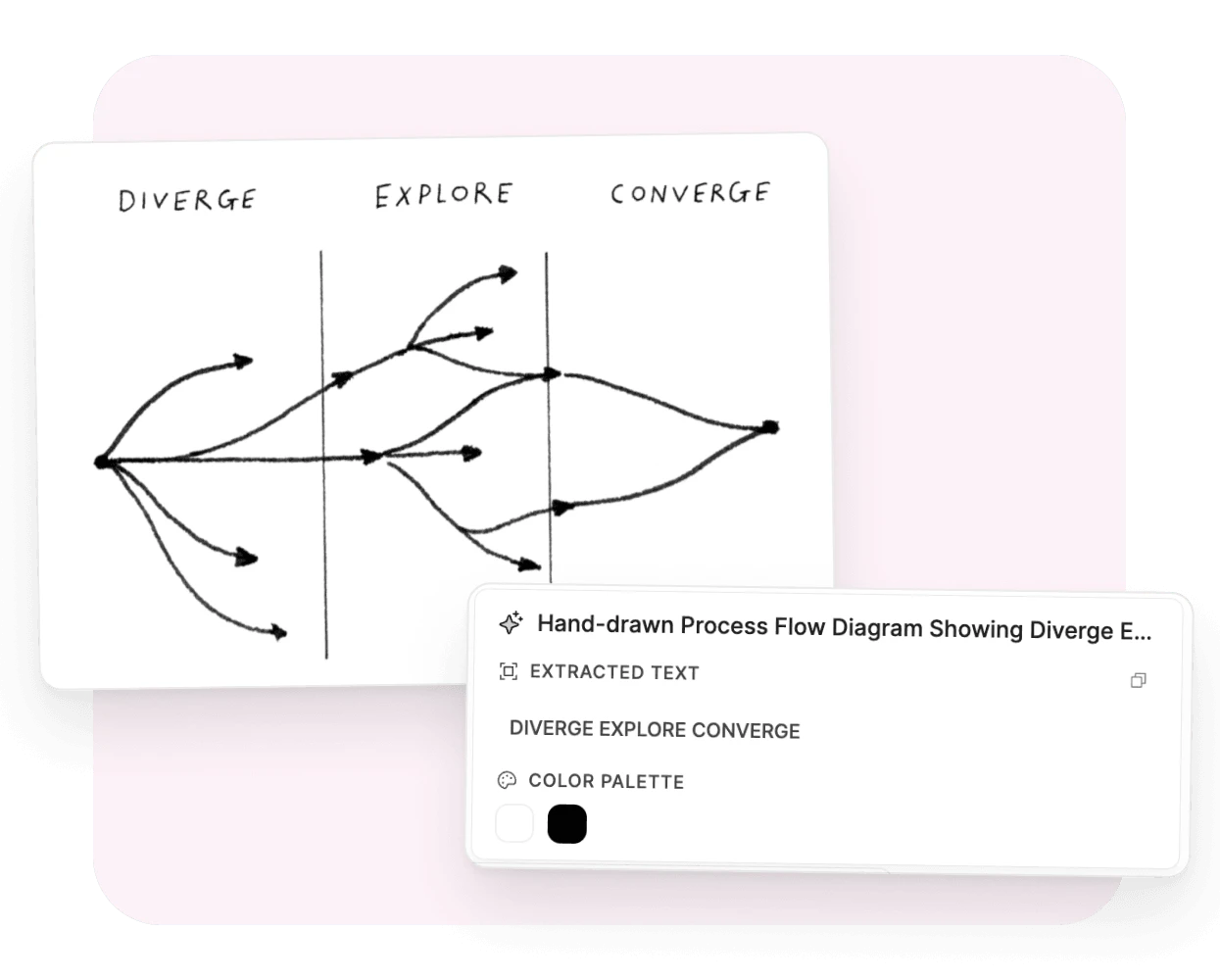
Analysis runs when you click Analyze. It needs AI turned on and uses your monthly AI budget. Highlights and notes don’t need AI. How media analysis works
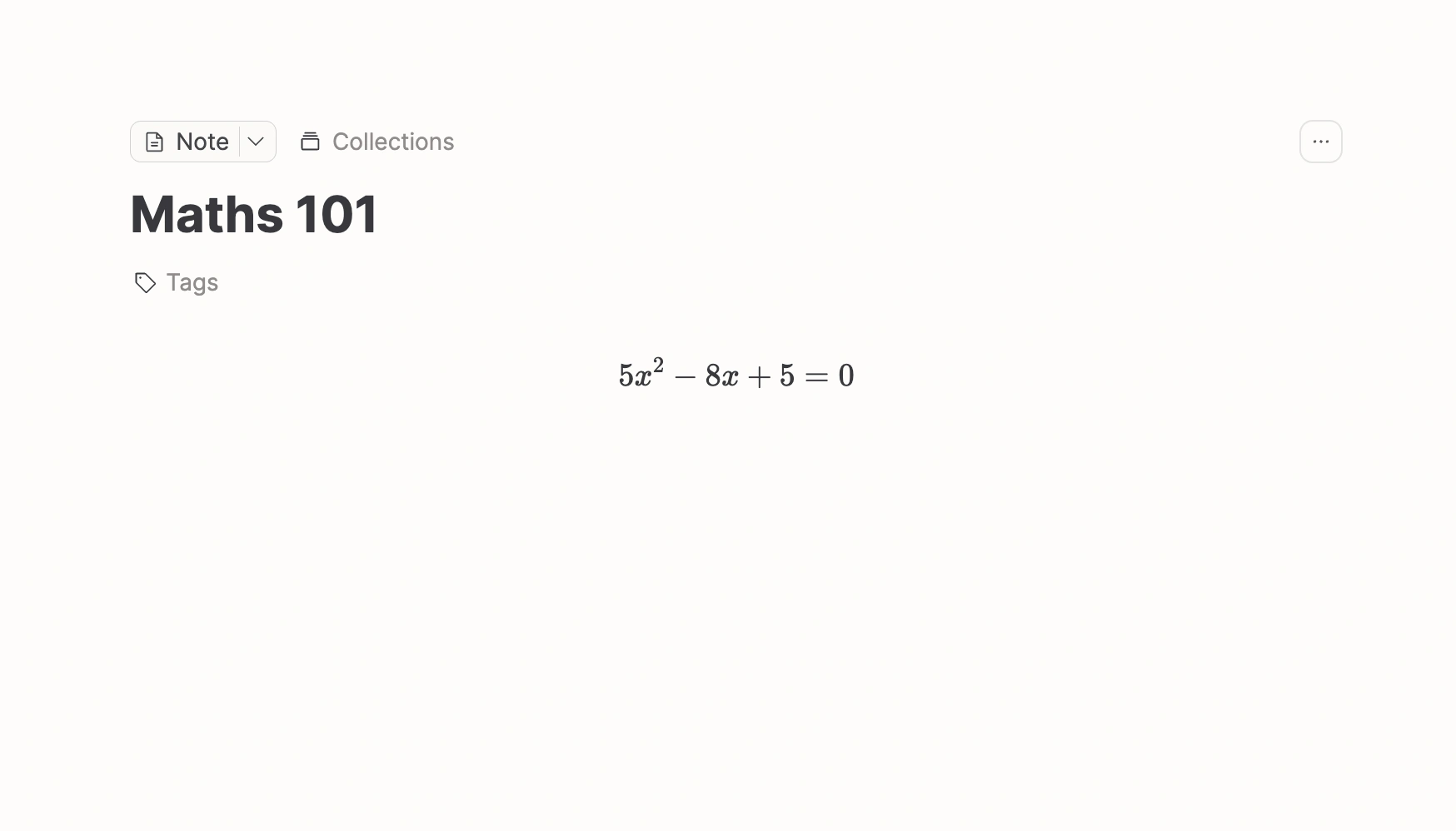
Finally, equations that look like actual maths.
Tackle complex formulas and tricky equations beautifully with our built in TeX-Code support.
Graph view
Watch your knowledge come to life
Link a lecture to a course, a lab to a paper, a person to a deadline. As you work through the term, a map of what you know takes shape.
An animated graph of a student space. Organic Chemistry links to functional groups, a lecture on alkenes, a lab report, Dr Patel, and midterm week. Calculus II and Psychology 101 also connect into midterm week, with notes for the chain rule, classical conditioning, and a Thursday study group.
Fair pricing for a limited budget
A semester already asks a lot of a student budget. Eligible students can apply for 40% off the annual Capacities Pro plan. The free plan stays free.