Mobile App 2.0
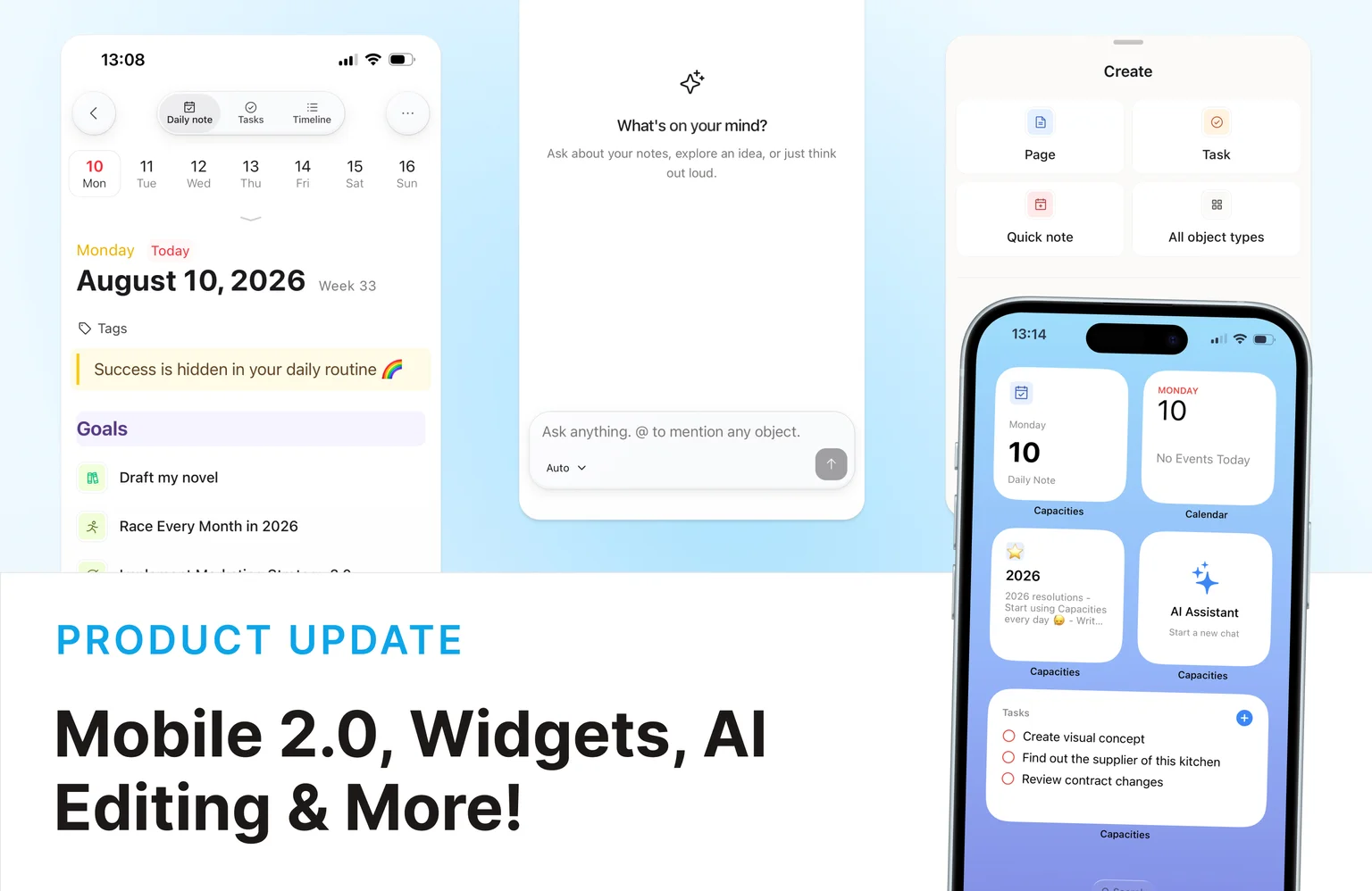
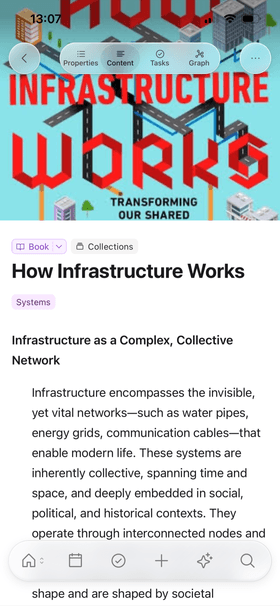
We've completely redesigned Capacities on phone. It's your companion on the go, rebuilt to feel faster and more joyful to use. Here's what's new:
- A new look for navigation: Floating top bar, tabs, and search sit over your content in light and dark mode, so more of the screen is yours.
- Home and Search as real pages: Open them from the tab bar and move through your space with normal back navigation, not overlays that cover everything.
- Easier settings, lists, tasks, and daily notes: Clearer rows and sheets that are simpler to tap and skim.
- A faster share sheet: Send links, text, photos, and other media into Capacities from other apps, choose where they go, and keep working while capture finishes.
- Better media and AI on phone: Open images and PDFs full screen, keep listening with a floating audio player, and chat in Explore AI with a composer that stays in easy reach.
The phone app also starts much quicker than before.
Home screen widgets (Experimental)
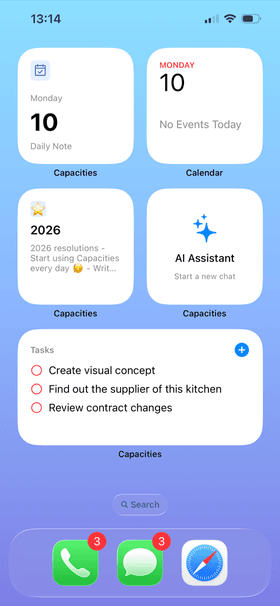
Widgets are how you get into Capacities fast from your home screen: quick capture, open what you need, and jump straight into the flow without hunting through the app.
On iOS and Android you can add widgets for Daily Note, Pinned, Recents, Tasks, Quick Capture, Quick Open, Quick Create, and AI Assistant. On iOS you also get App Shortcuts for quick capture, new tasks, search, and more. A Record audio widget may appear in the widget gallery on iOS because of App Store requirements; it is coming soon and not usable yet.
This is an experimental feature. We'll keep refining it based on how you use it.
See these changes in our new release video!
Explore AI
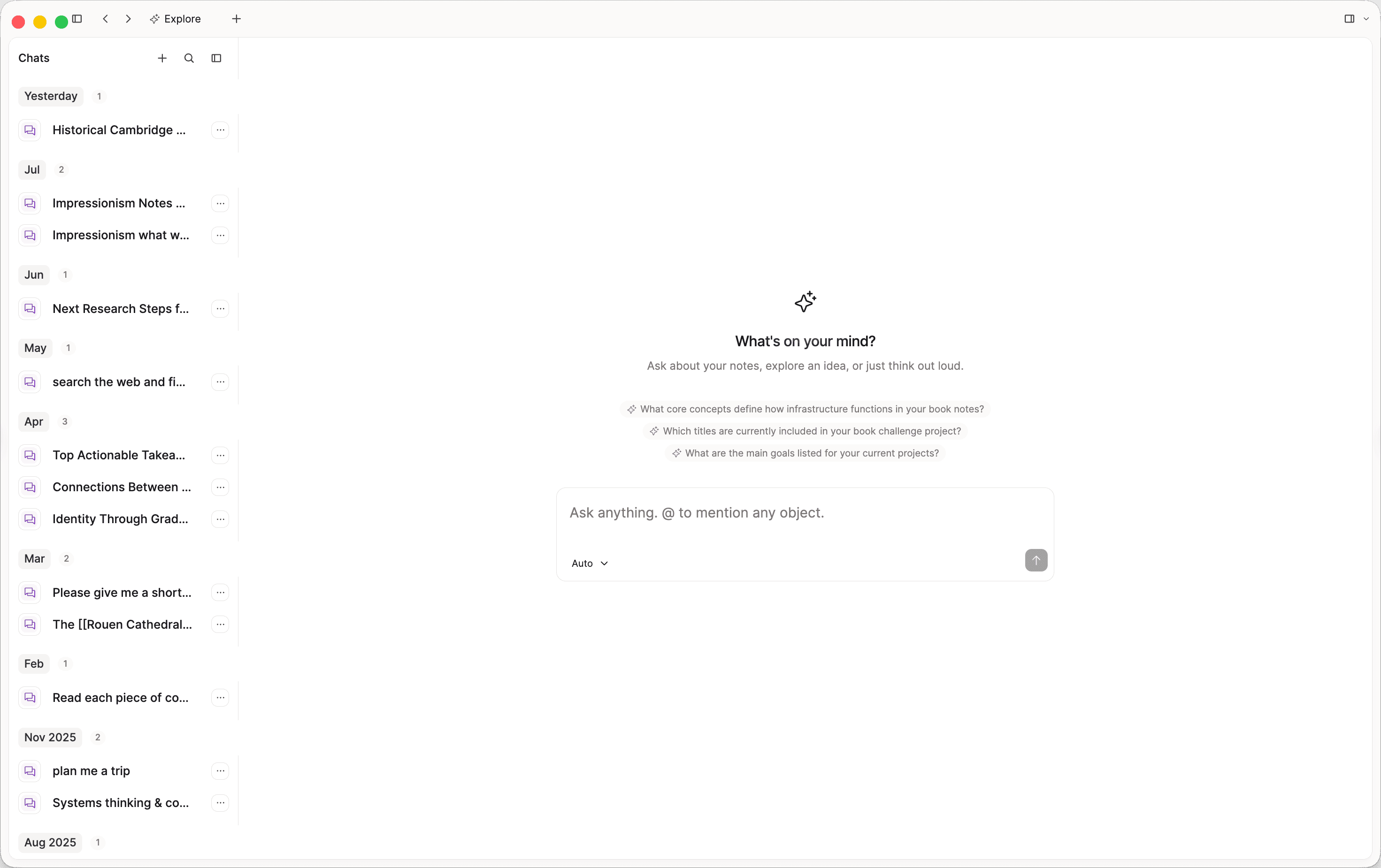
Explore is the new home for your AI chats. On desktop it sits in the space sidebar, above Calendar. Browse conversations, search your history, or start a new chat without digging through the side panel.
We'll keep growing Explore into the place where you kick off AI work on your notes. On phone, Explore uses the new glass chrome, with a floating composer and larger tap targets for editing messages.
Weblink analysis and annotations for Pro
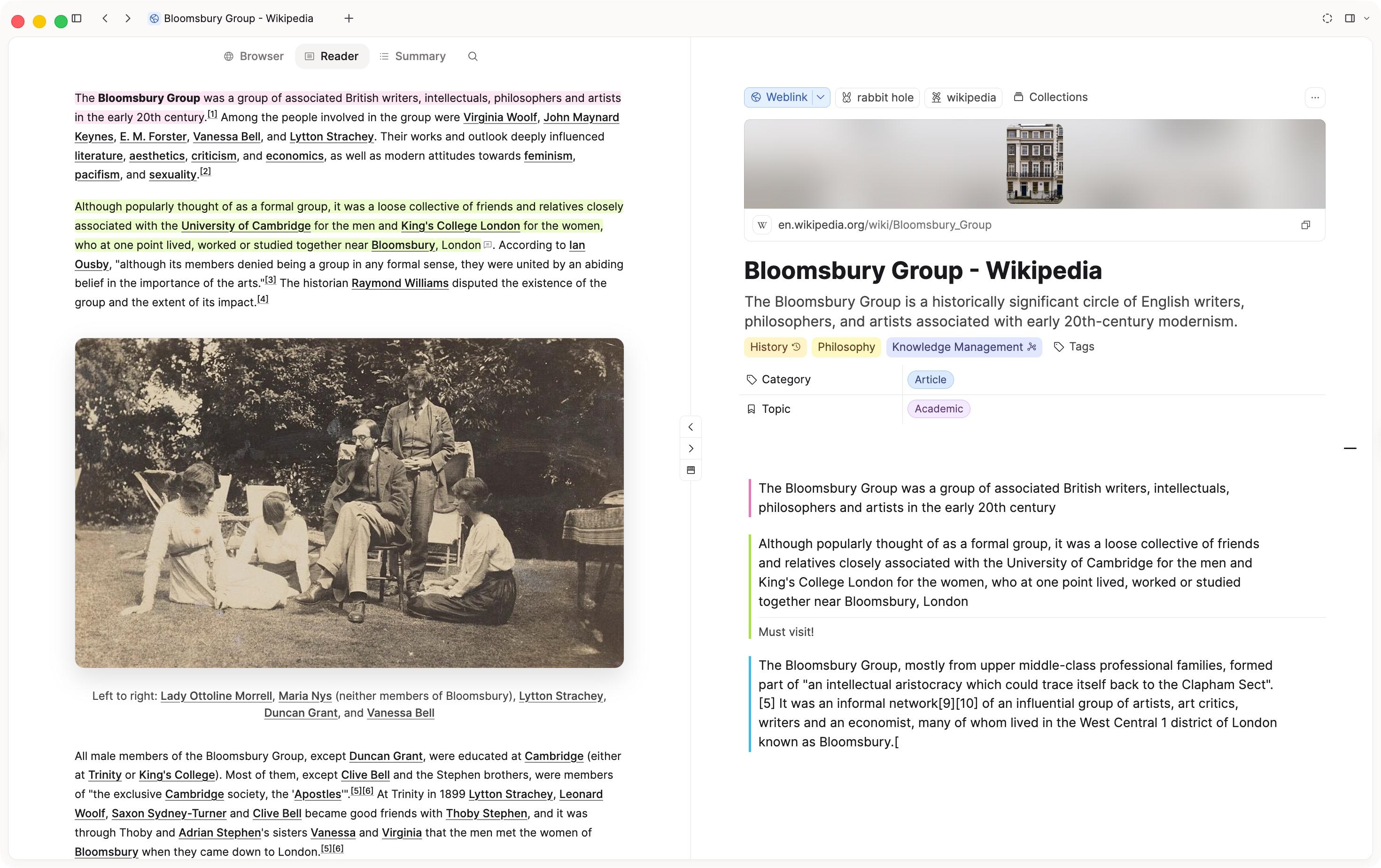
Capacities ProWeblink analysis, reader view, and annotations are out of the Believer beta. Capacities Pro (and Believer) users with AI enabled can analyze saved links on desktop, read them in-app, and highlight passages with notes.
Open any weblink to switch between three tabs:
- Browser: Preview the live page in Capacities' built-in browser.
- Reader: Read a clean version of the article.
- Summary: Read the AI overview after you run analysis.
Click Analyze to fill in a summary, keywords, category, topic, and saved article content on the weblink object. Select text to highlight it and add annotations. Highlights and notes stay on the weblink and appear as note blocks in your content.
Run analysis on desktop first. After that, the results and your annotations show up across your other devices.
Media in the API and MCP
Capacities ProYou can upload images, PDFs, and other files into a space through the public API. Media upload is available for Pro and Believer, so integrations can push files the same way they already create and update objects.
MCP and AI Chat Connectors support this too. Connected tools can insert media into your space, not only text and object updates. We also added listing endpoints (and matching MCP tools) to fetch objects by tag, collection, or object type.
Start at developers.capacities.io.
A more capable AI assistant
The AI Assistant is better at bigger multi-step work. It can sketch a plan, ask follow-up questions when the task is fuzzy, then propose creates and updates (or deletes) that you approve before they land in your space. Edits it makes show up after the reply, so you can undo before you send the next message.
There's also an Auto model option that picks a model from your preferred provider so that it's capable enough to solve your prompt while remaining cost efficient. Longer chats stay usable as context fills up: you get a usage indicator, and older context compresses in the background so the conversation can continue. Under the hood we tightened token use across AI features so your budget goes further.
Content from us
- PARA in Capacities (Updated for 2026 to include tasks)
- Every major Capacities update in 2026 so far
- How to build a research practice by Réka
✨ Improvements
Mobile
- Confirm and form sheets pin Done and secondary actions to the bottom on long content.
- Calendar week/month swipes and the month overview follow your finger more smoothly.
- Tag and query "add" menus open as proper phone sheets.
- Tasks on phone are easier to edit, with clearer property layout and sheets that size to their content. Dismissing an empty draft discards it.
- Daily notes and calendar: cleaner week strip, with a month overview you can show or hide.
- Explore suggestions refresh on a seven-day cycle.
- Icon colors work for queries on mobile as well.
AI and media
- AI chat shows context window usage and keeps long conversations working as context compresses in the background.
- New MCP connector protocols for tools such as Raycast, Gemini Spark, ClickUp, and related clients.
Desktop and editor
- Confirming and canceling dates on desktop works more reliably, including date properties and task dates.
- Dragging to open the side panel feels smoother. The keyboard shortcut to open the tab list works again.
- You can use presentation mode for daily notes and media objects. Numbered lists keep continuous numbering across slides. The audio player uses the full content width of a slide.
- Graph: hovering a node shows the full title when the label is truncated.
- Property edits that change structure ask for confirmation so you don't change an object type by accident.
- Bulk import can map properties for Daily note objects.
- macOS uses the correct icon format in the dock.
- You can set tags on weblinks by patching basic properties through the API.
🐛 Fixes
Mobile
- Phone uses less memory for PDFs, images, and long sessions.
- File picking on iOS works more reliably when the system blocks certain cache paths.
- The mic permission flow can reopen system settings after a denial.
- The tab bar comes back if you cancel a file or media picker.
- Settings swipe-back and page mode pills behave more reliably in the glass chrome.
- Widgets route into the new AI and search surfaces correctly.
- Login input no longer jumps when focusing fields.
- Space selection in the share sheet stays consistent with the app.
- On iOS, you can reliably delete blocks with Backspace again.
Desktop and editor
- Recurring tasks mark as completed properly.
- ISO week numbers for date-range grouping display correctly.
- Markdown import escapes spaces in image paths correctly.
- Toggle-style bullets no longer force a plain bullet look when they shouldn't.
- Dragging pages to the title bar no longer removes them from the overview.
- Sidebar navigation drag-and-drop reordering no longer glitches visually.
- Preview cards stay open when you move to child popups or menus.
- Leaving card view while hovering to edit no longer closes the card.
- Structure submenu in settings breadcrumbs is clickable again.
- Objects open reliably in the side panel.
- Deleted tabs unpin automatically and you can still close them.
- Hover previews no longer appear for deleted or unfinished objects.
- Cover images respect crop/contain in small mode and no longer overflow in standard view.
- Profile cover hover controls work again.
- Changing an icon's color updates the last-used block icon correctly.
- Fixed a freeze where the app could stop responding to clicks after navigating around (command palette and other overlays could open but not accept input).
- Enter in a toggle no longer steals nested content or creates a broken new toggle.
- Enter from an open toggle no longer keeps unwanted heading formatting.
- Nested content inside toggles has more balanced spacing.
- Block drag handle hover state works correctly again.
- Pasting images is more reliable, and text paste no longer doubles content.
- Index card layouts have better bottom spacing, including when backlinks are present or empty.
- Focus mode looks cleaner on macOS, with correct backgrounds and window controls spacing.
- Block previews in cards align more consistently.
- Saved web links no longer open as a blank page at medium screen widths.
- The Embed tab is available again on desktop weblink pages.
- Dashboard search finds partial title matches again.
- Community onboarding points to the current Capacities community page.
- Keyboard shortcuts for Explore and AI chat again carry over the current note or selection as context.
- Opening AI chat in the side panel no longer lands on the calendar.
- Desktop menus keep compact icons and image previews (phone list-rail sizing no longer leaks into Create and link menus).
- Presentation mode toolbox no longer disappears incorrectly on inactivity.