Today we're introducing Capacities Pro+ and Believer+: optional add-ons for a much larger monthly AI budget.
If you lean on AI for research and day-to-day workflows, Plus gives you a much larger monthly budget, with top-ups (including auto top-up) when you want to keep going. It's entirely optional. Your Pro or Believer plan price and features stay the same, and nothing changes unless you opt in.
As part of this release, every Pro and Believer subscription also gets a larger AI budget, now monthly instead of daily, so a busy research day has more room. Pro remains a great fit for light monthly use and occasional media. And when you want to go further: Plus is finally here.
Capacities Pro+ and Believer+
Plus is for heavier AI use. You get a much larger monthly AI budget; if that runs out, you can top up in the app. For current Plus and top-up prices, see the pricing page.
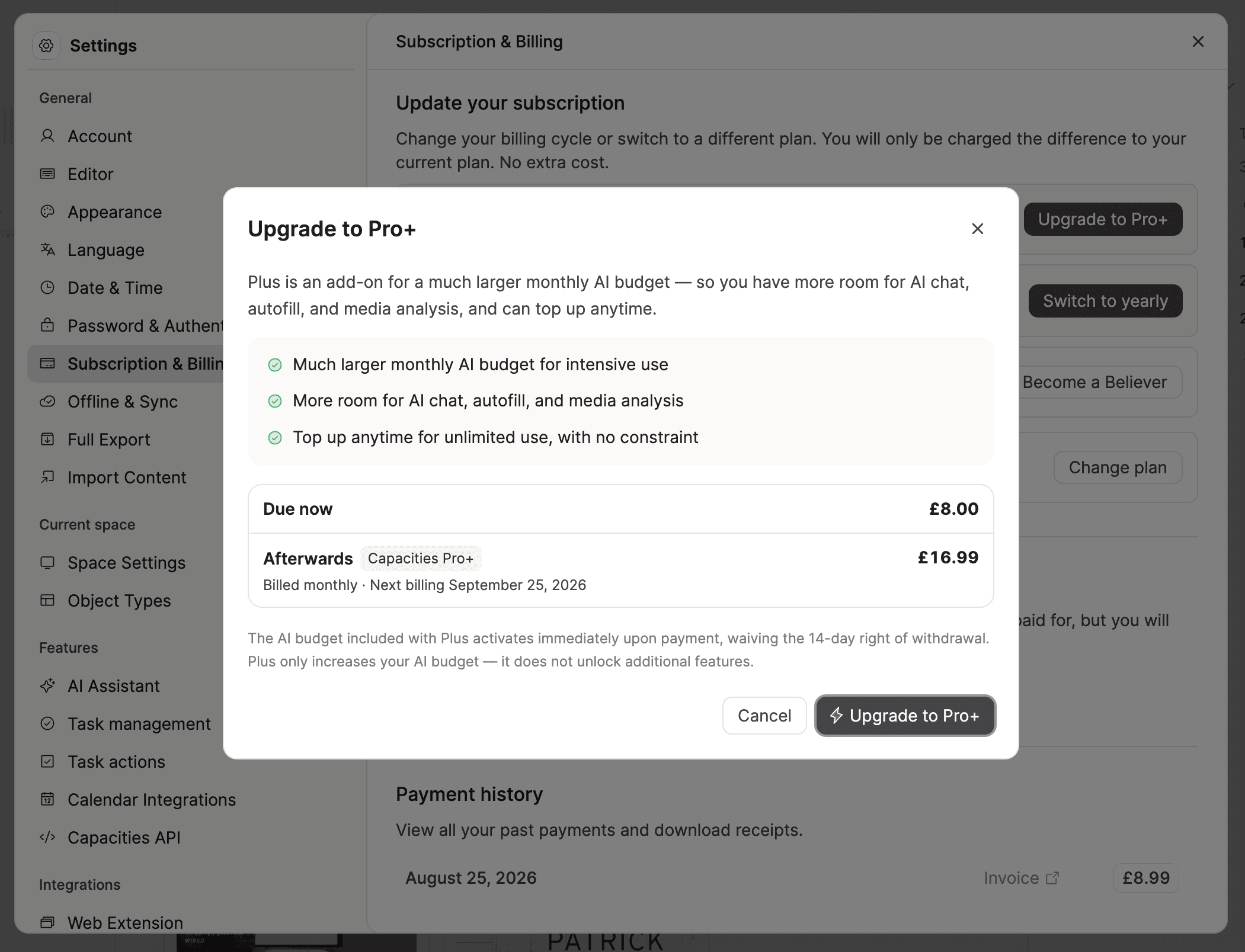
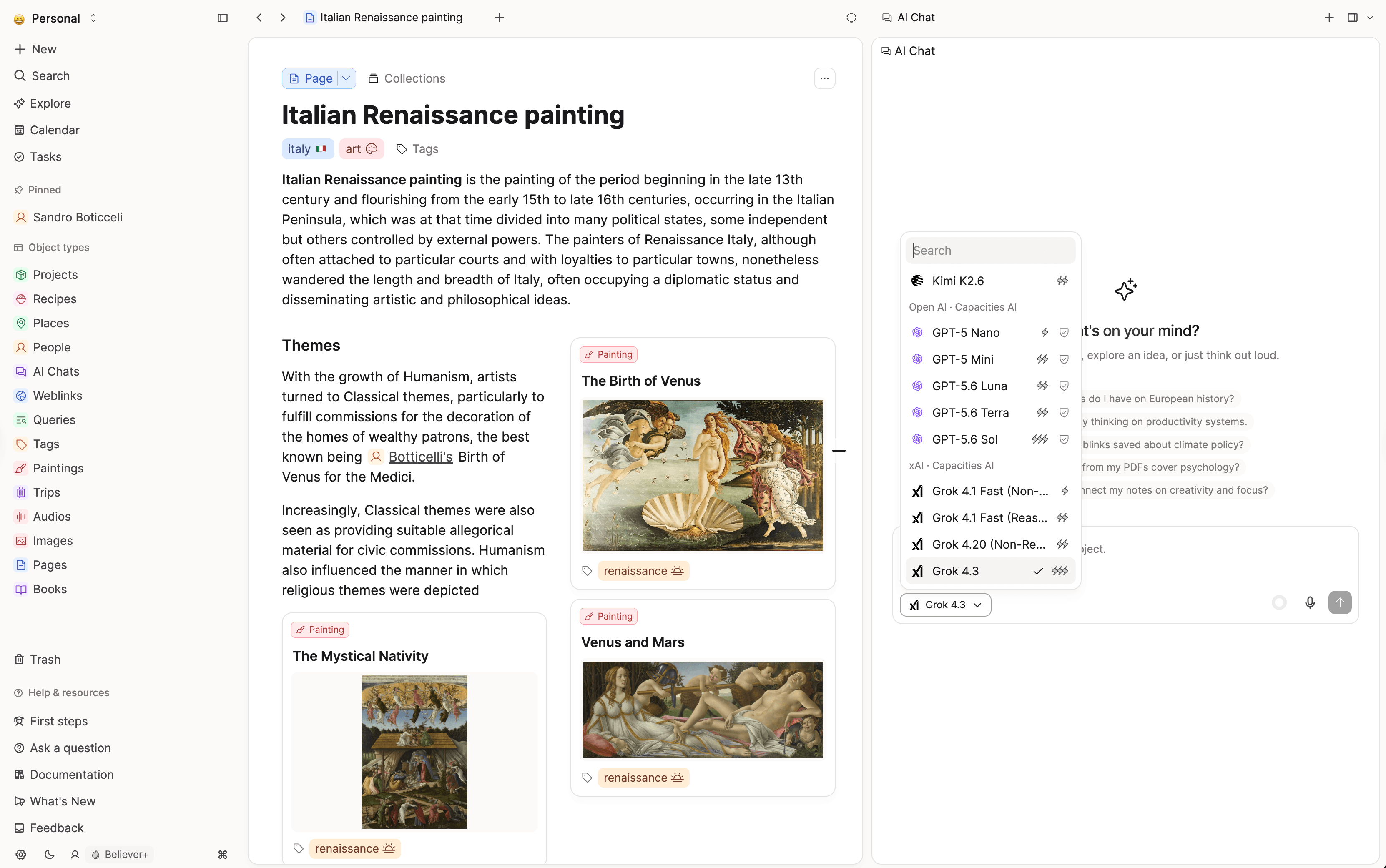
What Plus adds. All AI workflows and all models in the picker stay available on Pro and Believer. Plus adds a much larger monthly budget and top-ups when you need more. For the AI included with Pro, we keep improving efficiency with cheaper models and smarter routing so everyday use goes further. Serious daily AI (long chats, research, lots of media) needs substantially more tokens. That's what Plus is for.
Pass-through pricing. What you pay, minus transaction fees, is passed through as AI budget.
To learn how budget and top-ups work in detail, see our subscriptions docs. To learn more about the thinking behind Plus, read Why we are introducing Pro+.
How much more budget is that?
Plus is a pass-through of what you pay (minus transaction fees), so it's a different scale from the everyday Pro and Believer budget. Pro is sized for light monthly use and occasional media; if you analyze media or chat heavily most days, expect to need Plus. If you still run out on Plus, top-ups (one-time or auto) remove the ceiling. You need Plus to buy top-ups.
For concrete examples of what a Plus budget typically covers (media analysis, OCR, chat), see What a Plus budget covers in practice. Manage Plus and top-ups in Settings > Subscription & Billing, and check remaining budget in Settings > AI Assistant.
New models for everyone on Pro
We've also added recent models from OpenAI, Anthropic, Google, and xAI for every Pro and Believer subscriber, including subscribers without Plus. More expensive models simply use budget faster.
Bring your own key is discontinued. Use MCP instead.
Bring your own API key (BYOK) is removed from AI settings with this release.
BYOK can't support our media features: providers handle images, audio, PDFs, and related inputs differently, so we can't run one optimized media pipeline behind arbitrary keys. Capacities AI also runs algorithms around the models that a raw provider key can't cover. Keeping BYOK would have frozen those capabilities or split the product into two unequally capable modes.
The replacement is AI Chat Connectors (MCP). Instead of pasting a key into Capacities, you connect Capacities into the AI setup you already use (Claude, ChatGPT, Cursor, local models, and more). You keep your own models and tooling, and you get a deeper integration than BYOK: search and read your space, create and update objects, append content, and work with media through the connector.
We're actively developing MCP further: stronger retrieval and better editing, plus more ways for an external agent to work inside your space. Stay tuned for updates.
If you used BYOK, set up an AI Chat Connector now to use Capacities through your preferred client or local models.
For details on discontinuing BYOK, read Why we are introducing Pro+.
What's next for Capacities AI
AI in Capacities will keep getting more capable, and Pro+ is how we fund that sustainably. We'd love to hear your ideas on the feedback board.
A quieter Focus Mode
Capacities ProOn desktop, Focus Mode now zooms the page into a quieter writing space. A small island at the bottom left keeps Focus and an optional timer within reach, along with page navigation, so the rest of the interface can step aside.
You can start a focus timer from 5 to 60 minutes. The last duration you picked is remembered. When time is up, a short chime plays and a completion card stays until you continue. Entering and leaving Focus Mode also plays a short sound cue.
✨ Improvements
Mobile
- On phone, the calendar remembers the last tab you had open, so Daily Note and Tasks (or Timeline) come back as you left them.
- Adding or editing a custom property on phone is clearer: type badges sit on their own row, and picking a type opens the name field.
- Empty properties on a page can be edited on phone. Taps work more reliably on Android for text, tags, checkboxes, and related items.
- The faster share sheet now works on iPad as well as iPhone and Android. Sharing to Capacities on Android is more reliable, including from home screen widgets.
- Home screen widgets keep the right date and process queued items more reliably.
- Graph view on phone has a floating toolbar above the tab bar, with icon-only hops and a canvas that uses the full screen.
- Re-tap Home to open the space picker. Re-tap Tasks to create a new task (same as long-press).
- Search and Find focus the search box first so the keyboard comes up sooner.
- Collections and data views share a smoother phone scroll surface.
- The iOS app uses the new Capacities icon.
AI
- Chat asks before an edited message rewinds the thread, so later replies are not removed by accident.
- Chat can look at your existing tags and collections when it helps you organize.
- The assistant can generate a query to gather matching objects, and it can pull results from query objects you already have.
- Creating or appending to an object, and updating its properties, shows a preview when the assistant asks for approval, with a compact Generate / Deny / Approve bar.
- On desktop, you can edit a sent message by clicking the bubble.
- Settings show how your AI budget is split across chat and analysis, plus autofill and other features. The breakdown hides once the budget is used up.
Tasks and calendar
- Rescheduling a repeating task with Today or Tomorrow, or with a date in the title, keeps its completion history. After the first logged occurrence, you are asked before recurrence is removed, including on phone.
- Object pages show a progress ring on the Tasks tab when there are included tasks or to-dos.
- Typing "next week" or "next month" when scheduling a task now means the upcoming Monday or the 1st of the month, matching the date picker.
- Creating from a calendar event or a date keeps template titles and fills
{date:…}for that day.
Object types, properties, and cards
- Empty properties now say Empty on pages and cards, instead of the property name. Long descriptions on cards end with an ellipsis.
- Unchecked checkboxes are treated as a value, not as empty.
- Empty image and preview slots keep their space so cards line up in the gallery.
- You can show URL properties when customizing small cards.
- The note-body property is now called Content. Adding a second content property asks for confirmation so you are less likely to create duplicate note bodies.
- System properties (except the title) now have a settings page for visibility and delete.
- Renaming a property waits until you finish editing the name, so typing feels snappier.
- The main button on a tag page says Add instead of New.
Export and import
- The export menu matches the import menu, with clearer option cards and an All properties toggle so you can show or hide every property at once. Page content stays separate.
- If media isn't downloaded to this device, export explains why it can't be included and how to change that.
- Full space export is more reliable, with clearer errors if something goes wrong.
- Changing the schedule time for an automated export now works even when a retry is already queued.
Workspace and desktop
- If an object is already pinned to a workspace section, its menu includes Remove from this section.
- Drag pins and object types between Overview sidebar sections.
- Choose a specific object to open when the app starts (per space). If that object is unavailable, we fall back to the last opened page.
- The macOS app icon now has a dark-mode version. On macOS, the dark-mode icon background matches the system.
- Videos in the in-app browser can go fullscreen.
- Images load faster and more smoothly, especially when they're already on your device.
- Date picker rows for Include Time and End Date, plus Repeat, are aligned and easier to scan. The old All day toggle is now Include Time.
Editor, tables, presentations, and files
- Tables stay smoother while you scroll and when data updates in the background.
- Typing and editing in code blocks feels faster, especially in long notes.
- Adding a property feels snappier when you type the name.
- PDFs stay smoother while you scroll and zoom. Pinch-zooming a PDF on phone or tablet no longer leaves blank pages or reloads the app.
- Pages you embed in a presentation now expand into the deck with their titles, instead of staying as cards.
- Toggle lists in a presentation start in the same open or closed state as the note. You can flip them while presenting without changing the original.
🐛 Fixes
Mobile
- The keyboard stays open while you edit object type properties on Android, and it behaves more reliably in the app and the share sheet.
- Menus and sheets size to their contents more accurately.
- Long-press to customize the editing toolbar works again on iPhone.
- You can select deleted media and blocks again on phone.
- Clearing a due date on phone stays cleared (no accidental "today" after closing the picker).
- Create and Link menus filter correctly while typing with Android suggestions.
- Tag emojis no longer clip on mobile. Task spacing and priority toggles render correctly.
- Widget and shortcut deep links no longer re-trigger in a loop after the app remounts. They also dismiss the share sheet so the destination is visible.
- Custom URL schemes with digits (for example MarginNote-style deep links) open on click.
- Index Card pages on small screens keep their properties instead of hiding them.
Tasks
- Embedded and linked tasks are no longer counted twice in task and to-do progress.
- Habit completion rate and streak include days you skipped over, so they match the heatmap.
- Completing a recurring task no longer leaves it stuck as Done without a completion entry.
- Typing @ in a title only creates a link on tasks. Other object titles still support # tags, and no longer create hidden backlinks.
- Tags on embedded tasks no longer show twice.
Editor, properties, and tables
- Empty properties on pages share a calmer, consistent empty style. The properties sidebar no longer sits too close to the top of the panel.
- The formatting bar in text properties stays with the property you're editing, and clicking the property no longer steals the cursor.
- Mention and slash menus stay open when you edit in a side panel or preview.
- You can add labels and linked pages even when that property hadn't been used on the object yet.
- Adding a new label or status option works again.
- Tags show correctly again in embed properties.
- Number-formatted cells align to the top with the rest of the row. Number format options keep their icons at a normal size.
- Formula error icons in table cells stay a normal size.
- In a table, Escape while editing a title closes the editor cleanly, and the Open button stays visible.
- Images you just picked in a property cell show correctly instead of a broken icon.
- Pasted images no longer flash a broken-image icon while they upload.
- Images in lists no longer go missing after you scroll away and back.
- Reusing a page as a block no longer fails.
- The download icon on file cards stays a normal size.
- Media types such as image and audio no longer show a small-card layout editor that didn't apply to them.
Workspace, search, and navigation
- Selecting a large range or everything keeps up to 200 objects and shows a clear notice, instead of a blank warning.
- The graph's excluded-types count only includes types that still exist.
- Search prefers an exact title match over a similar, recently updated result (for example, typing "projects" finds Projects).
- Typing a date in natural language (for example "three days from now") in the link menu now links that date instead of offering to create a page.
- Pasting a URL to create a weblink no longer jumps to an unrelated existing page.
- Pins that can't be found no longer stay as endless loading placeholders. Deleted pinned items no longer leave a permanent loading row.
- Open as full page is available again on objects in the side panel.
- Back navigation no longer fails when there is no previous page.
- Opening a space from your personal dashboard always takes you to the calendar, instead of getting stuck restoring the last place you were.
- Related tags and Mentions on a tag page line up with the list of tagged items.
- Clicking a template name in type settings opens the template editor.
- Renaming a query or collection tab is now labeled Rename instead of Edit.
- Local file links (
file://) to files on your computer open again. - Signing in on Windows and Linux desktop works more reliably.
- Sign-in and sign-up handle the verification check more reliably, with clearer errors when something goes wrong.
- The trial-ended screen and its feedback follow-up have proper spacing and a clear footer.
- Undoing "Move to Today/Tomorrow" on a daily note keeps the moved content instead of dropping it.
- Embedded objects no longer flash "Deleted content" while they are still loading.
- In embed titles, Esc dismisses the #/@ mention picker without deleting what you typed. Tags show under Properties when the type has them.
Sharing, import, and drag and drop
- Space and structure icons show correctly again in the share sheet.
- Unchecking people or pages when sharing a collection now actually removes their access.
- The import dialog lays out correctly again.
- Starting an import from a collection now picks up the selected items automatically.
- Dates in a CSV import now land on the correct calendar day.
- Bulk-importing daily notes no longer shifts them back a day in timezones west of UTC.
- Dragging items is more reliable. Dropping files onto a collection works again.
AI
- Approving or denying an AI action is more reliable.
- Mutation previews show the right property values again, including tag updates.
- Update-property tools behave correctly when approving edits.
- You get a clearer message when a model is temporarily overloaded.
- The AI now displays the tools being used in the conversation again, including web search and the bulk task planner.
- Deleting an Explore chat no longer leaves an infinite loading spinner. Canceling message edit on phone no longer immediately reopens edit.
- Note search used by AI Chat includes snippets again, including for daily notes.
- A minor Explore AI border glitch is cleaned up.
Media and files
- YouTube embeds play again on iOS.
- If a PDF cannot load because of a blocked connection, you get a clearer error.
- Landscape PDFs display at the correct size.