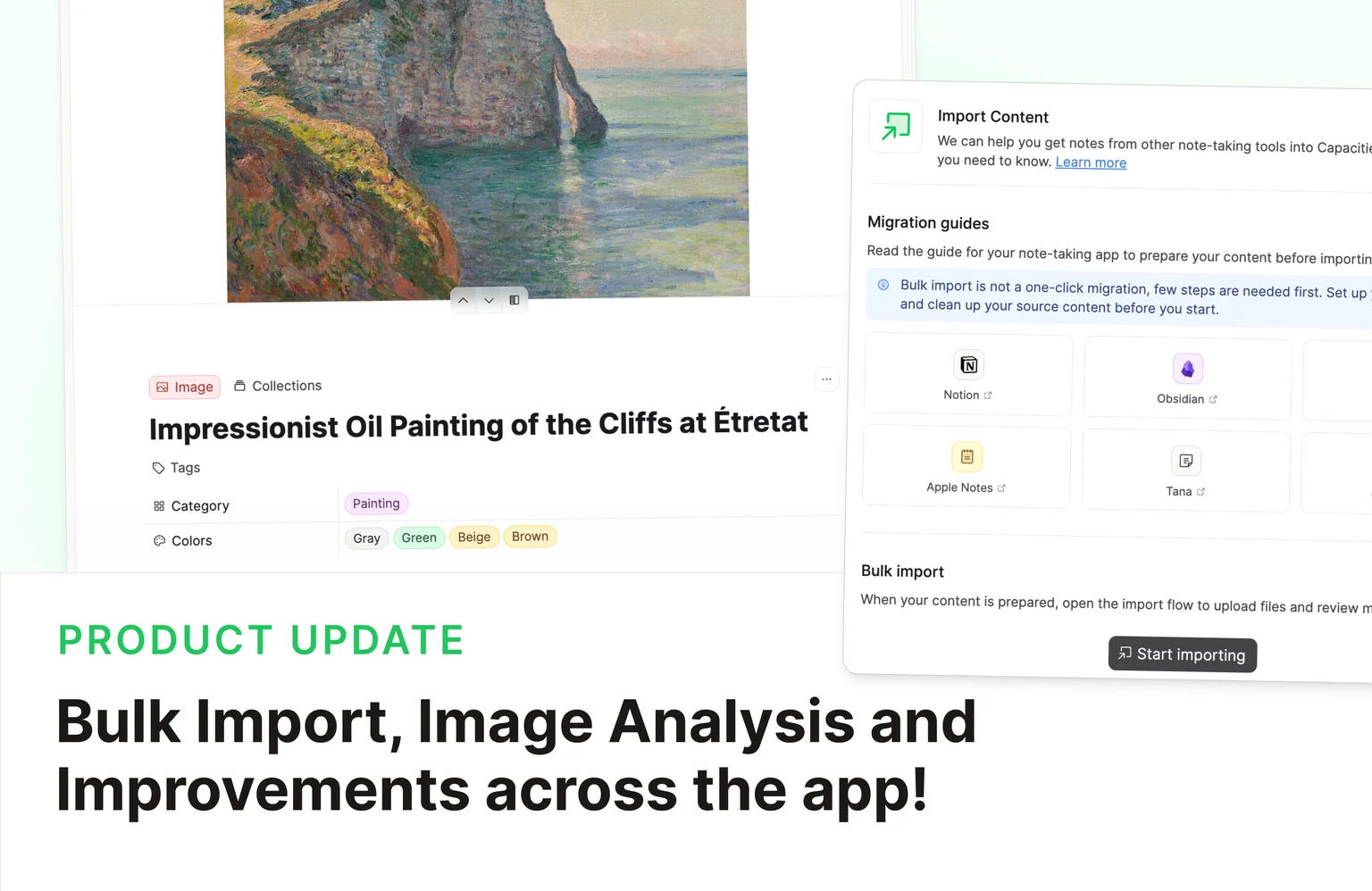
This release brings Bulk Import for everyone, Image Analysis for Pro, and a round of continuous improvements across tasks, AI chat, and everyday polish. 🚀
Bulk Import for Everyone
All users can now bulk import Markdown, CSV, ZIP, and media files!
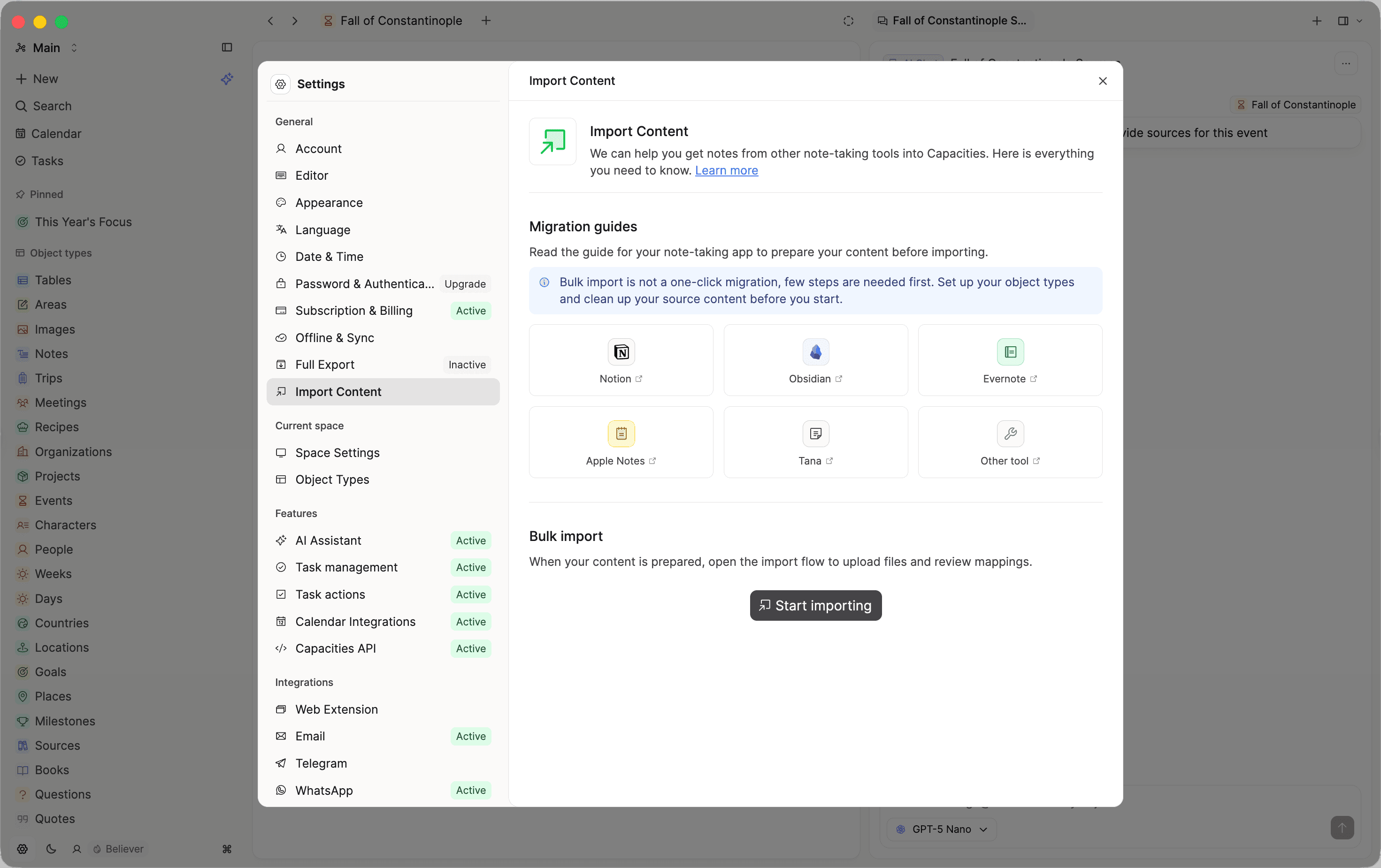
We recommend a three-step process to get the most out of bulk import:
- Review & sanitize — clean up your source files before import.
- Object types — set up the object types you will need.
- Importer — run the import and review objects before creating them in Capacities.
For setup instructions, supported formats, and limits, see the Bulk Import reference.
Thank you to all Believers who tested Bulk Import and gave us feedback! 🙏 It won’t be long until the next feature is available for testing! 👀
Image Analysis for Capacities Pro
AI image analysis is now available for all Capacities Pro users with AI enabled.
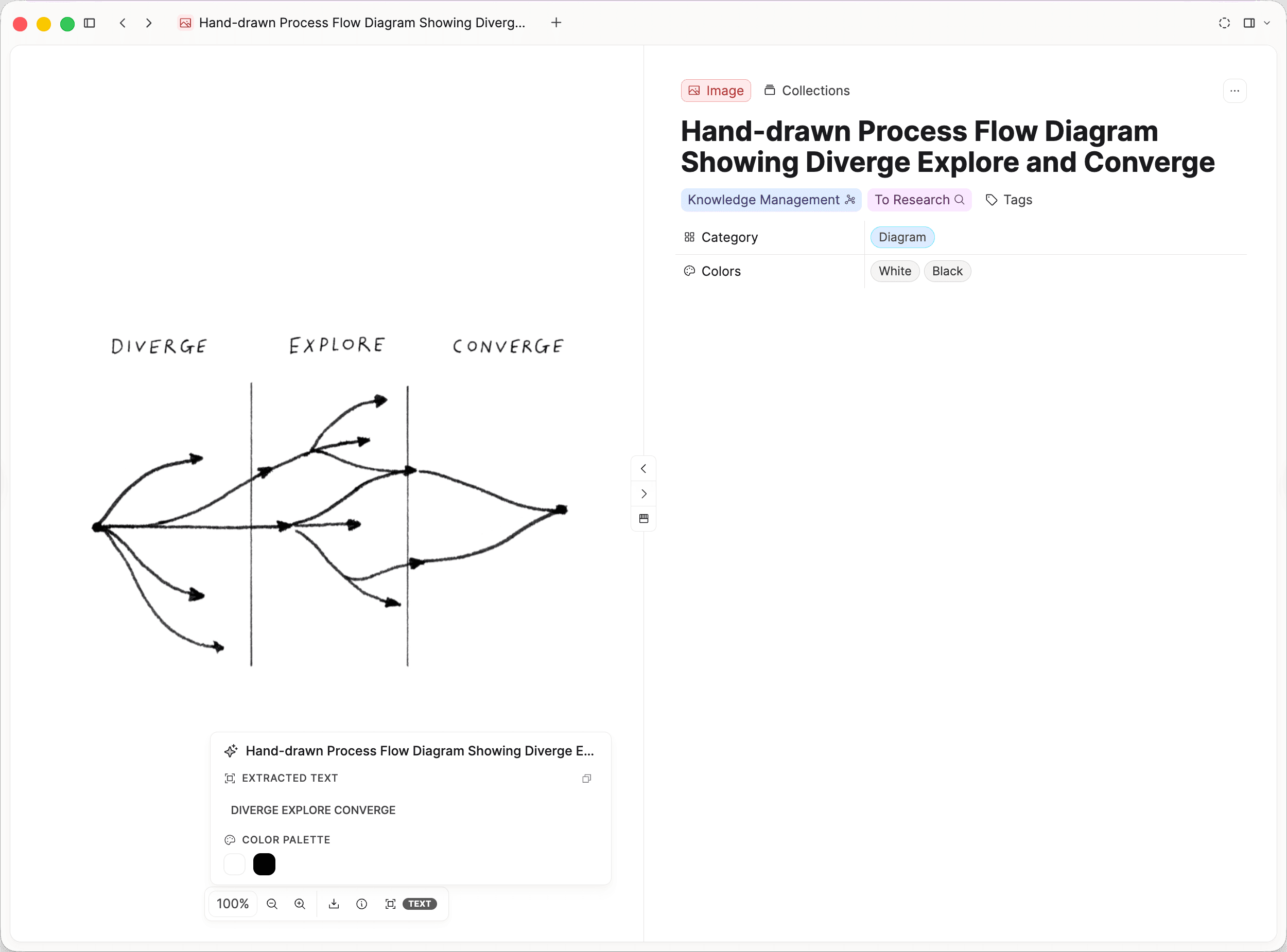
Open any image and click Analyze to extract a title, description, text (OCR), color palette, and category. Everything is written to the image's properties automatically.
We've also added several improvements since the initial release:
- Analyze from the Object menu now uses the same logic and budget checks as the toolbar action.
- Clearer AI budget feedback: if your budget is exhausted, the action shows "AI budget used," highlights with a yellow sparkle, opens AI settings, and surfaces clearer errors.
- Image embed affordance now includes a quick Analyze trigger plus OCR/colors preview, with a scan icon when analysis is available.
- New output categories: Photo (animal) and Cover.
- Localized labels: analysis labels now follow your app language.
- Cleaner image analysis UI: the separate analysis tab is removed; extracted text and color swatches are shown directly in the image toolbox and on the image.
If you want the full walkthrough, see the Images documentation.
Continuous Improvements
We have also shipped quality-of-life updates across the app. 🚀
Recurring Tasks Updates
Building on Release 64, recurring tasks now handle more scheduling patterns.
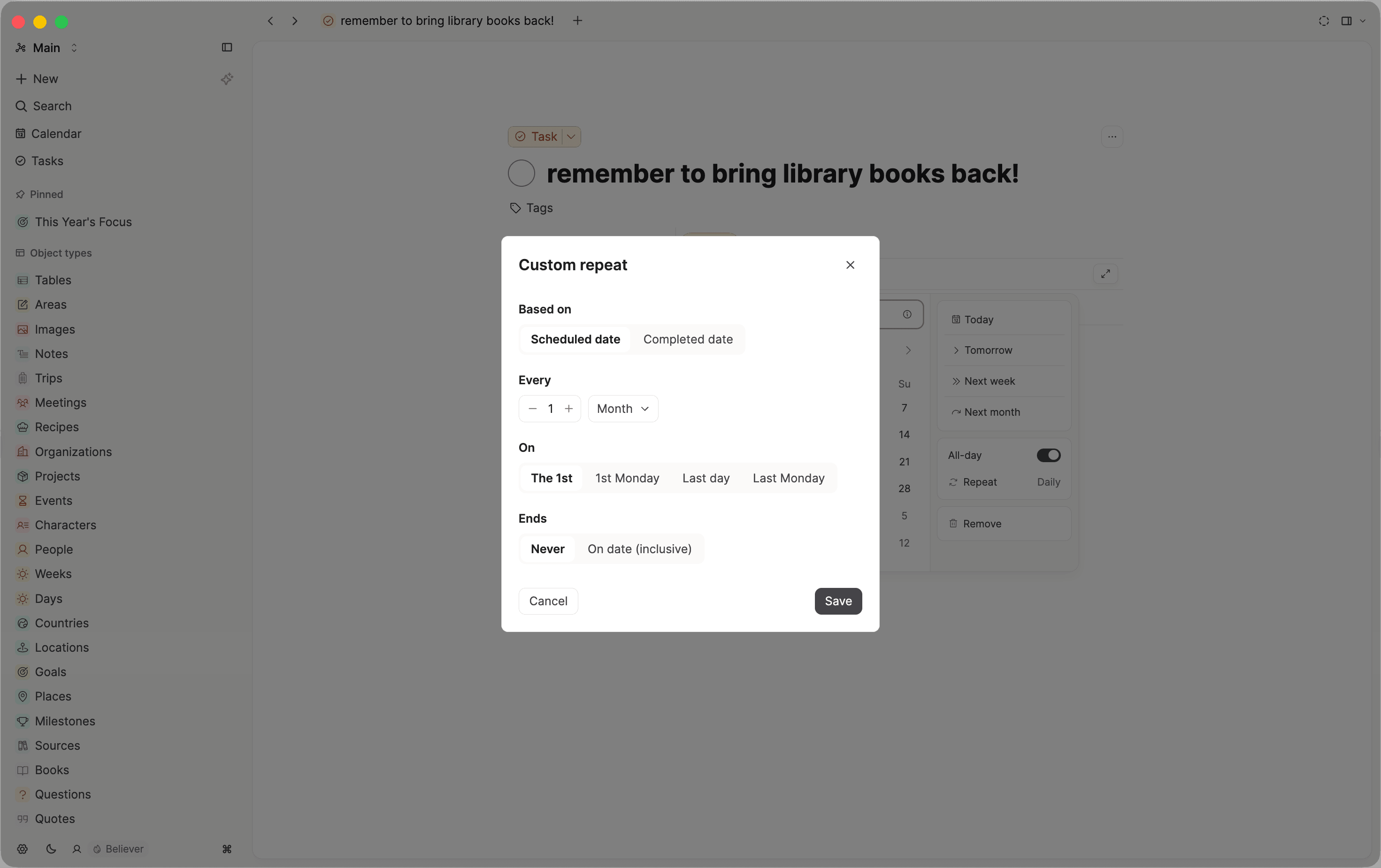
Monthly recurring tasks can repeat on the last day or last weekday of the month
In Custom repeat, when you choose a monthly schedule, you get two new "On" options alongside the existing day-of-month and Nth-weekday choices:
- Last day — the true end of each month, so February and 30-day months are handled correctly instead of skipping when you used the 31st.
- Last {weekday} — e.g. last Wednesday, which works with any interval such as every 2 or 3 months.
That covers monthly reviews, payroll-style tasks, and other "last X of the month" patterns without workarounds. Ticket, Ticket
Recurring tasks now carry their deadline forward automatically
When you complete a recurring task, its deadline advances to the same relative position on the next occurrence. So if your task is scheduled on the 6th with a deadline on the 7th, completing it moves both dates to the following month together.
If you were behind and the recurrence had already jumped ahead, the deadline advances too and is clamped to at least the new scheduled date, so it never shows as missed the moment it is set.
On top of that, the calendar's "today" view no longer surfaces recurring tasks whose next occurrence is still in the future just because an old deadline has passed. Those tasks correctly appear on the day they are actually scheduled. Ticket
Reworked Sidepanel
We reworked the side panel to make it easier to discover and use. Instead of showing a separate button for every side panel action, there is now a new Explore tab that opens automatically and also acts as the new blank side panel tab.
From Explore, you can open relevant content or contextual options such as graph view, backlinks, objects inside, and related content. Each option now includes a short description, so it should be clearer what it does before opening it.
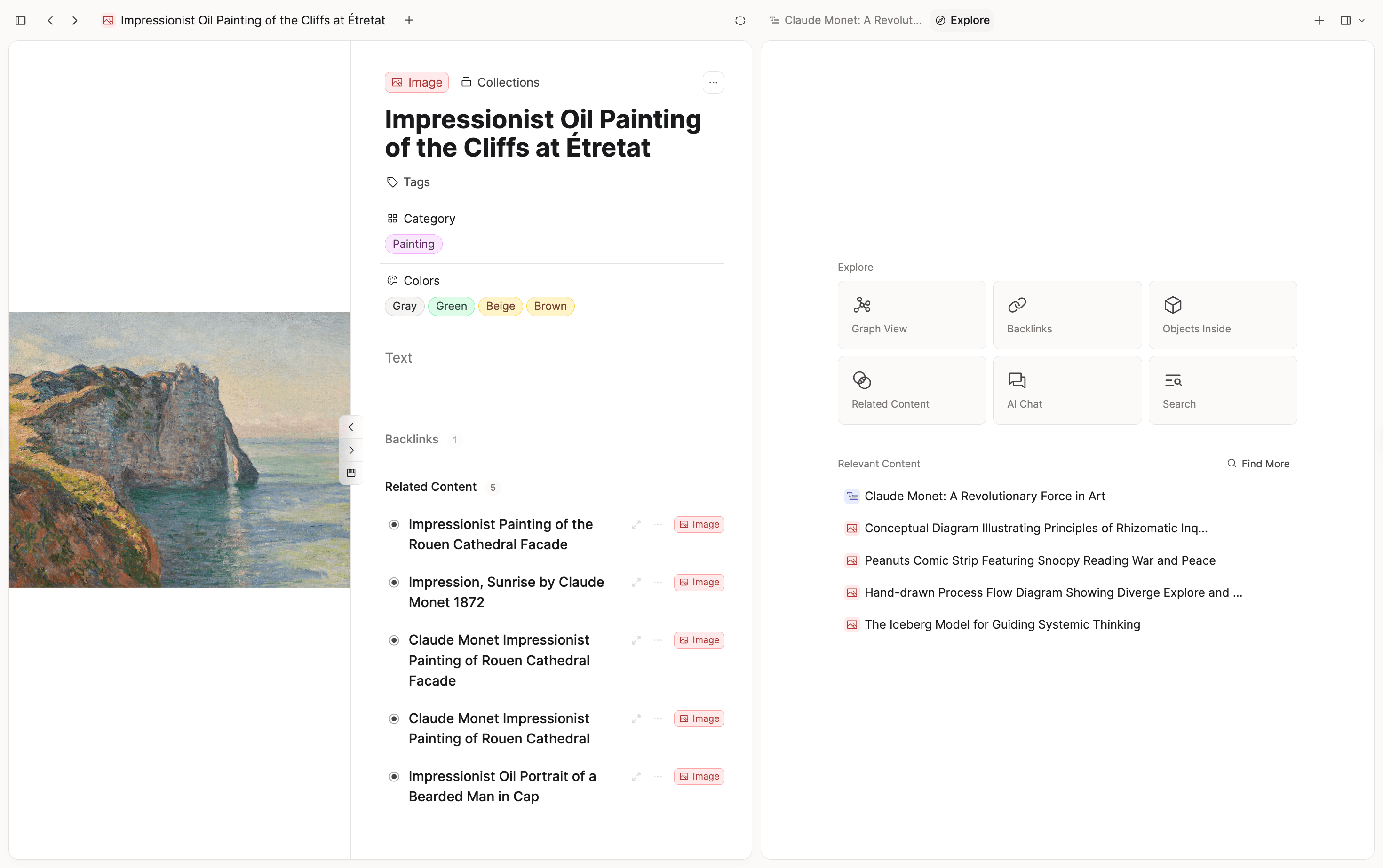
This should help declutter the side panel while keeping all options accessible.
We also deprecated the "Swap" button, replacing it with drag and drop. You can drag your side panel tab to the main window, and it will swap automatically.
More standardized indentation logic in text editing
We fixed the indentation behavior for lists and other blocks to match industry-standard editor behavior. Outdenting no longer pushes items into a different block position, so bullet order stays stable instead of being reshuffled. This applies both when editing inside text and when indenting/outdenting selected blocks. If one block in a multi-selection cannot be indented, none of the selected blocks move.
AI Web Search
The AI Assistant can now search the web to answer your questions with up-to-date information.
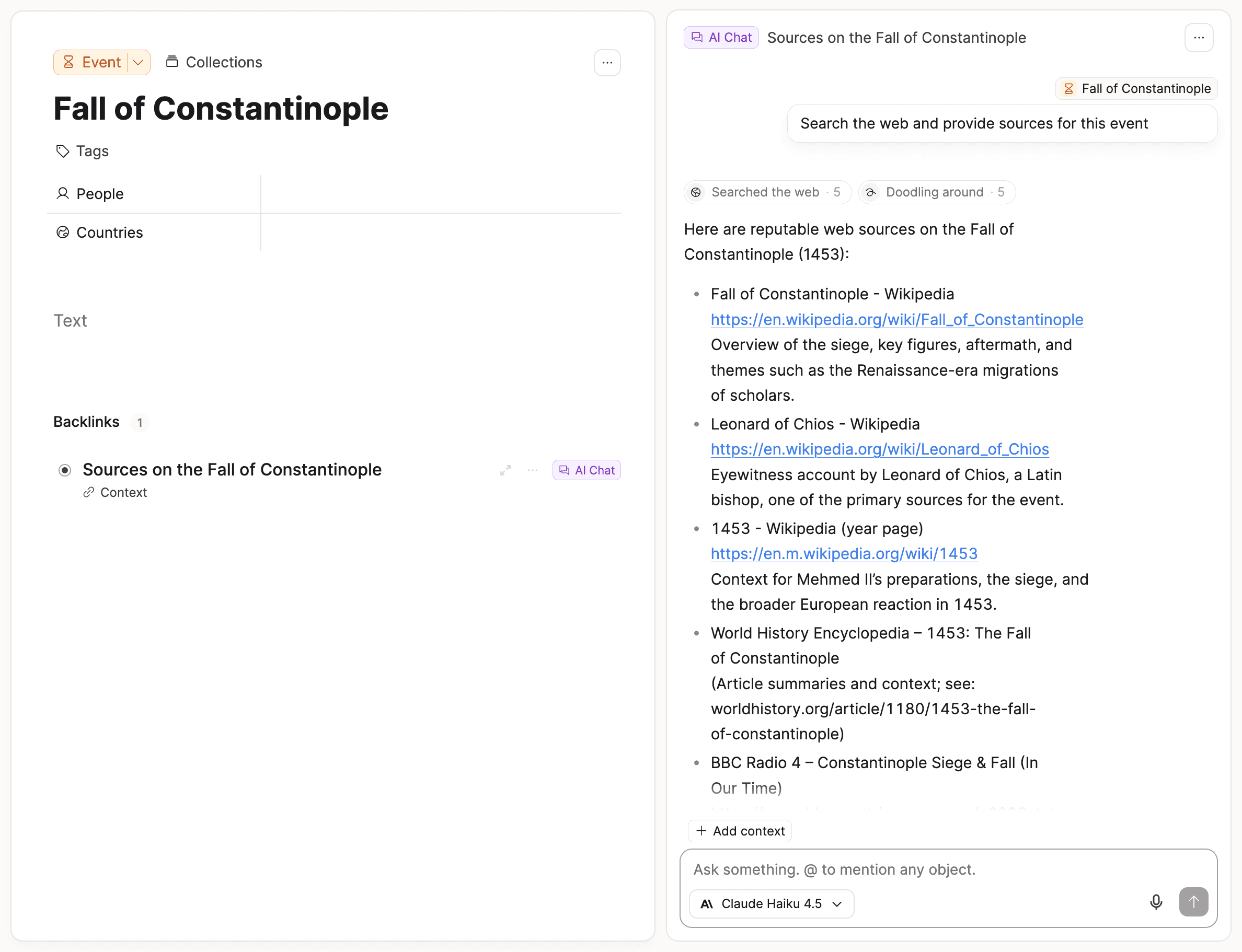
When you ask something that benefits from current or external information, the assistant will automatically run a web search and incorporate the results into its response. This works most reliably with Capacities AI — custom model configurations may have limited or no web search support depending on the provider.
AI Chat Improvements
The AI Assistant has had many improvements in the background. It should now be able to break down more complex tasks and give better responses in general. Some extra changes:
- The AI Assistant now also has access to our support documentation.
- Tool pills polish: gerund labels while a tool is running ("Searching…") and past tense once finished ("Searched"), plus richer tooltips built from the tool's inputs, outputs, and resolved titles.
- The "Thinking" pill is restored during the gap between submission and the start of the assistant stream.
Community Integrations
Two new community-built integrations are available in our Integrations Hub:
Community integrations are not part of the official Capacities product. We review and test integrations and work with developers on quality, but we cannot guarantee them or be responsible for issues from using them.
MelliLex
MelliLex is a free Windows desktop app that lets you Ctrl+right-click any word or phrase in any application to get an instant AI-powered breakdown, then save it directly to Capacities as a structured word note.
The Capacities export creates a word note with the looked-up term as the title and fills in the full lookup result — definition, IPA, part of speech, formality score, usage domains, example sentences, and memory tip. You can send notes to your daily note or a dedicated Vocabulary space.
Maintained by Rahul TR. Download free on GitHub.
CapNote
CapNote is a macOS menu-bar app that opens with a keyboard shortcut and appends notes directly to your Capacities daily note.
Maintained by Leandro Ardissone. Learn more on the CapNote website or GitHub.
✨ Improvements
- Want to try Capacities Pro again? If your last trial ended more than 6 months ago, you can now start another free trial.
- AI-enabled behavior for new spaces: If you have AI enabled but only for some spaces, it will now be enabled for new spaces automatically.
- Better search ranking in linking menus: We now show the create option first in the link and create menus if there is no direct object match.
- If you press Esc in a task title, Capacities will stop auto-filling properties based on keywords like "today."
- Improved background sync behavior for better continuity.
- Improved the alias menu and mobile experience for shortcuts and tag handling, fixing several glitches with menu placement and state. Ticket
🐛 Fixes
- Raycast Integration is fixed again. You might need to create a new connection in the Raycast settings in Capacities.
- Some layout fixes and issues with property sections.
- Addressed issues that could cause side panel behavior to feel inconsistent.
- Improved overall stability around data processing and error handling.
- Resolved several edge cases that could lead to stalls or interruptions.
- Fixed an issue where the object menu button was incorrectly shown on mobile views. Ticket
- Fixed the issue preventing moving the Capacities window by dragging on empty space of the tab bar. Ticket
- Corrected double window drag issues on desktop for easier repositioning. Ticket
- Opening the views in the side panel now works as expected again.
- Fixed the floating sidebar in daily notes so it now correctly scrolls to headings. Ticket
- Fixed task progression on mobile devices to display correctly without having to open the task. Ticket
- Fixed missing view options in the tasks tab for objects. Ticket
- Fixed UI issues by hiding certain elements when the user does not have edit permission.
- When you create an object from the day view, the date field is pre-filled correctly (fixes missing date on create-from-day).
- Small card view settings for basic object types are saved reliably again after customization (no more lost layout when reopening settings).
- Re-applying media analysis properties now only happens on explicit retries: there was a bug where media analysis results constantly overwrote properties, for example when they were edited by the user. This is now fixed.
- Mobile image analysis toolbox and OCR badge behave more reliably on small screens.
- Added text displaying the percentage of AI budget usage to the AI Assistant settings.
- Added missing autofill options to the customize menu to make all properties available for easier setup.
- Fixed the task status shortcut so it now includes custom statuses correctly. Ticket
- Corrected the default view for tasks so it displays as expected every time. Ticket
- Improved the Mac app search so shortcut keys should now work reliably. Please let us know if you still experience issues. Ticket
- Fixed the order of task groups in the relative date view so "This week" appears in the correct place. Ticket
- Fixed an issue in the Mac app that made the window draggable in the wrong place when adding additional areas to the side panel.
From Us
There are lots of pieces on there now!
- Note-taking is synonymous with presence
- Note-taking is meant to be messy
- What do shipping containers have to do with note-taking?
- Rhizomatic note-taking starter pack
We're sharing deeper product thoughts, feature context, and building updates in a longer-form format there.
📺 Follow Capacities on social media to see our recent content on the team's favorite features:
That's everything for this release – we hope you like it! ✅ 🚀