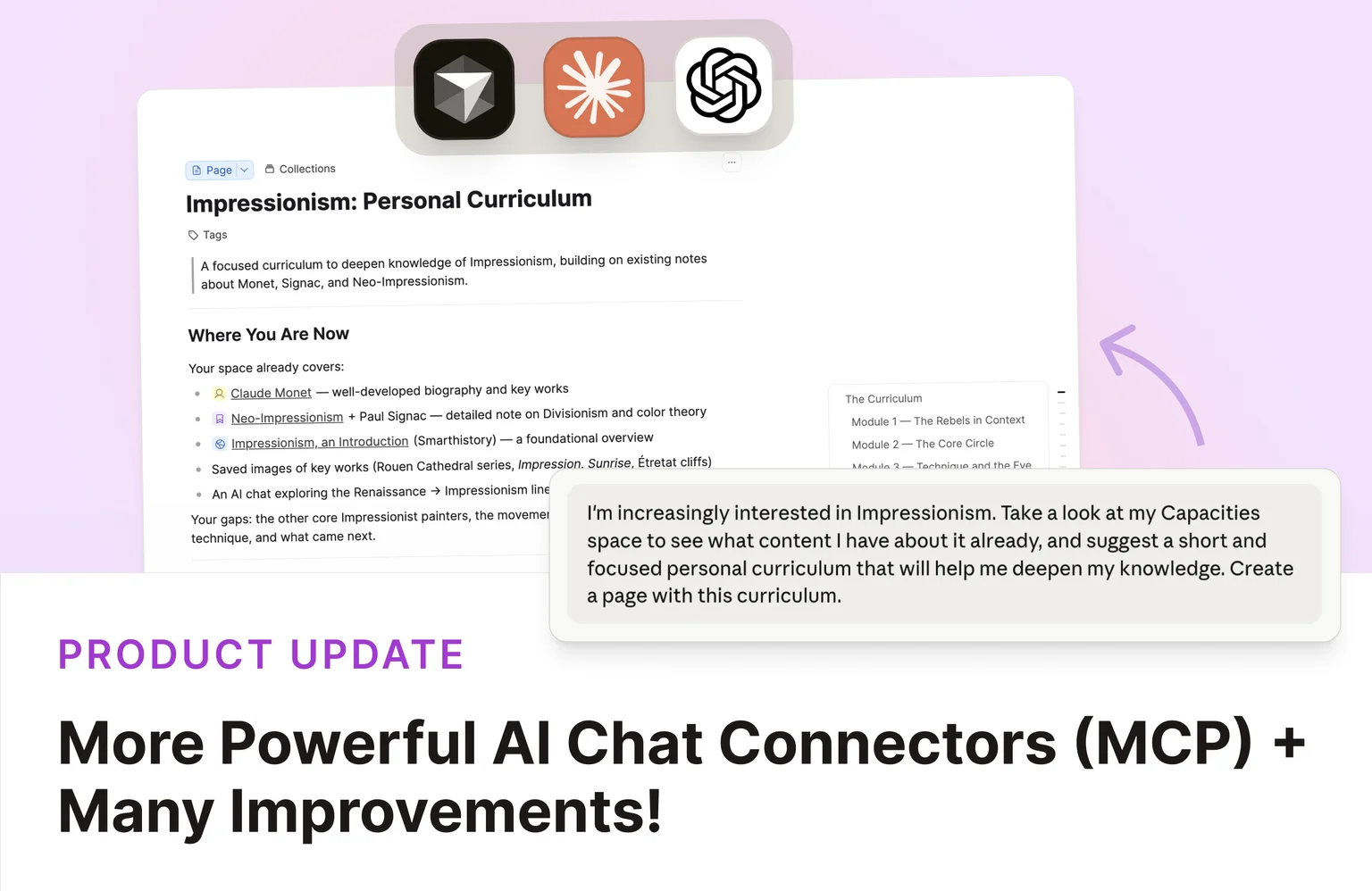
AI Chat Connectors 2.0
When we launched AI Chat Connectors, your connected assistant could search your space, read full objects, save text to your daily note, and link to objects in its replies.
This release adds new capabilities to all AI Chat Connectors and MCPs:
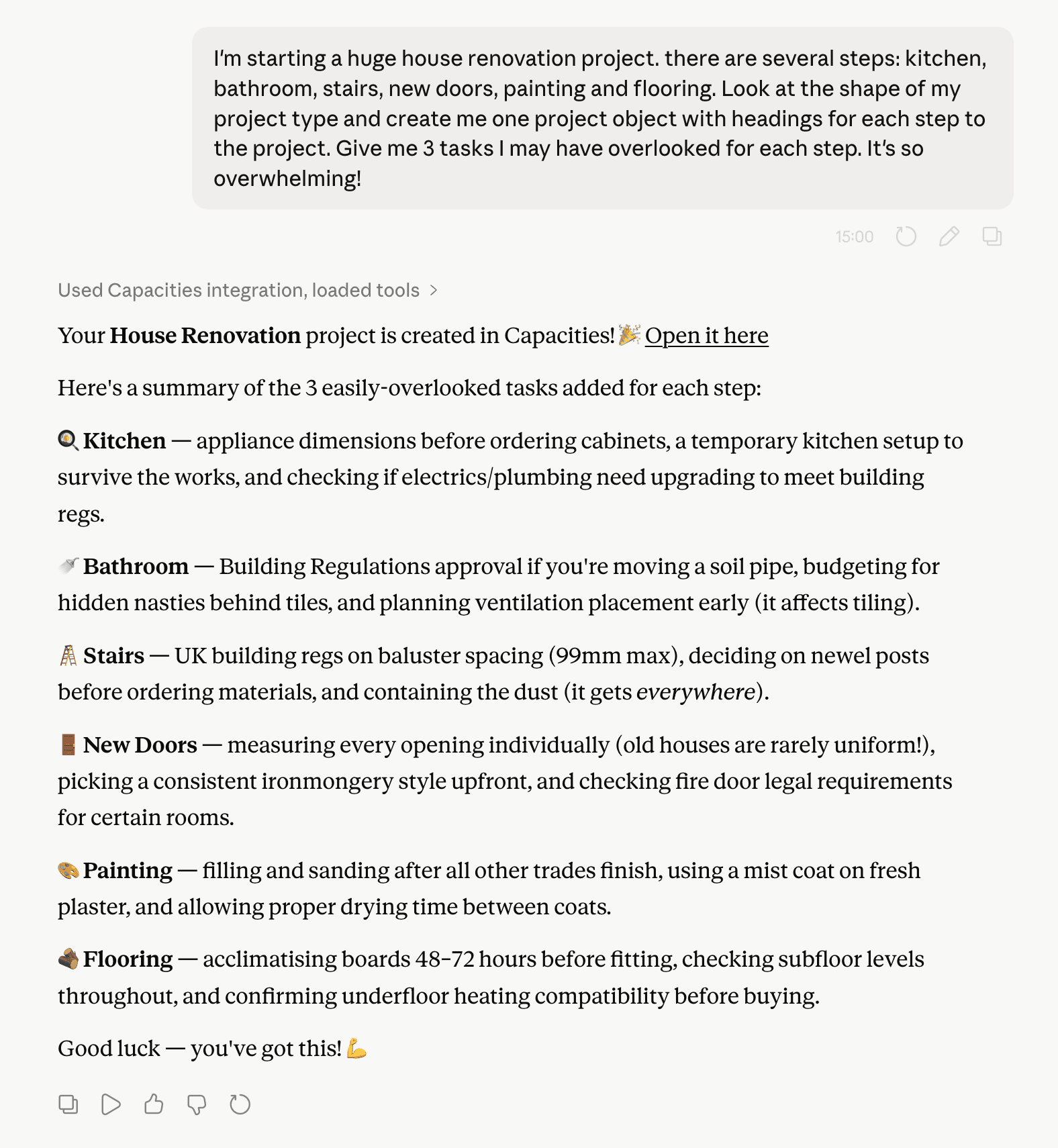
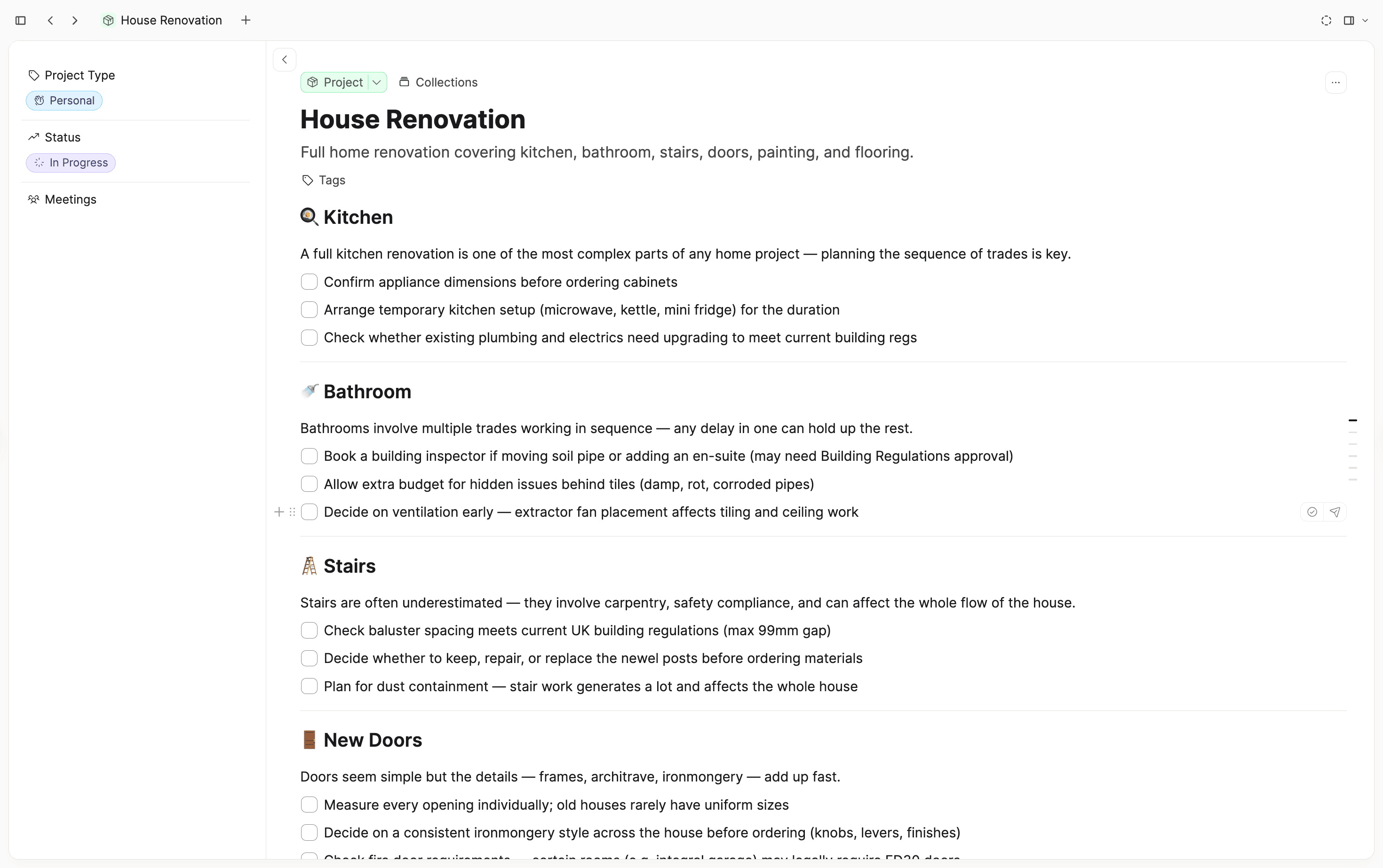
- Create pages and tasks: You can now instruct your assistant to create pages and tasks in Capacities.
- Create custom objects: By mentioning the name of an object type (e.g. "Create a meeting"), your assistant can create a new object of that type with the properties you specify.
- Update object properties: You can instruct the AI to change properties on existing objects (status, tags, dates, title, and custom properties).
- Append content to objects: You can instruct the AI to append content to existing notes.
Together with the existing read tools and the ability to save text to your daily note, you can run fuller workflows from the AI apps you already use.
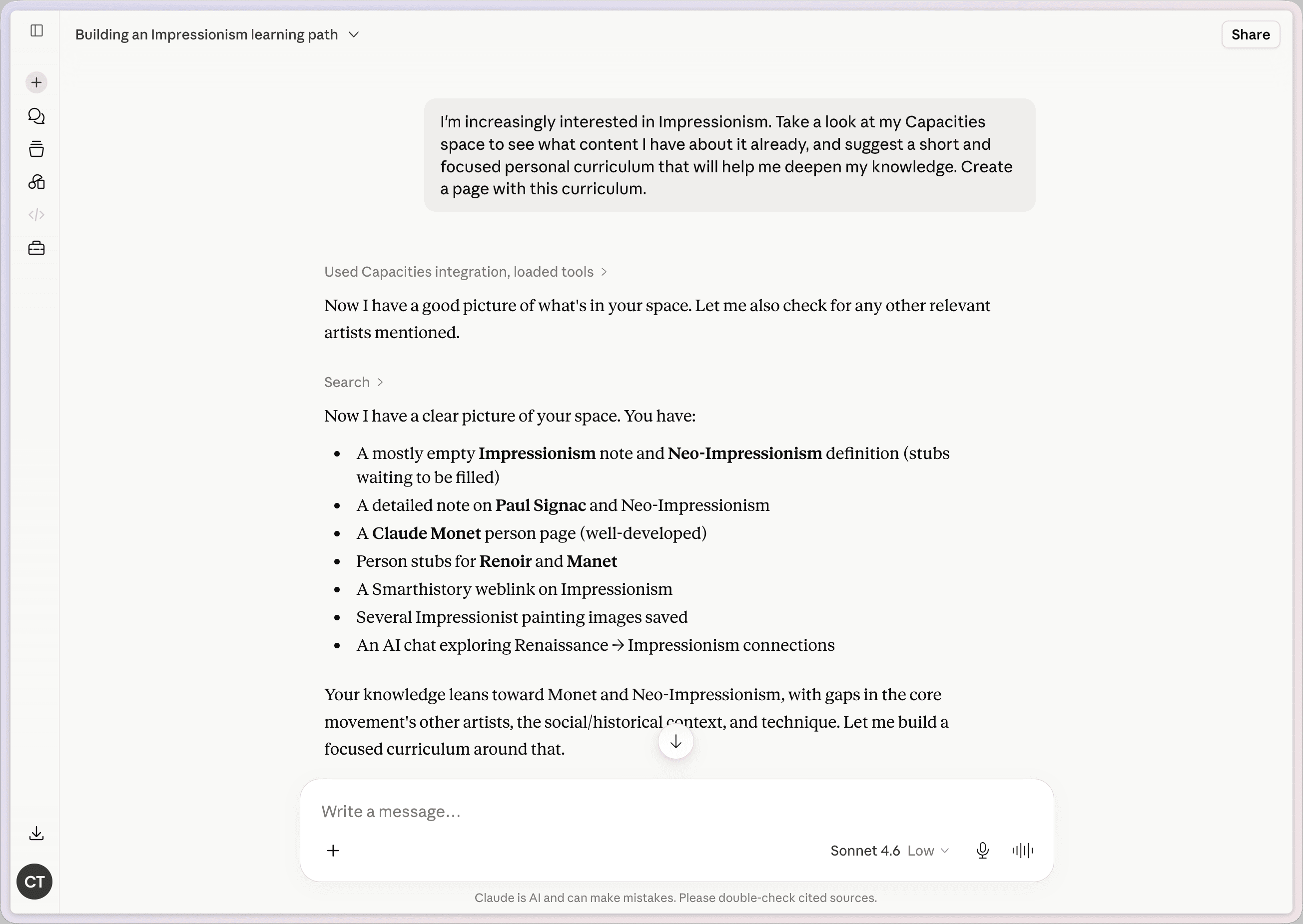
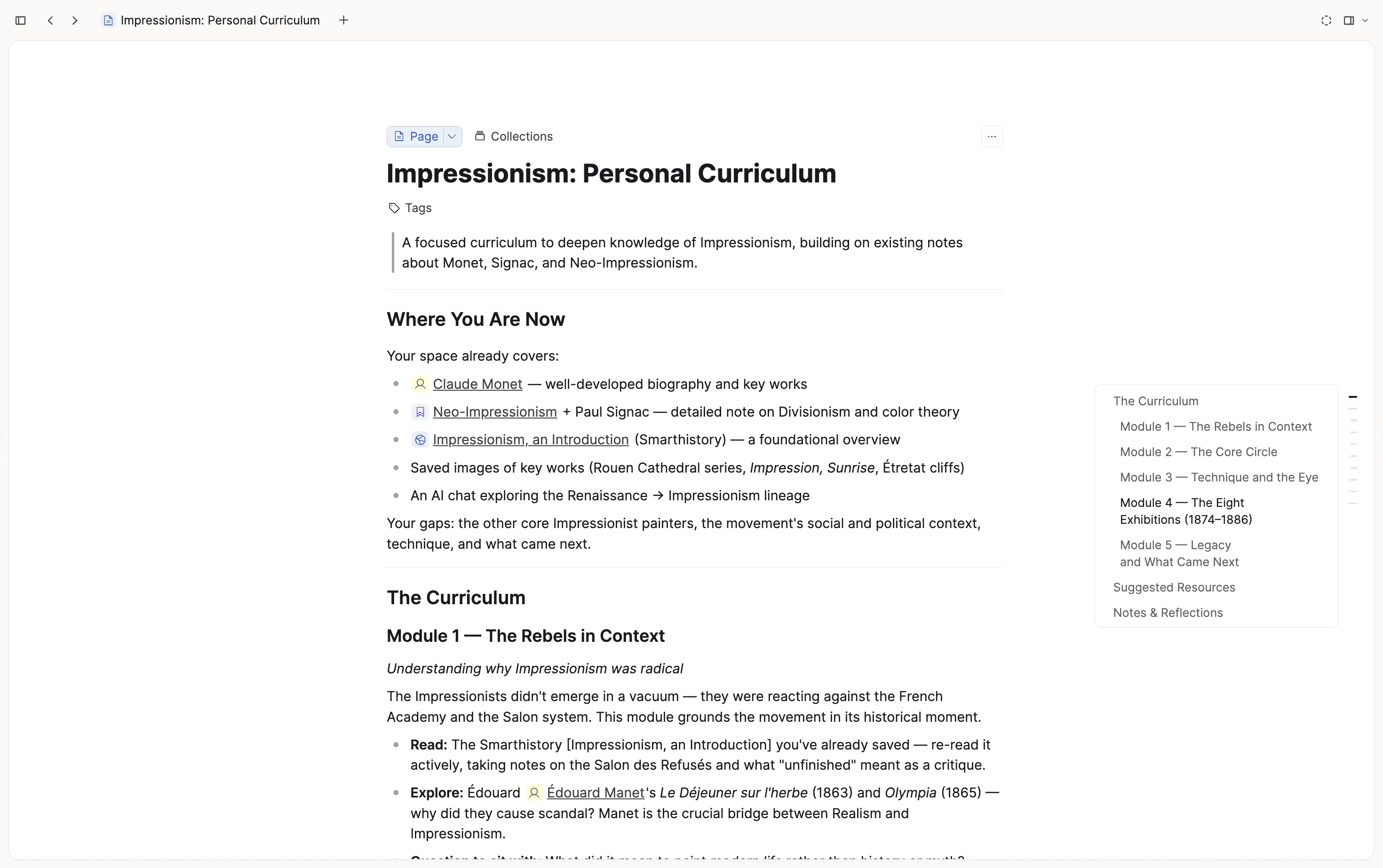
Example prompts
- "Create a Capacities page titled 'Weekly review template' with my checklist as markdown."
- "Add a high-priority Capacities task to finish the connector docs by Friday."
- "Set the status on my Capacities Book object for 'Deep Work' to finished."
- "Append a summary of this conversation to my meeting note about the product launch in Capacities."
Setup
Nothing changes in how you connect a tool: use the same connection URL and flow as before:
You need Capacities Pro with AI enabled for the space you connect.
Note: To use the new capabilities, you may need to reconnect your existing tools. All connections can be managed in Settings → AI Assistant.
Roadmap
AI Chat Connectors will continue to evolve alongside our upcoming new public API. 👀 We'll be developing and improving both in tandem, adding more powerful capabilities over time.
That said, if you're building workflows that involve a lot of content interaction, we recommend using the AI assistant in Capacities. It offers more powerful retrieval and search features already today, and will also receive more advanced editing and creation capabilities in the future.
We've also made a video version of our release notes to give you a quick overview.
✨ Improvements - A Big Step Up in Quality
Since the last release, we have shipped a wave of polish across the app: smoother tabs, a more comfortable editor, better drag and drop, and fixes in areas you use every day.
Object dashboard and tasks
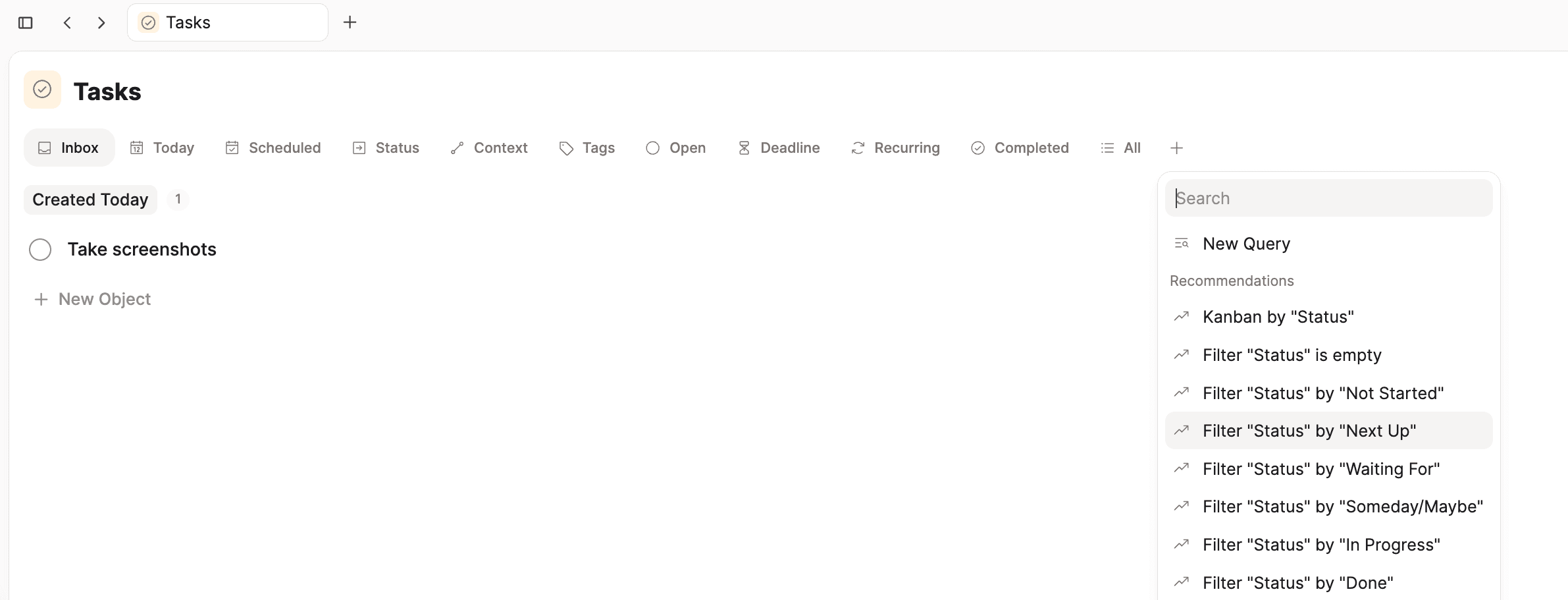
- Query suggestions in the object dashboard: When you add a new tab on an object type overview, Recommendations offer ready-made views (filter by a label, show only checked or unchecked items, or a kanban grouped by labels).
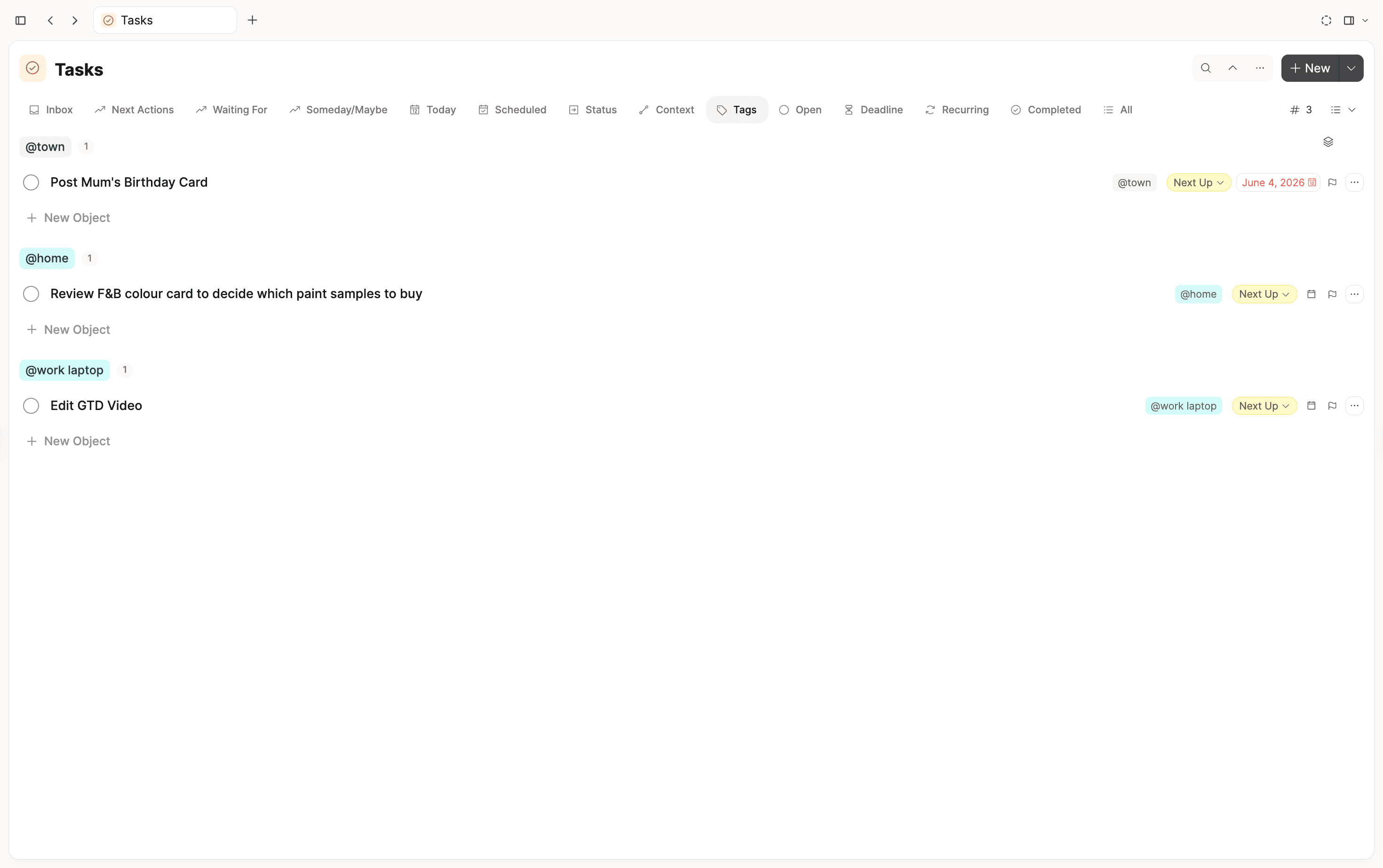
- Tags view for the task dashboard: By default, you can now view all tasks grouped by the tags they are assigned to.
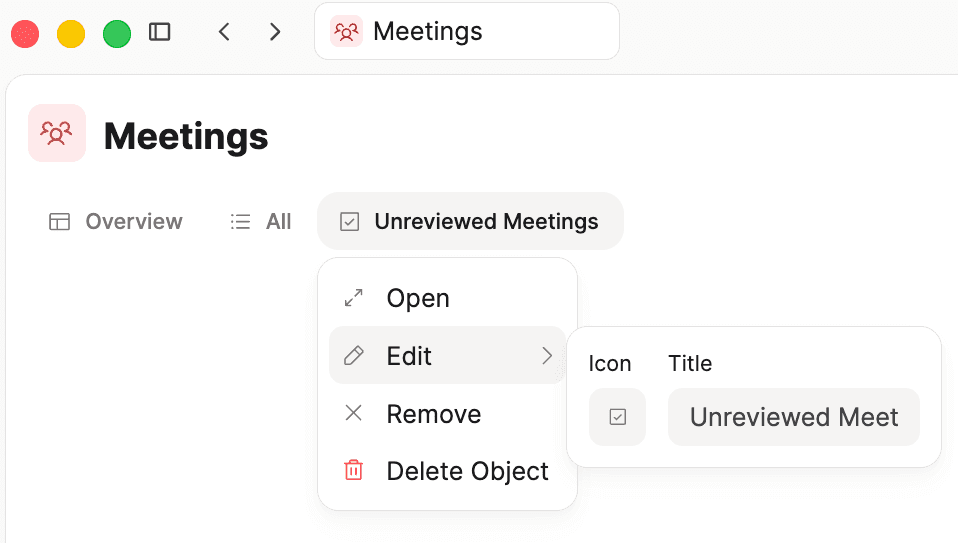
- You can now edit queries and collection titles from the object dashboard.
- Task context picker: The context picker for tasks is now standardized. You can select multiple options, search more effectively (including exact matches), create new contexts when needed, and create a page directly from the menu.
- Label editing: If a label cannot be edited directly, you will now be guided to the settings page where changes can be made.
- Added a small card preview when hovering over multi-select properties, making it easier to see details quickly.
Tabs
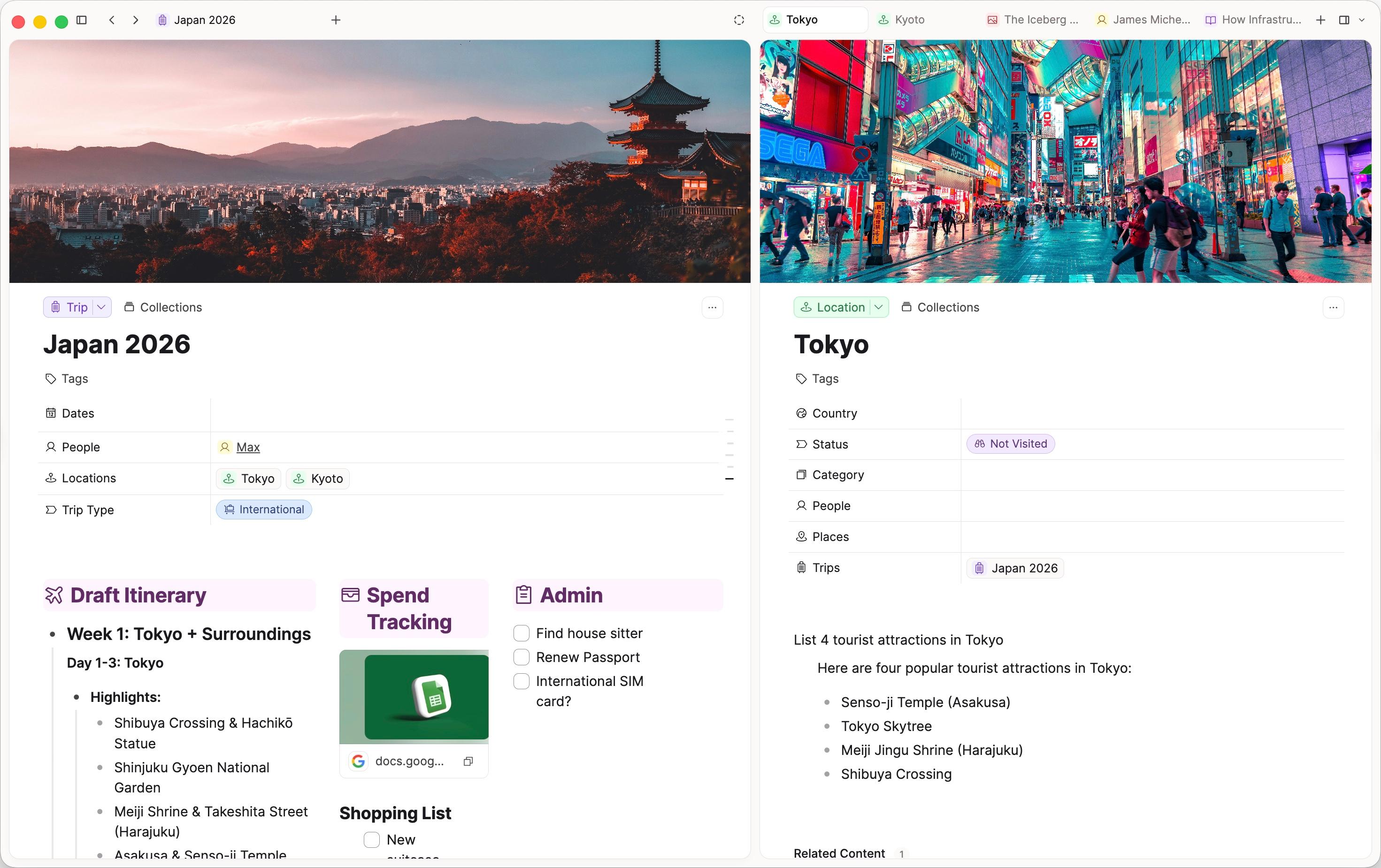
- Space tabs and side panel tabs now look the same way.
- When you have many tabs open, they shrink to fit instead of scrolling off the screen.
- An overflow menu appears when tabs get too cramped.
- You can pin and unpin tabs from the right-click menu on tabs.
- Tab switching feels smoother, with fewer visual glitches.
- You can close a sidebar tab by double-clicking it, speeding up tab management.
- Object preview when hovering over tabs gives you a quick overview without opening the object.
Editor spacing and layout
- Text blocks have improved spacing and rhythm throughout, making longer notes feel more comfortable to read and write.
- Headings now follow a cleaner size scale.
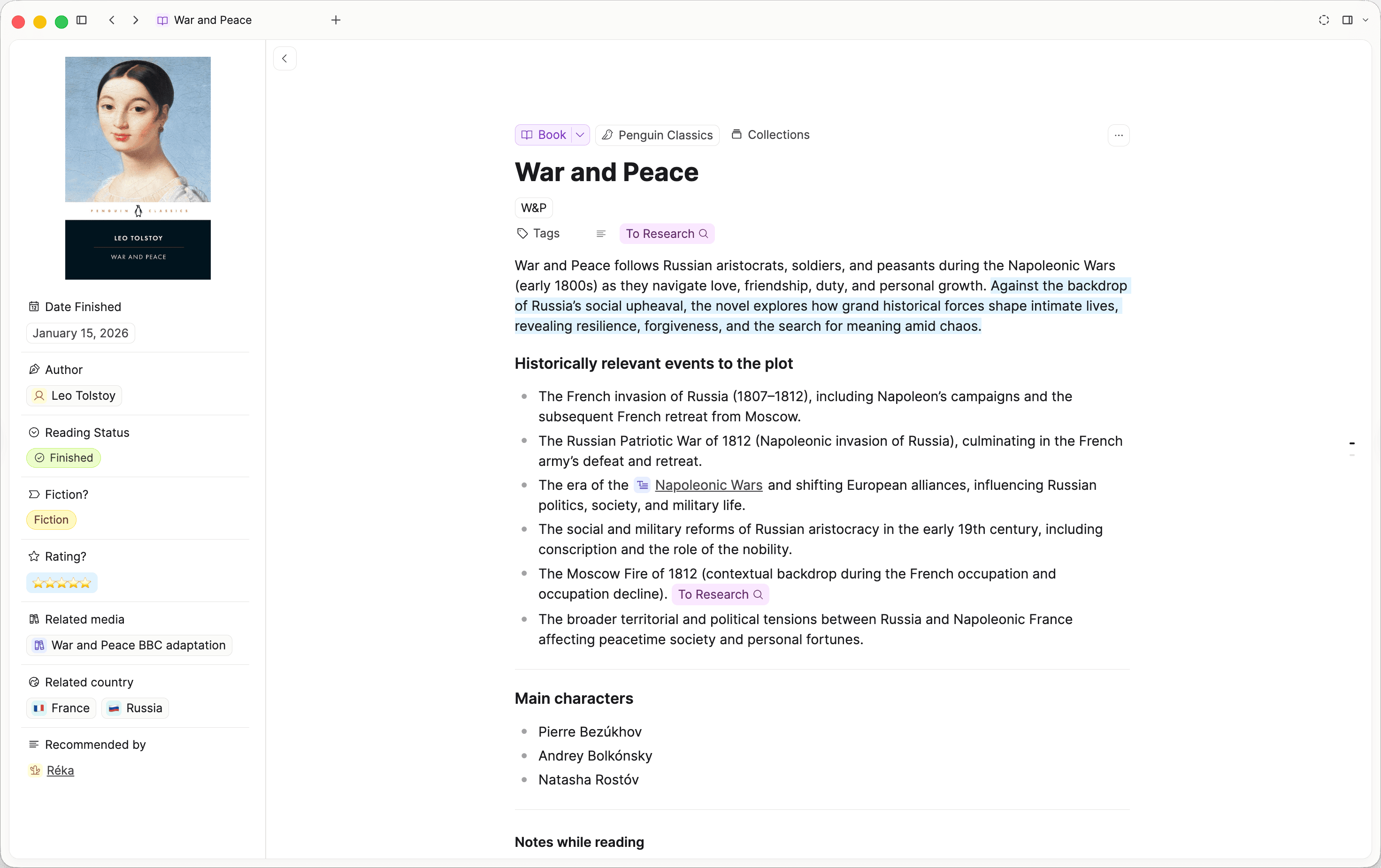
- Paragraphs have a bit more breathing room.
- Lists, to-dos, and toggles have clearer spacing and a nicer selection highlight when mixed together.
- Linked objects (entity blocks) have more balanced spacing above and below.
- Horizontal dividers have more even spacing, especially when followed by lists, to-dos, or linked objects.
- Table cells have rounded corners and a clearer focused state.
- Two-column blocks are hidden from the create menu on phones, where they aren't supported.
Block linking
- The reference counter no longer sits on top of your content. It now flows beside the block instead.

- The reference menu opens as a proper bottom sheet on mobile.
AI assistant
- The AI Chat now has a stop button whenever a response is being generated.
- You can now have multiple AI Chats working concurrently in the right side panel.
- Overall improvements in speed and error handling for all AI features.
- The AI Assistant can now read specific sections of analyzed media and distinguish your notes from media transcripts.
- AI replies now use the full width of the chat column, giving activity indicators and source pills more room to breathe.
- Sources are now shown as a cleaner grouped card with smaller text and website names, making references easier to scan.
- The context bar above the chat input is hidden for now. Use @-mentions to add context instead.
Drag and drop
- You can drag an inactive tab to the right side of Capacities to open the side panel automatically when it is hidden.
- You can drag objects from various views and the space overview (the left sidebar) into the side panel.
- You can drop individual objects into collections and tags views, where applicable.
- Drag and drop now supports dropping onto custom space overview sections, cover images, and specific objects.
- Nested drag-and-drop areas are handled more smoothly.
Images and links
- Broken image tooltips look cleaner and easier to read.
- Web link preview cards have a tidier cover image layout.
Import, sync, and files
- Property synchronization during imports now preserves two-way links correctly.
- Added an option to always allow when opening local file links (
file://) to simplify access. - Added import action buttons in empty states of media views to make importing easier.
Onboarding
- The "Tip of the Day" cards have more breathing room and a cleaner look.
🐛 Fixes
AI and chat
- AI panel is working again after the last release.
- Disabled autofill instructions in spaces that are excluded from AI features to avoid confusion.
- Clicking the "Tasks" tab in an AI chat now correctly toggles the content display.
- Corrected AI usage when preferring external API keys in the AI Assistant settings. If you were seeing budget errors with this option enabled, they should now be resolved.
- AI Chat error "model not found" should now be fixed for all providers.
Editor and blocks
- Indenting a heading no longer resets it to normal text. Your H1–H4 styling is kept.
- Using backspace with the cursor at the start of a text block now first unindents and only merges with the block above when the block can't be unindented anymore.
- Copying a block reference now works on mobile, just like on desktop.
- Inline code formatting (
⌘E) now toggles off reliably and keeps the cursor in the right place after applying it. - Block references can now be selected with a rectangle selection.
- Pressing Backspace or Tab near the edge of a block reference no longer accidentally moves text into the referenced item.
- All block references are now counted correctly, including in code blocks.
- Indented child blocks under text blocks stack correctly again after the layout update.
- Fixed a layout issue where reference arrows would cover text, so text is no longer hidden behind these arrows.
- Changing the type of an embedded note no longer changes how the note is displayed.
- Fixed an issue where presentation mode would lose your place when stepping between blocks.
Data views and properties
- The calendar button on date fields opens the date picker again as expected.
- Fixed the expand button on date properties so the calendar opens correctly again.
- Embeds in data views expand correctly again.
- The width of the drag-and-drop activation area in Kanban views has been reduced to prevent accidental interference with other interface elements.
- Fixed inconsistent display in the query editor and cleaned up selection menus for clearer data views.
- Resolved an issue where slider icons disappeared when grouping items in table view.
- Label values now display correctly on small cards in gallery view.
Images, gallery, and exports
- Fixed spacing in the image gallery to improve how images display.
- Restored cover image actions (expand, edit). Edit options work reliably again when dragging items over them.
- Highlighted text and cover images now render correctly in PDF exports.
Side panel and tabs
- Embeds in the side panel work again, even when the same page is open in the main view.
- The close button on side panel tabs is no longer clipped or cut off.
- Object previews are disabled when hovering over the active space tab to avoid unnecessary distractions.
Sidebar and navigation
- Sidebar item reordering works again after a drag-and-drop issue was fixed.
- Fixed an issue with the "Move To" action that prevented it from working correctly.
- Fixed filtering in backlinks so it now works correctly.
- Unlinked mentions only show up when there is also a backlink to the note, preventing confusion.
- Fixed shift+click on the calendar's Today button to open daily notes in the side panel again.
- Resolved problems with nested drag-and-drop areas to prevent conflicts and improve usability.
Daily notes
- Tags are now correctly shown on the daily note page again.
- The template menu (three-dots icon) in the daily note header is now always visible, even before a note exists, so you can create a note from a template without any extra steps.
Mobile
- The linking menu stays visible above the keyboard instead of being hidden behind it.
- Notifications and feedback messages now stay visible on top of open sheets and modals, instead of being hidden behind them.
Import and settings
- Fixed an issue where icons did not display correctly in the import menu.
- Corrected the setting to hide structure options so it only applies to new users.
- Renamed the "Upgrade" label in security settings for clarity.
Search and performance
- Several search issues reported in nightly have been fixed.
- Removed some heavy background diagnostics that were causing noticeable UI lag for some users.
- Resolved a couple of performance issues after the latest nightly update.