A studio for your story.
A novel is more than its manuscript. There’s the research, the characters, the places, and all the ideas you haven’t used yet. Capacities is a private space where you can collect all of it, think it through, and see how it connects.
Research · Characters · Settings · Chapters · Whiteboards
- Role
- Narrator
- Appears in
- Ch. 3: Ingolstadt Ch. 5: The creature wakes Ch. 10: Mer de Glace
- Settings
- Geneva Ingolstadt
Victor Frankenstein
Tags
Who he is
- A young scientist from Geneva, obsessed with the secret of life.
- Tells his story to Robert Walton on the ice, near the end of his life.
- Runs from The Creature the moment it opens its eyes.
Open questions
- When does ambition turn into guilt? Maybe the night after the creature wakes.
A studio for your mind
Everything around the manuscript
Capacities isn’t a word processor. It’s a studio for your mind, where you can dream, brainstorm, and research before and while you write, without having to keep it tidy.
Private by default
Your space is private. Half-formed ideas, bad first lines, and plot holes stay there until you decide what to do with them.
Messy is allowed
You can write an idea down before it’s good. A thought in today’s note can grow into a scene, a character, or nothing at all.
Everything is connected
If you link two notes, each one shows the other. Your research, your characters, and your plot stay together.
Somewhere to put the ideas that aren’t ready
Ideas don’t wait until you’re at your desk. You can put them in today’s note as they come, and sort them later if you want to.
A daily note for every day
You can put a dream, a line of overheard dialogue, or a question about the ending in today’s note, and you don’t have to file any of it.
Turn an idea into an object
If a line turns into a character or a scene, you can make it one. It stays linked to the day you first wrote it down.
Text yourself via WhatsApp
If an idea comes when you’re out and about, send to yourself through your own encrypted Capacities WhatsApp chat. Your idea goes into your daily note, so you don’t have to worry about forgetting it.
Thursday
26 November 2026Week 48
Daily note
Tags
17:48
How much electricity would Frankenstein need? to research
Your story, in pieces
Give every part of your story its own page
Characters, settings, and chapters can each be their own object type. If you link a character to the chapters he appears in, his page lists them all. You can see that Victor appears in chapters 3, 5, and 10 without searching the manuscript.
Characters
Write down how they speak, what they want, and what they hide. Each character’s page lists every chapter they appear in, so you never lose track.
Settings
Keep notes on Geneva, Ingolstadt, or the Arctic ice: what each place looks like, and which chapters happen there.
Chapters and scenes
Give each one an order and a status, from outline to draft to done, and you can see the whole book in order.
Types of your own
If your book has letters, journals, or a timeline, you can create an object type for each of them.
You can use a project as the hub for the book. If every chapter links to it, the project page shows them all in one place.
Research and inspiration
Keep your sources and your notes on them together
You can save images, videos, and Wikipedia articles to your space. Each one gets its own page with room for your notes. If you link it to the scene or character it helps, you’ll know later why you saved it.
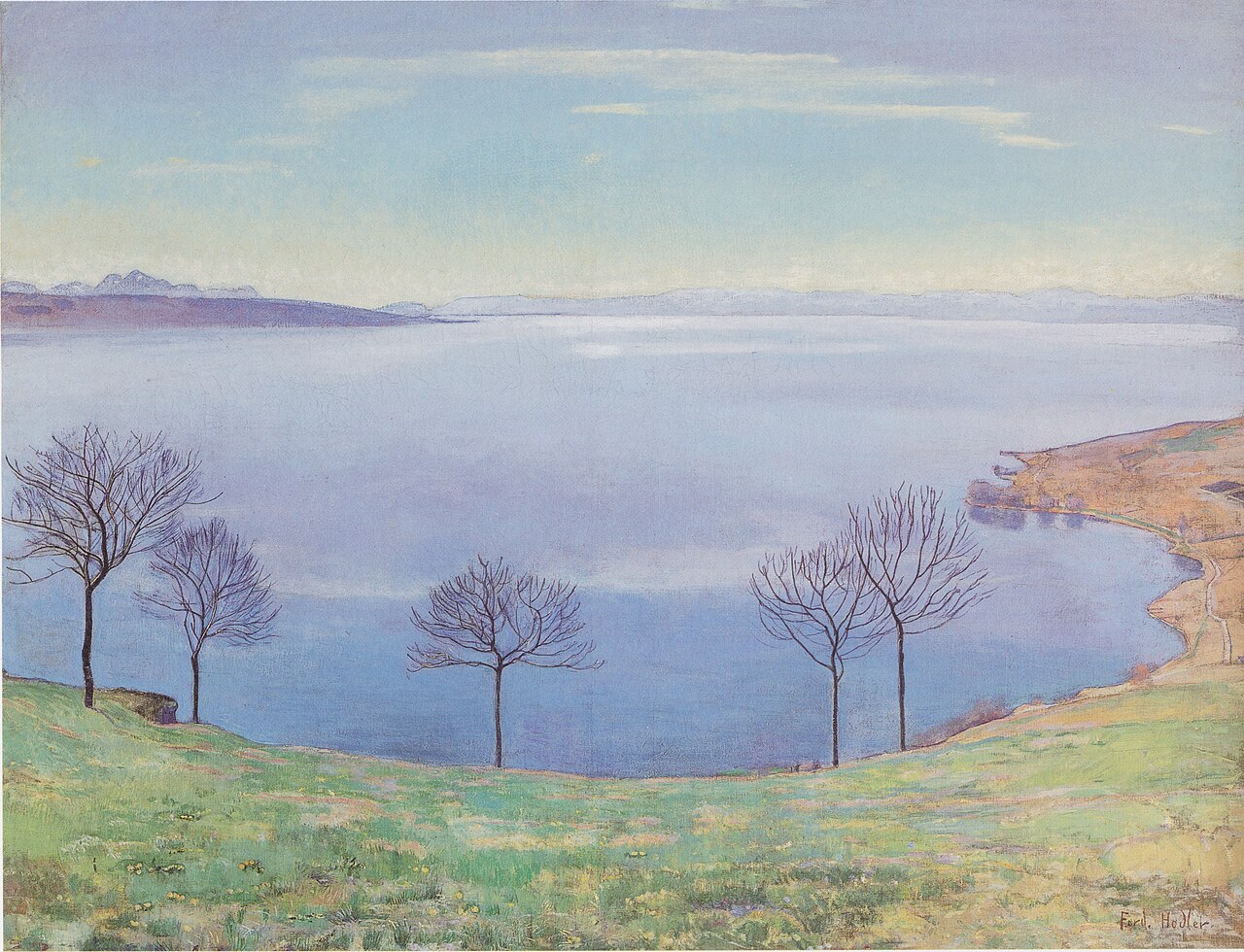
Lake Geneva from Chexbres
Ferdinand Hodler, around 1898
Year Without a Summer
W en.wikipedia.org/wiki/Year_Without_a_Summer
Year Without a Summer
From Wikipedia, the free encyclopedia
In 1816, ash from the eruption of Mount Tambora cooled the climate across the Northern Hemisphere. Europe had a cold, wet summer, with storms and failed harvests…
My notes
- Byron’s ghost story contest is where the book began.
- Use the lightning over the lake in Ch. 7: Return to Geneva.
Images
Save photos, paintings, maps, and faces that look like your characters.
Videos
Save documentaries and interviews, and write down the moment you want to remember.
Weblinks
Save Wikipedia articles, blog posts, and archive pages with a preview.
PDFs
Keep papers, old letters, and scanned records next to your notes on them.
Books
Keep notes and favourite passages from the novels you learn from.
Atomic notes
Write one point per note and link it from every scene that uses it.
Whiteboards
See the whole story at once
A whiteboard is an infinite canvas where you lay things out in space. In Capacities, a whiteboard is an object, and you can put your chapters, characters, and images on it. If you open a card, you’re in that note.
Storyboard
Lay out the three acts
Draw a frame for each act and drag your chapters into it. You can try a chapter in a different act before you rewrite anything, and keep loose ideas at the edge of the board until they find a place.
Act I: Creation
Letters: Walton in the Arctic
Ch. 1: Childhood in Geneva
Ch. 3: Ingolstadt
Ch. 5: The creature wakes
Act II: Consequences
Ch. 7: Return to Geneva
Ch. 8: Justine’s trial
Ch. 10: Mer de Glace
Ch. 11: The creature’s story
Act III: Pursuit
Ch. 20: The broken promise
Ch. 21: Clerval’s death
Ch. 23: The wedding night
Ch. 24: The chase into the ice
The Creature
Whiteboards are part of Pro.
Your notes beside the chapter
When you sit down to write, you can keep your research open next to the draft.
Your notes in the side panel
If you Shift-click a character, a setting, or a source, it opens in the side panel next to your draft.
Link with @
If you type @ and a name, you link that character or source from your text. Its page then shows the chapter under Backlinks.
From outline to done
A long project is easier to finish when you can see how far you’ve come.
See where every part stands
If you group your chapters by status and sort them by order, you can see which ones are still an outline and which are done.
Export when you’re ready
You can find the word count of each part in the Info tab. When a part is ready, you can export it as Word or PDF and finish it in your word processor.
Questions writers ask
Give your story a home
Start with one character, place, or idea, and link the next one to it.