Master your Meetings with Capacities

Getting the Most Out of Meeting Notes in Capacities
Meetings are a huge part of most of our work lives, and it’s essential to track what was said, what decisions were made, and what needs to be done next. Capacities can keep your meeting notes structured, connected, and actionable.
Watch this video to learn more, or read on!
Setting Up Your Meeting Object Type
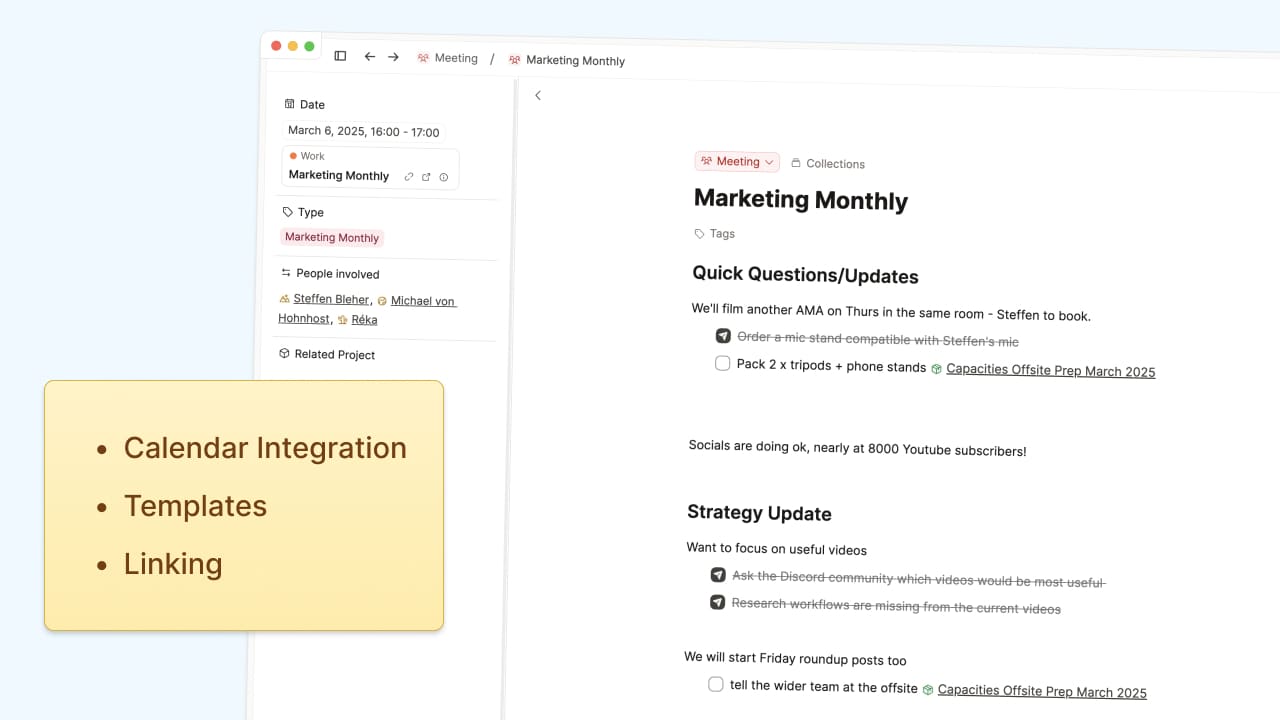
Since meetings tend to follow predictable patterns, object types are the perfect way to manage them. The built-in Meeting object type already includes key properties like:
- Date – When the meeting happened
- People involved – Who was there
- Type tag– Stand-up, one-on-one, annual review, etc.
If there’s anything else you track for the majority of your meetings, like meeting location, whether or not you’re leading it, or which area of your job it relates to, just add a property for this.
Setting Up Templates for Different Meeting Types
Whilst your object type can set a general meeting structure, we know not all meetings are the same. For example, a one-on-one is different from a team marketing meeting, so structuring them differently makes sense. We can use templates to make this predictable structure easier to implement, which saves us having to set each marketing meeting note up each time.
- A one-on-one template might include sections for updates, feedback, and next steps.
- A marketing meeting template could have sections for agenda items and project updates.
Capacities’ templates can pre-fill blocks (where you write), but also properties. For example, your marketing meeting template can already include all regular attendees and have the type tag of #1:1
Once you have these templates in place, loading them takes one click when you create a new meeting note.
Syncing with Your Calendar
Since you’re using Capacities, you might already know about the calendar integration for Pro and Believer users. But if you haven’t set it up yet, it’s worth doing.
Once integrated, your sidebar will show a feed of today’s meetings, letting you create a linked meeting note in one click. The integration allows:
- Meeting details to sync both ways between Capacities and your calendar.
- Quick access to external calendar links.
- The ability to create meeting notes ahead of time, so you can start preparing well before the meeting happens.
Making Meeting Notes Actionable
Taking notes is just one part of the process–what you do with them afterward is what really matters. Capacities makes it easy to:
- Summarize key takeaways after a meeting.
- Convert discussion points into tasks and send them to your task manager.
- Link notes to projects, people, and ideas so they aren’t just static text.
For example, if a meeting note mentions a project delay, you can copy the block reference and paste it into the project page as an update–keeping the original context while surfacing the information where it’s actually useful.
AI-Powered Summaries and Task Extraction
If you have long or messy notes, Capacities’ AI assistant can help by:
- Summarizing notes into key takeaways.
- Extracting action items automatically.
- Simplifying complex notes into clear bullet points.
This is especially useful for meetings with a lot of discussion, making sure nothing important gets lost.
Organizing and Finding Meeting Notes
As your meeting history grows, finding what you need quickly becomes more important. Capacities helps with this by letting you:
- Sort meetings by date, so the most recent ones are at the top.
- Filter by meeting type, so you can see all your one-on-ones or marketing meetings in one place.
- Create saved queries for specific categories of meetings you check regularly.
If you have a lot of meetings, pinning these queries can give you quick access to the most relevant ones.
Making Meeting Notes Work for You
Since Capacities connects everything, your meeting notes can be much more than just a record of what was said. You can:
- Link meetings to relevant projects, tasks, and people, so all related information stays connected.
- Reference past meetings easily when reviewing ongoing projects or prepping for the next discussion.
- Keep notes structured yet flexible, adapting as your needs evolve.
If you haven’t fully integrated meeting notes into your workflow yet, now is the time to try!