Your calendar, next to your notes.
Connect Google, Microsoft 365, Apple, or any CalDAV calendar. Your events sit beside the daily note, and any event can become a meeting note that stays linked to it.
Part of Capacities Pro. Your events show on your phone too.
For people whose notes start with a meeting
Your calendar knows when. Your notes know what was said. Together they make the day easy to follow.
Your day is full of meetings
Calls, one-on-ones, appointments. You want each one to have a place for notes, without making that place by hand.
You plan the day in the morning
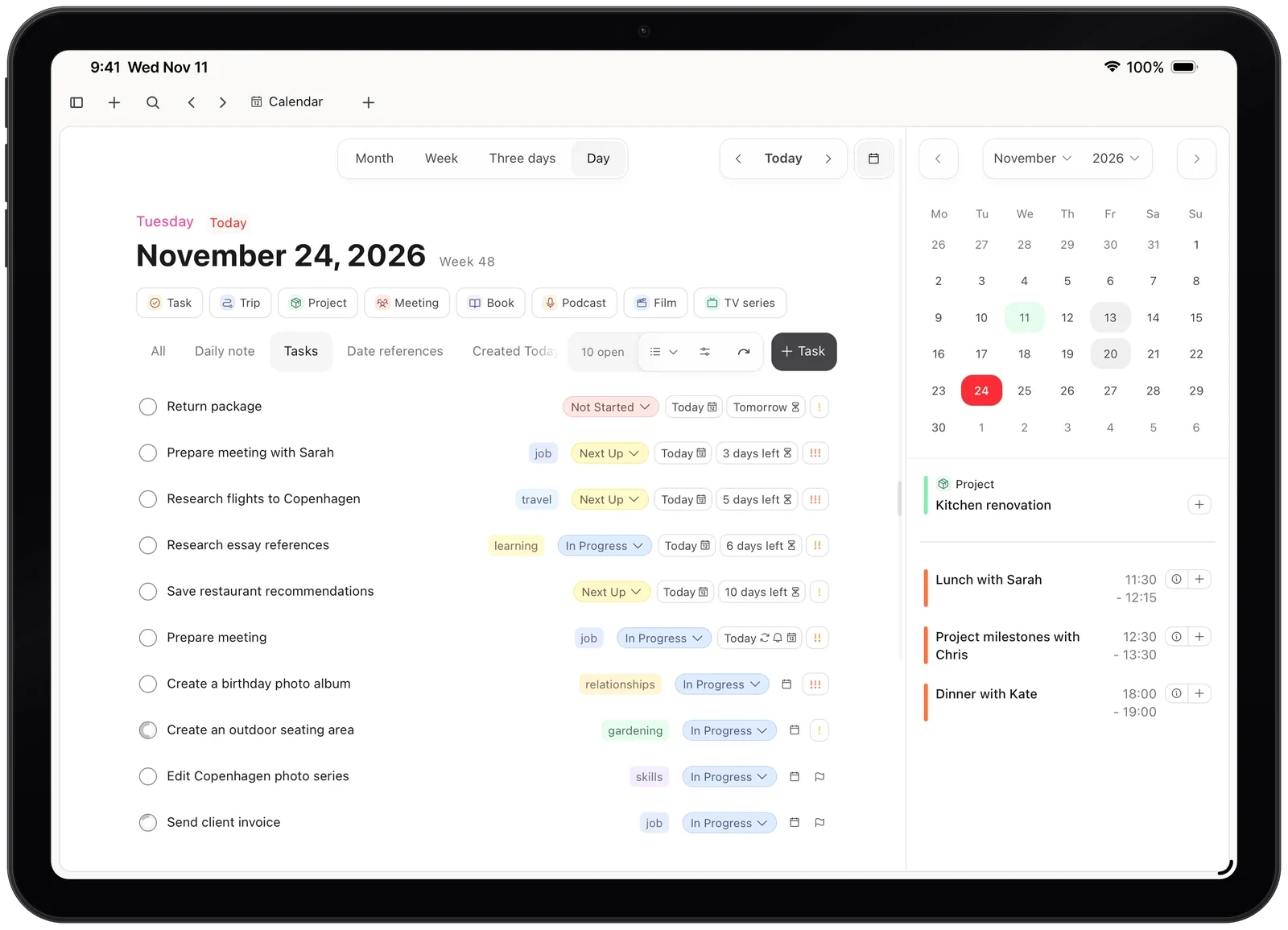
Events, today’s tasks, and the daily note on one screen. You see what the day holds before you start writing.
You want to find a meeting again
A meeting note knows its date and links to the people and projects in it. Months later, it is on their pages.
"The calendar integration is a game changer. Brilliantly done—hugely capable, not invasive. Exactly the way I wanted it done."
From an event to a linked meeting note
Set it up once. After that, every meeting is one click away from its notes.
Connect a calendar
Google, Microsoft 365, Apple through iCloud, or any CalDAV account.
See the day
Events show in the Capacities calendar, next to the daily note and today’s tasks.
Make a note from it
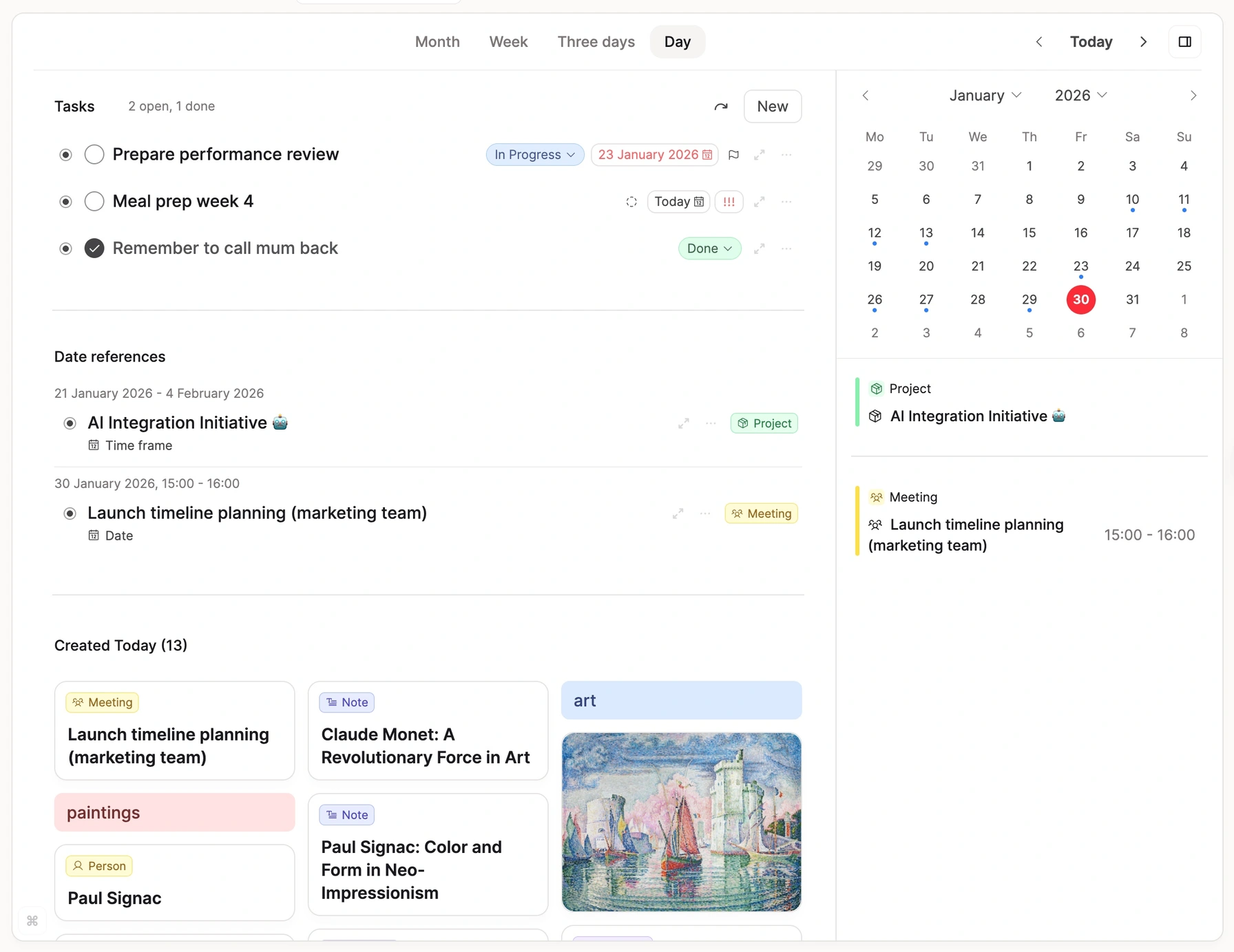
Create a meeting note from an event. The event’s date and time move into the note.
They stay in sync
Move the event, and the note moves. Change the note’s date, and the event changes.
Every meeting gets a note, if you want one
Open the day, click an event, and create a note from it. The note keeps the event’s date and time, and you can link the people and projects it is about.
Any object type with a date
A Meeting, an Appointment, a Call. You can create any type that has a date property straight from the event.
The event becomes the note
In the calendar, the event is replaced by your note, so you open the note right from the day.
You decide which events get a note
Nothing is copied by itself. Your events stay in your calendar, and only the ones you choose become notes.
Plan in notes, see it in your calendar
It works the other way too. A note with a date can become an event, so the time you planned shows up wherever you check your calendar.
Add a note to your calendar
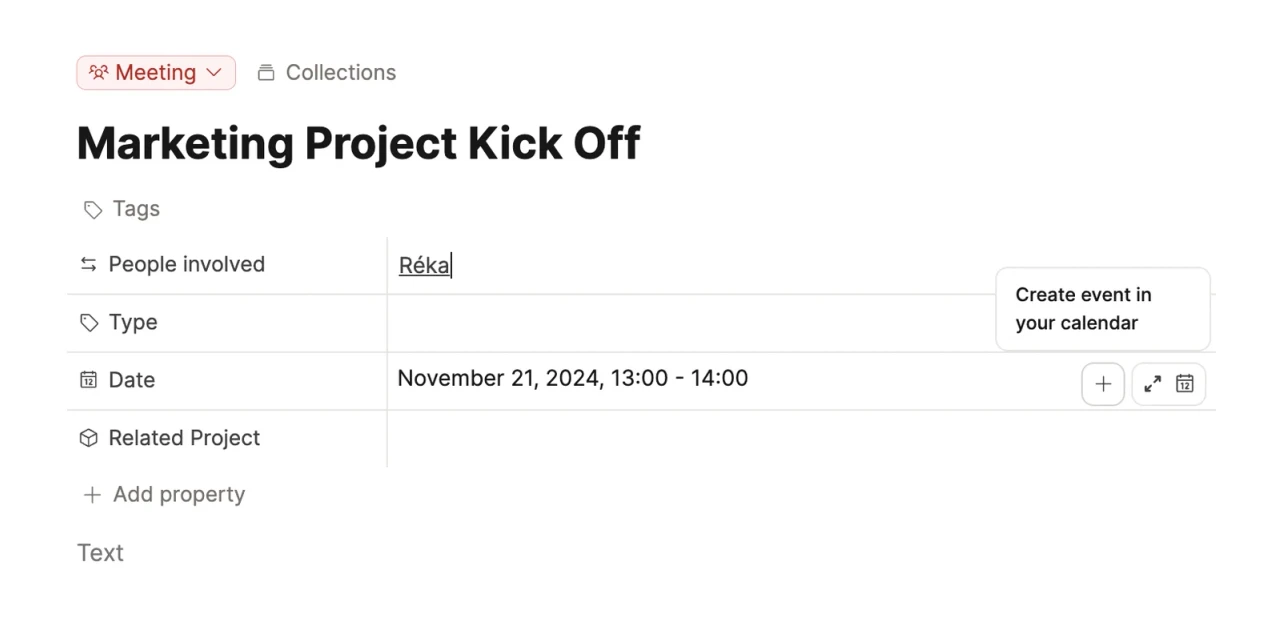
Give a note a date, and you can create a calendar event for it from the date property.
A link back to the note
The event gets the note’s description and a link back to it, so you can open your notes from the invite.
Change it in either place
Change the date in Capacities and the event moves too. Changes can take up to 30 seconds to show.
Works with the calendar you already use
Connect as many accounts as you like, and choose which calendars show in which space.
With a calendar connected, the AI assistant can look up, create, and delete events for you, and tasks with a date from task management show on the same day.
Before you start
Not a calendar app
Keep your calendar app for managing events. Recurring events can’t be created or changed from Capacities, and every event you create there starts from a note.
Accounts you sign in to
Calendar integrations need an account. ICS files, public calendar links, and webcal subscriptions don’t work.
Events stay with your provider
Capacities shows your events but does not store them. Only the events you turn into notes become part of your space.
More integrations
Other ways to get things into Capacities, and out of it.
 Readwise ProImport the Readwise and Reader documents you choose, with highlights.
 Kindle ProEmail your Kindle highlights in, sorted by chapter.


 Task actions ProSend a to-do to Todoist, Things, TickTick, and other task apps.
Take notes in your next meeting
Connect your calendar, open today, and create a note from the next event on it.