Kindle highlights, chapter by chapter.
Email a book’s notebook from the Kindle app to Capacities. You get the book as a note, with every highlight under the chapter it came from, ready to link to the rest of what you know.
Part of Capacities Pro. No Readwise subscription needed.
For Kindle readers who want their highlights back
What you marked while reading is worth more than a list in an app you never open.
You read on Kindle
Your highlights sit inside Amazon’s apps. Send a book’s notebook to Capacities and you can finally work with them next to your other notes.
You read long books
Highlights stay under the chapter they came from, so a 400-page book is easy to review section by section.
You want it simple
No extra subscription and nothing running in the background. You decide when a book comes in, usually when you finish it.
From the Kindle app to a connected note
Four steps, and the first two take less than a minute.

Open the notebook
In the Kindle app, open the book and tap Annotations.
The book appears
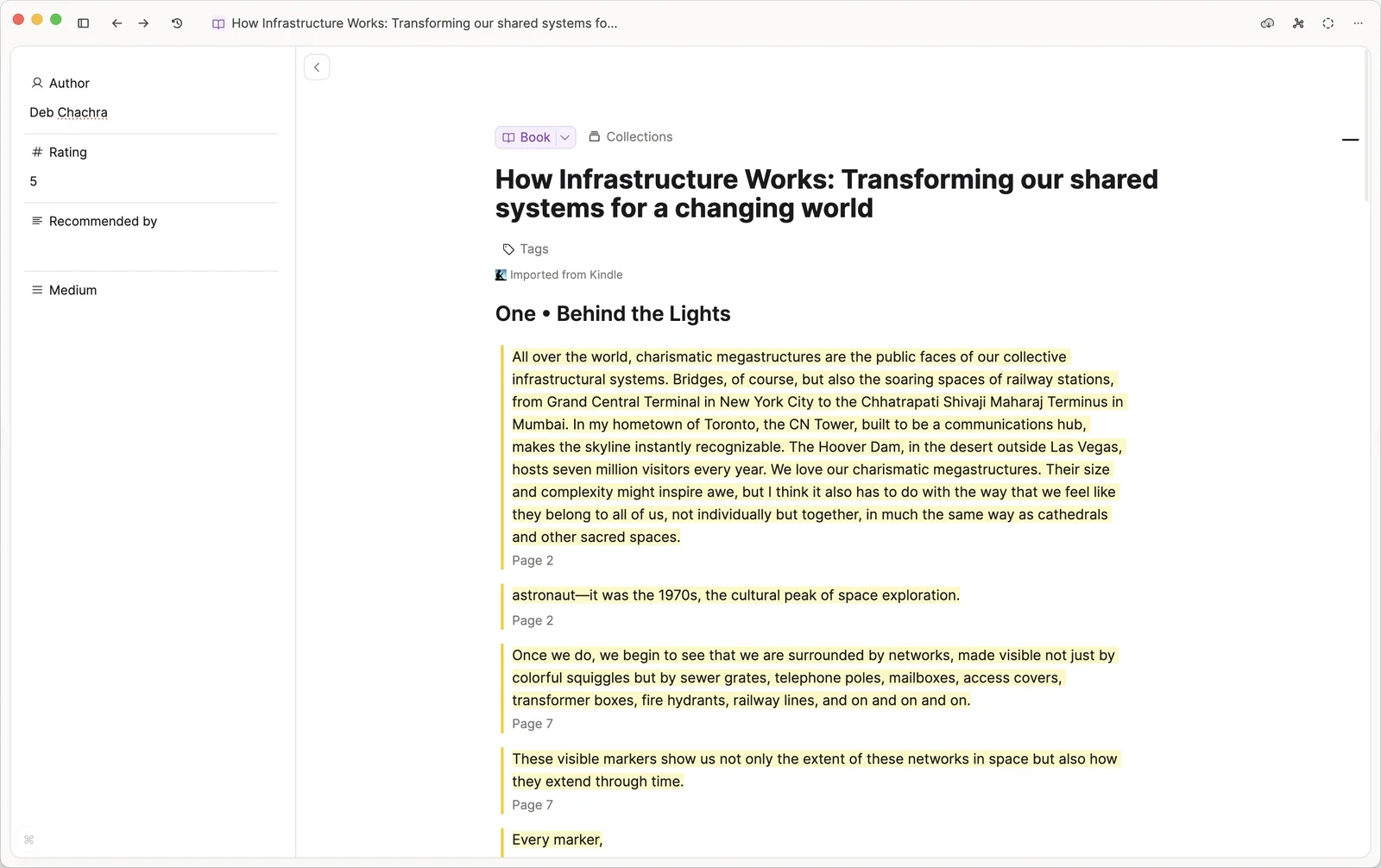
As your Book type, with highlights under each chapter and the page they came from.
Make it yours
Write next to highlights, link them to ideas and people, and turn the best into objects.
Your book, in the shape it was written
Most exports give you one long list. Capacities keeps the chapters, so you can come back to one part of a book without scrolling through all of it.
Chapters kept
Highlights are split into sections that follow the chapters and headings of the book, with the page number under each one.
Your Book type
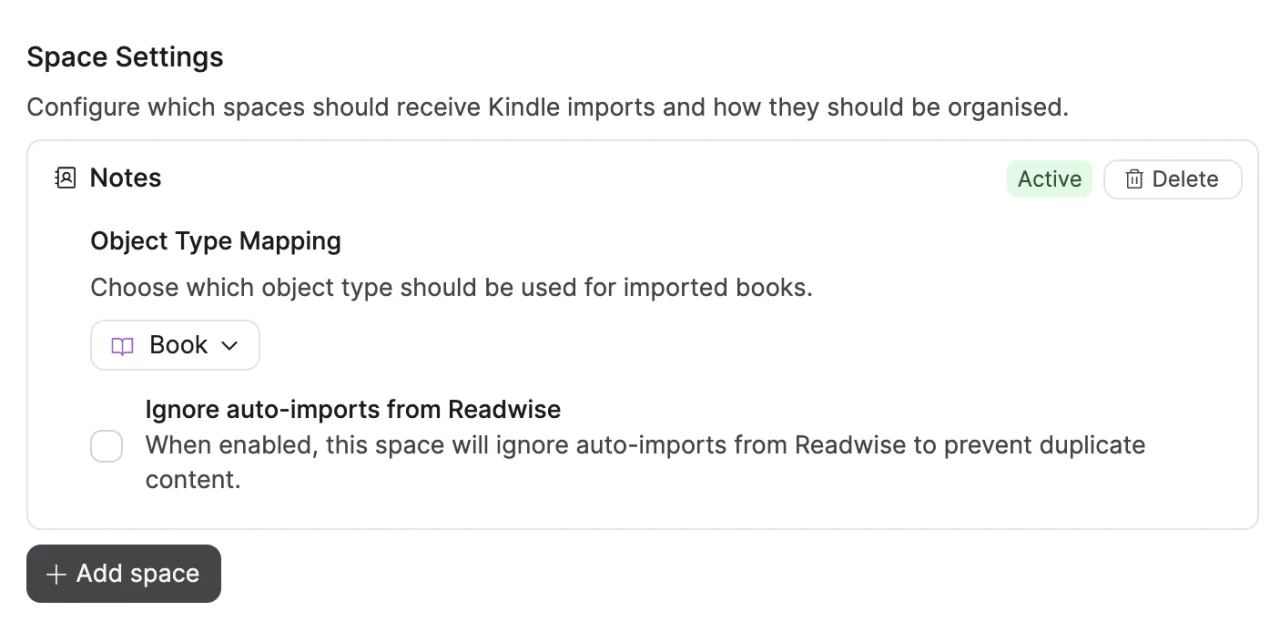
Choose what a Kindle book becomes in each space: a page, your Book type, or any other object type, with its properties.
No duplicates with Readwise
If you use Readwise too, tell the Kindle import to ignore the books Readwise already brings in.
Two ways to bring in Kindle highlights
Both are part of Pro. Pick the Kindle import for a simple, on-demand flow that keeps chapters. Pick Readwise if you want it automatic and read in more places.
| Feature | Kindle import |  Readwise |
|---|---|---|
| Extra subscription | None | Readwise |
| How books arrive | You email them, when you choose | In the background, as you read |
| Chapters and headings | Kept | Only if you highlighted them |
| Cover and details | Not in Amazon’s export | Cover and more details |
| Other sources | Kindle only | Reader, Kobo, articles, PDFs, and more |
Before you start
The app, not the device
Exports from a Kindle device can’t be read. Send from the Kindle app on your phone, tablet, or computer.
From your verified email
Send the export from an address you added in the email integration. Custom domains need a quick approval from the team.
Part of Pro
The Kindle import is a Capacities Pro feature. You don’t need Readwise or any other subscription for it.
Want a routine for working through a book? The reading workflow shows one, and Michael shares how he works with his Kindle highlights.
More integrations
Other ways to get things into Capacities, and out of it.
Readwise ProImport the Readwise and Reader documents you choose, with highlights.Calendar ProYour events next to the daily note, and meeting notes that follow them.

 Task actions ProSend a to-do to Todoist, Things, TickTick, and other task apps.
Send the last book you finished
Export its notebook from the Kindle app. In a minute it is in Capacities, chapter by chapter, waiting for your thoughts.